
აღწერა
Super Fast, versatile, and feature-rich support and customer ticketing plugin for WordPress
Fluent Support is a versatile and feature-rich help desk and support plugin designed for WordPress. Helping you provide incredible support and manage customer queries right from your WordPress dashboard.
Fluent Support can match the premium features of SaaS solutions like Zendesk, Help Scout or FreshDesk all within your WordPress site and witthout any growth-tax.
🔗 Official Website Link: Official Website
🔗 Join Our FB Community: FluentSupport Facebook Group
🔗 Official 5 Minutes Guide: Getting started in 5 minutes
Your Self-hosted Customer Support Desk in WordPress
Fluent Support is a complete feature-rich customer support ticketing solution. It’s deemed as one of the simplest and fastest support ticketing plugins on WordPress by users.
Manage your customer queries from different channels like contact form, support ticketing form, email, or from remote websites.
Along with managing tickets, you can assign multiple agents with appropriate permission levels. Get detailed reports about your customers, agents, and increase the productivity of your overall customer support desk.
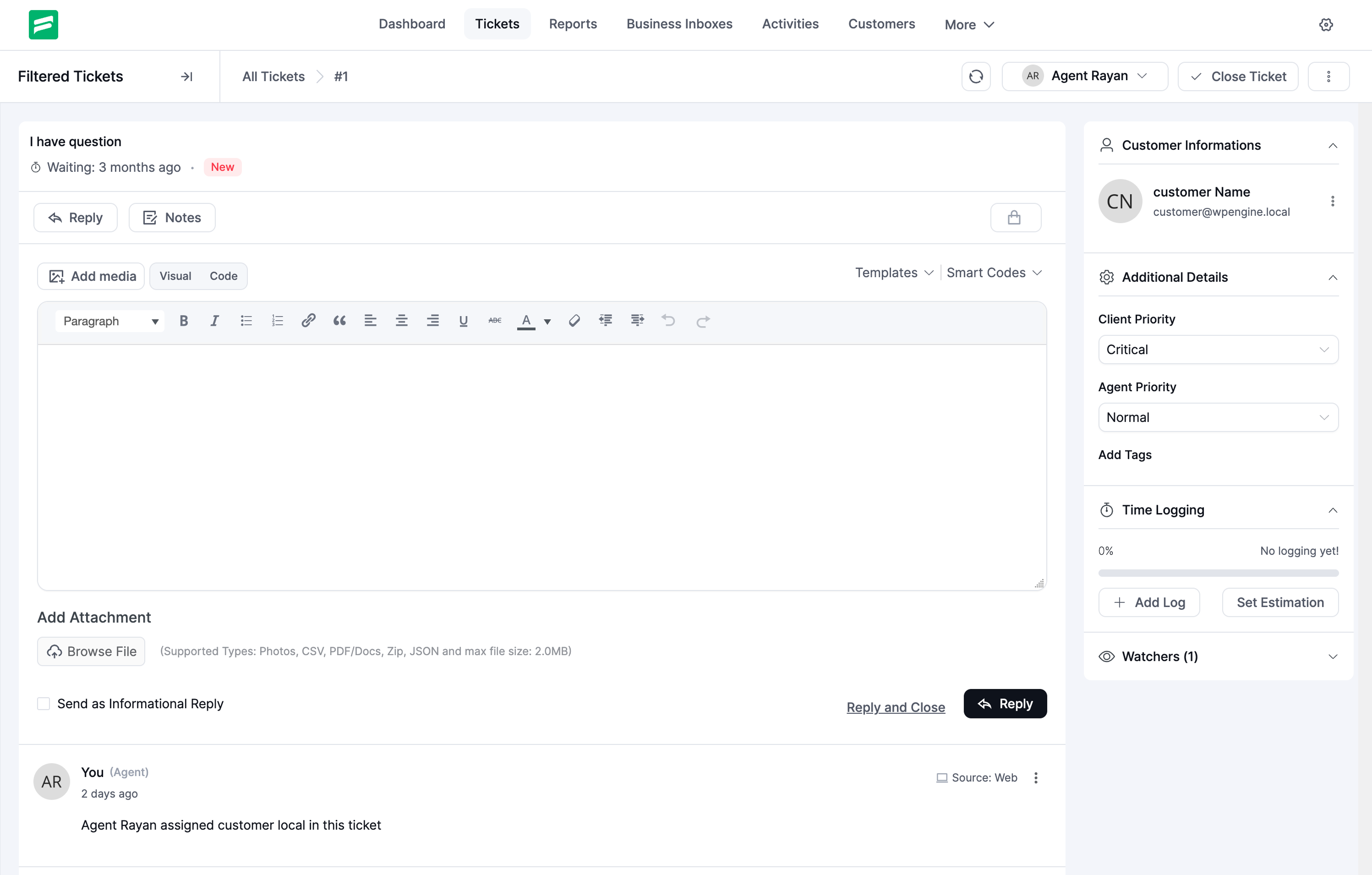
From the ticket view, you can see a 360° view of your customers, including their previous tickets, address, purchase history, membership levels, etc. Your agents can focus on the real problems when they have all the data about a customer right inside the ticket.
Fluent Support is a self-hosted support ticketing system with unlimited tickets, support agents, users, products, tags, etc. There are no limitations as you own your system and data.
Support FEATURES Every Business Needs
All-in-One Customer Support Solution
With Fluent Support, you can centralize your customer support to track and respond to them efficiently. You can also keep your customers’ additional data, notes and track their overall stats.
- Multi-Channel Support Ticketing System: Bring customer support wherever your customers are with a Multi-Channel Support Ticketing System.
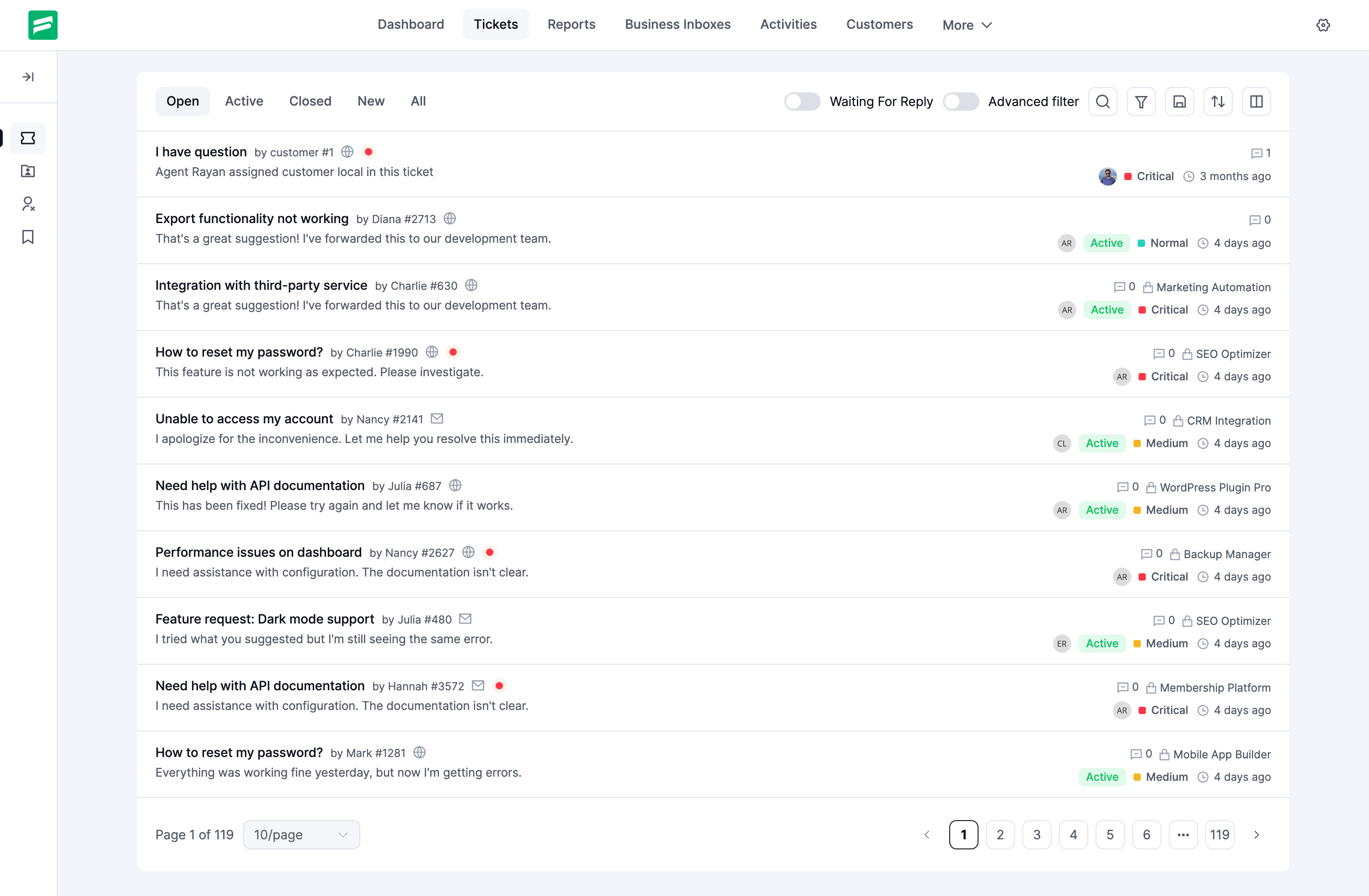
- Super fast and rich filter based support ticket management: Simplify support process with super fast and rich filter based ticket management.
- Track waiting times for your overall tickets: Respond to support tickets by tracking waiting time, so customers are satisfied from the get-go.
- Fluent Support scales with your business, be it more tickets, agents or customers. Pay a fixed price and avail all features without any hidden costs or paid add-ons. We don’t believe in Add-ons.
Customer Support Portal
Your customers can open a support ticket from your website or use your website’s contact form. Customers can view all their previous tickets when they log on to your site. For public users, they can respond to a ticket by using a unique signed secure link so you can serve both public users and logged-in users.
We’ve made design improvements and a whole new customizable block so your ticket portal looks as you need it. Make your support portal truly your own with a fully customizable portal with block editing enabled.
Ticket Segmentation and Reporting
- Ability to segment tickets by Product: Find tickets fast using effective segmentation such as sorting by Products.
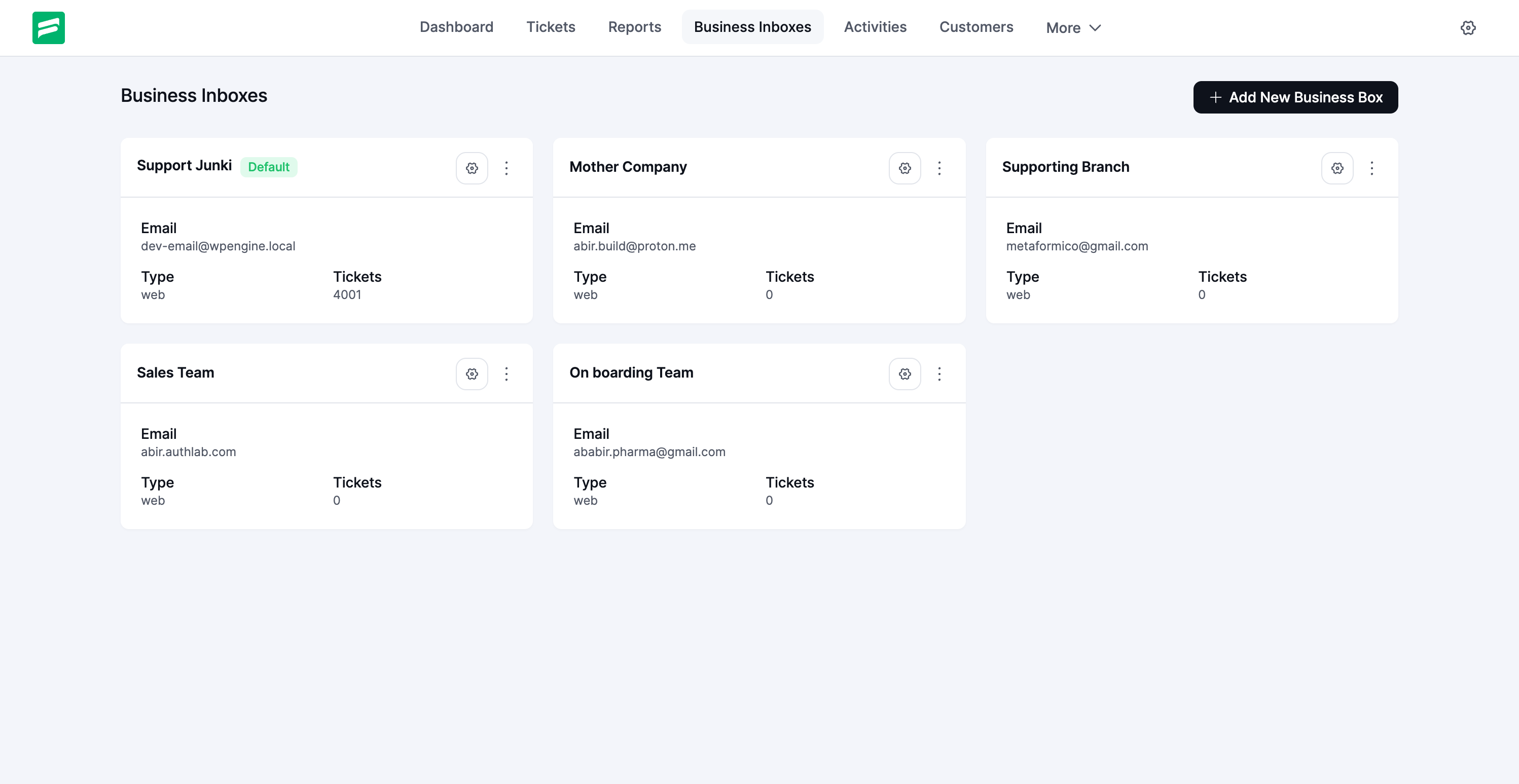
- Ability to segment tickets by Inbox: Sort tickets for specific Business if you have multiple inboxes added to Fluent Support.
- Customers can set the priority: Let customers set the Priority for their queries to better understand what needs attention.
- Admin/Support Agent can set the priority of a ticket: Agents can set their own Priorities so no support ticket goes missing or slips through.
- Adding note for internal use for a ticket: Save additional context for the new agent or ticket with Internal notes.
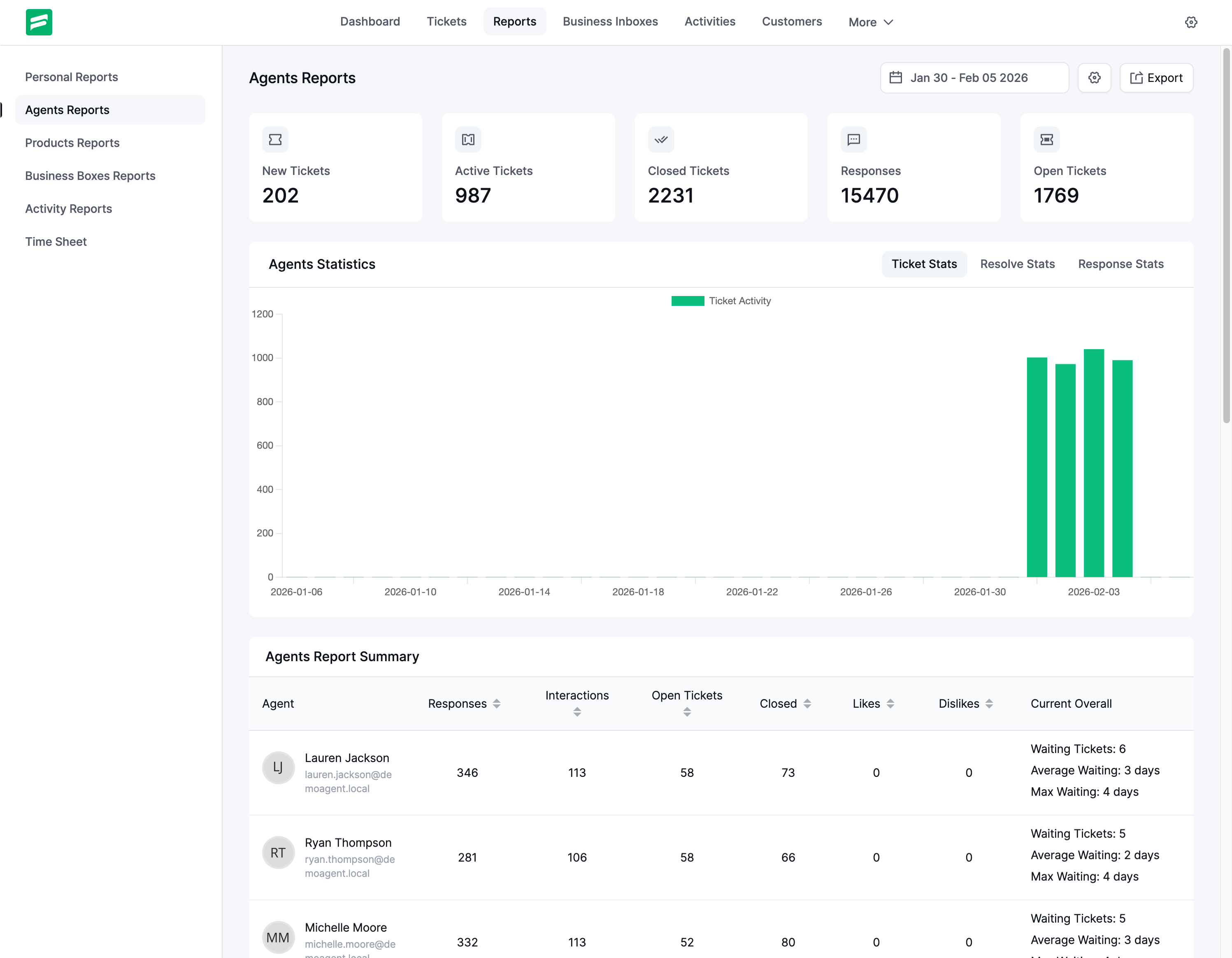
- Get detailed reports of your support agents and customers: Measure customer support performance at a glance and with unparalleled granularity.
AI-Powered Customer Support (PRO)
Fluent Support integrates OpenAI to enhance your customer support. These usages save time, improve communication, and improve your team’s performance.
- Generate AI-crafted responses for efficiency.
- Choose Responses from suggested drafts.
- Customize prompts and fine-tune replies to match your brand’s voice.
- Quickly summarize messages to understand queries faster.
- Analyze the message tone to respond appropriately.
🎉 Out-of-the-box Productivity Tools
- Custom Automated and Manual workflows
- Send a response to multiple support tickets at once. Very useful for similar queries.
- Close support tickets by filtering tickets that are older than 20 days (as an example).
- Agent Permissions: Control agents access to tickets, profiles and admin panel for complete control.
- Quickly edit a customer’s info from the ticket page or add a note for later usage.
- Get notified when multiple agents are engaging the same ticket.
- Saved replies allow you to reduce time spent with generic responses and frequent support ticket issues.
- Mention agents to specific tickets to get the right people involved.
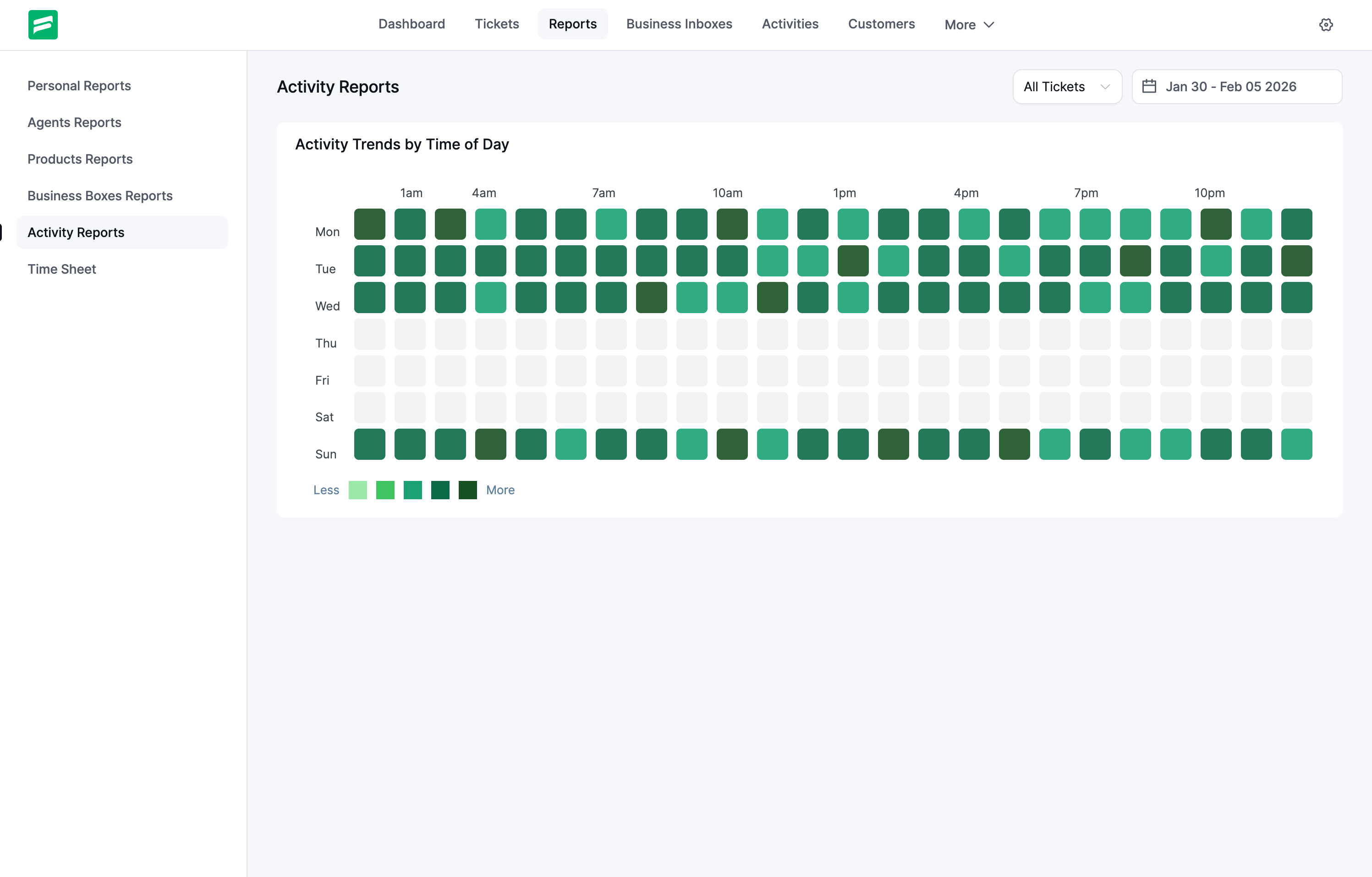
- GitHub style Activity heatmap for the busiest support days for your team. Includes all support tickets submitted over a selected period of time.
- Manual Time Tracking for tracking time spent on tickets and premium support.
Built for Speed & Productivity
Fluent Support is built to save time and make your customer support experience more pleasant. Built on top of VueJS & REST API as a Single Page Application, it’s one of the fastest customer ticketing systems available on WordPress.
For each page transition, it does not load the full page. It only fetches the required data over AJAX and loads your UI instantly. It’s like magic (thanks to VueJS and REST API). We also made the UX super friendly, easy, and simple so your agents can get started within a couple of hours.
Fully Self-hosted and Open Source
With a complete GPL codebase and self-hosted system, Fluent Support is ready for any customization you may need. Explore the __ number of API end-points and hooks to build anything, including
- Custom dashboards
- Fully customizable ticket forms
- Host support portal on headless subdomain
- Setup custom self-managed email parser
Fully GDPR Ready
Fluent Support is a self-hosted WordPress plugin. You own your data, and no external SaaS connection is required to run your Support system with Fluent Support.
Modern. Powerful. Super Fast
- Built with VueJS and REST API as a Single-page Application.
- Fast-loading, lean interface so anyone can use it without any learning curve.
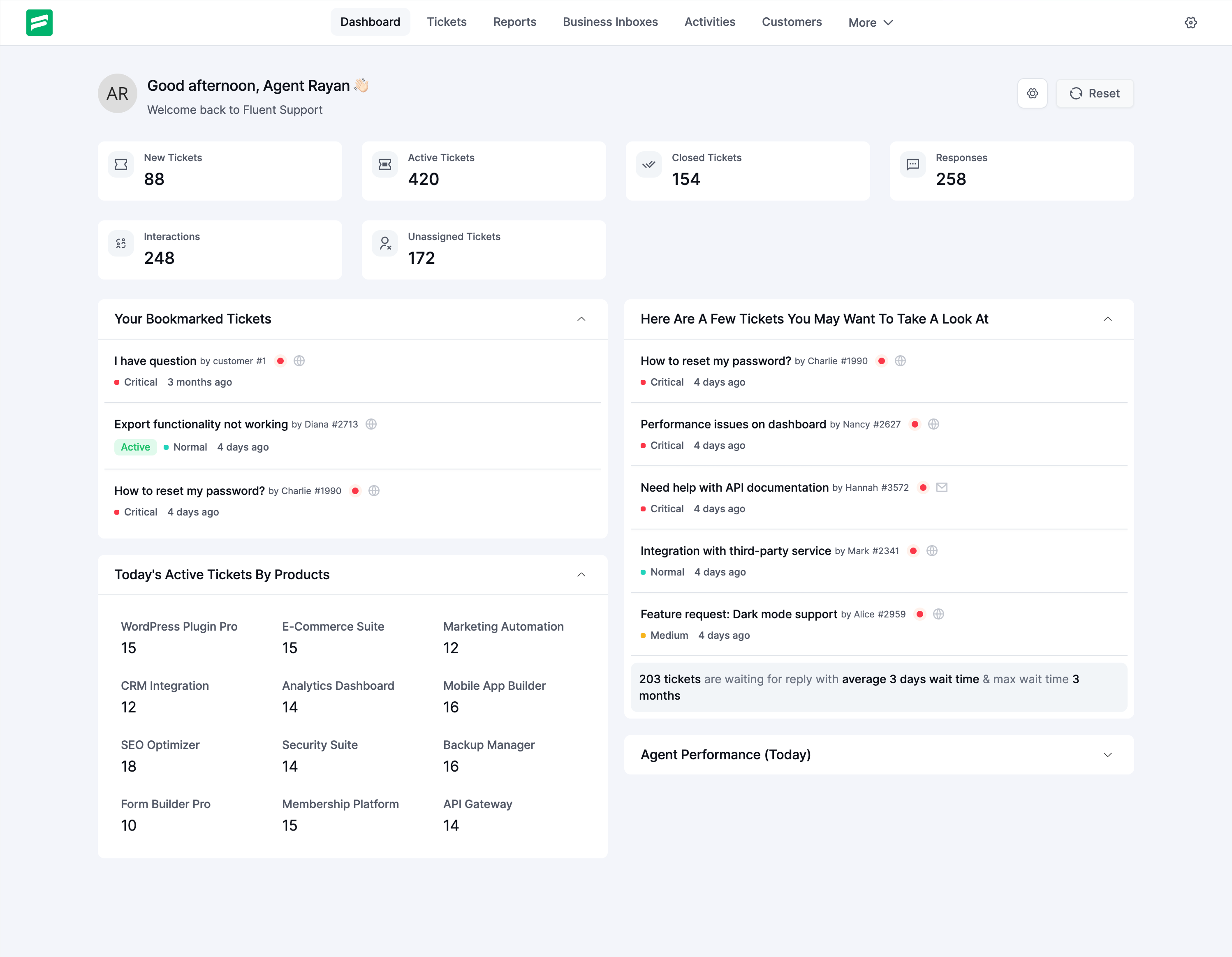
- Super easy-to-follow ticketing dashboard with visuals for essential data points to show your overall support performance.
- Separate DB Tables, and it doesn’t affect your WordPress page speed.
Seamless Integrations & Features (Pro)
Fluent Support features and integrations that will help your business –
Seamless e-commerce support with WooCommerce & EDD:
- Let your customers open a support ticket against an order so you know exactly what they are talking about.
- Let your customers select a store product for the query.
- View your customer’s orders and purchase history from a ticket view.
Membership Support with WordPress Membership Plugins
If you have a membership site with Restrict Content Pro / Paid Membership Pro / Wishlist Member then we got your covered.
When you view your member’s ticket you can see all the details of membership information so it’s super easy for you to give support to your customer.
- Let your members open a support ticket so you know exactly what they are talking about.
- Let your members select a specific plan for the support ticket.
- View your customer’s membership history from the ticket view.
Make your Learning Management System more interactive
If you have a LMS site running on LearnDash / LifterLMS / TutorLMS, then Fluent Support is a perfect solution. With the core integration with your LMS system data, you can view all the details about your student when supporting your students.
- Let your learners open a support ticket so you know exactly what they want to know.
- Let your members select a specific plan for the support ticket.
- View learning history from the ticket view.
Core BuddyPress/BuddyBoss Support
With BuddyPress/BuddyBoss integration, you can get a detailed overview about your community members from the same page of your support ticket overview.
So you can ALWAYS respond with the right message!
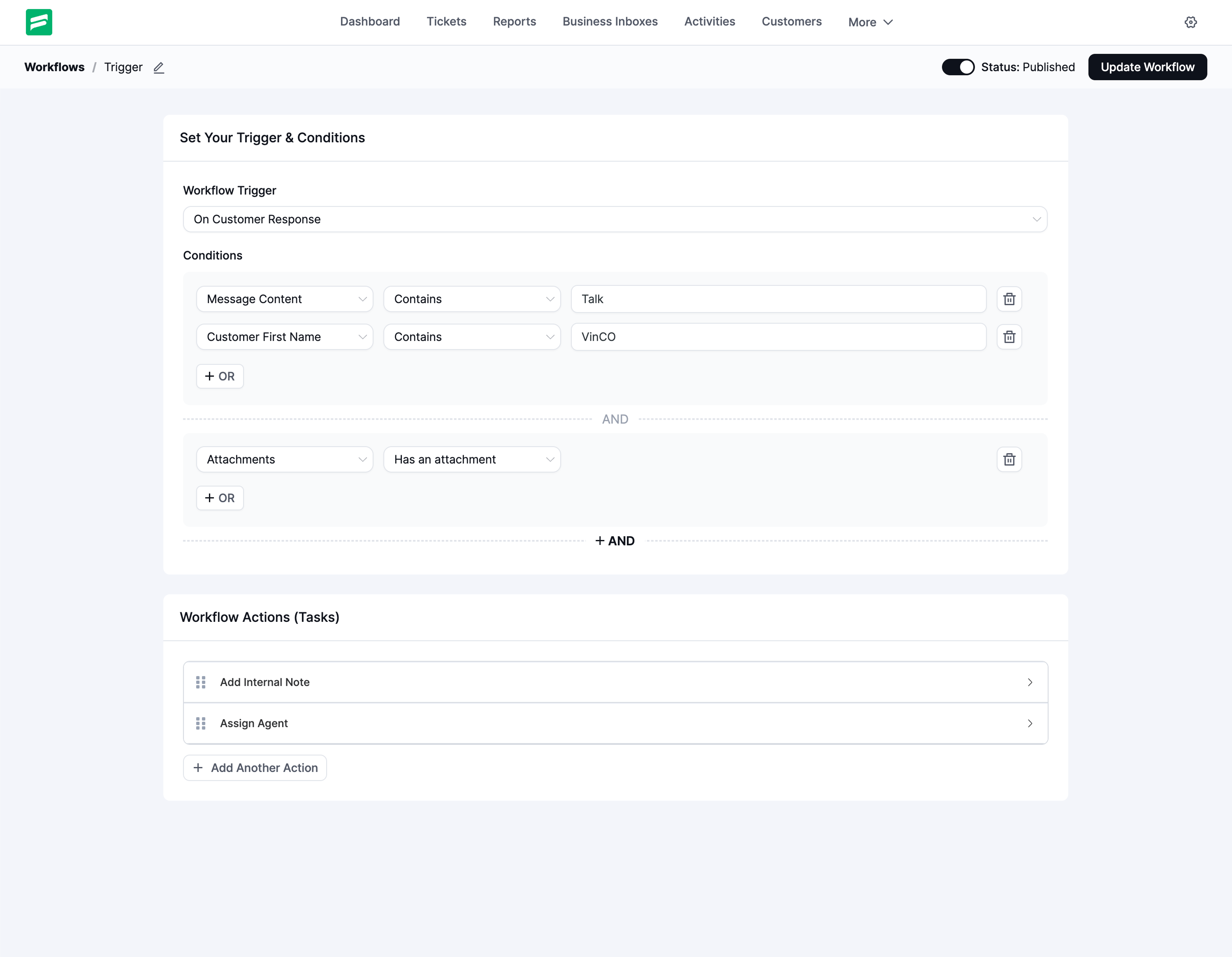
Automate Smartly and Do More in Less Time
With the powerful Workflow (PRO) and Saved Replies feature (PRO) you can automatically send replies along with
* Add internal notes
* Set ticket priority
* Assign appropriate support agents automatically
With manual workflows, you can create a set of tasks and run those tasks on the selected filtered tickets. So you can automate multiple ticket actions with a single click.
Migrate From Other Support Plugins
If you are using any of the following Support plugins and want to migrate to this high performance and super fast support plugin then you can do that in a few minutes. We’ve built a super smooth migration module to make switching support desks a matter of a few minutes.
Migrate From Awesome Support – WordPress HelpDesk & Support Plugin
For Awesome Support users the process is pretty simple. Just install Fluent Support, Configure with basic settings, create your agents and then follow the following steps
- Go to Fluent Support -> Settings
- You can see the Awesome Support migration details
- Click on the migrate now button
- It will take few minutes depends on your support tickets size
- Once completed it will ask if you want to delete Awesome Support Tickets from your database.
- Confirm Delete or leave it as is.
- Now you have all the data right inside your Fluent Support Dashboard.
- Resolve away!
Migrate From SupportCandy – Helpdesk & Support Ticket System
For Support Candy plugin users it’s also super easy to migrate to Fluent Support. Just install Fluent Support, configure with basic settings, create your agents and then follow the steps below,
- Go to Fluent Support -> Settings
- You can see the SupportCandy migration details
- Click on the migrate now button
- It will take up to a few minutes depending on your support ticket size and volume in SupportCandy.
- Once completed it will ask if you want to delete SupportCandy Tickets from your database.
- Confirm Delete or leave it as it is. If you leave it then all data in SupportCandy will remain as it is.
- Now you have all the data right inside your Fluent Support plugin.
- Migration done from “SupportCandy – Helpdesk & Support Ticket System” to Fluent Support!
Reviews by WordPress Experts
Other Plugins By The Same Team
- FluentCRM – Email Newsletter, Automation, Email Marketing, Email Campaigns, and CRM Solution
- Contact Form Plugin by Fluent Forms for Quiz, Survey, and Drag & Drop WP Form Builder
- Ninja Tables – Easiest Data Table Builder
- Ninja Charts – WordPress Charts and Graphs Plugin
- Simple Payment Donations & Subscriptions Plugin by Paymattic – Best Payments Plugin for WP
- PDF Generator For Fluent Forms – The Contact Form Plugin
- FluentSMTP – WP SMTP Plugin with Amazon SES, SendGrid, MailGun, Postmark, Google and Any SMTP Provider
Contribute
Fluent Support is an open source project. You can view the full sources (unminified JS) and contribute to the project on GitHub: https://github.com/WPManageNinja/fluent-support
External Services
This plugin connects to several external services for various functionalities.
Spam Protection Services
Google reCAPTCHA
This plugin connects to Google’s reCAPTCHA service to protect support forms and login pages from spam and abuse. It analyzes user interaction patterns and form data to verify authenticity.
It sends form submission data, interaction behavior, and IP address when reCAPTCHA is enabled.
This service is provided by Google: Terms of Service, Privacy Policy
Migration Services
Zendesk API (Migration Feature)
This plugin connects to Zendesk’s API when the migration feature is used to import tickets. It sends API credentials and retrieves ticket data, customer information, and attachments from Zendesk servers.
Data exchanged includes Zendesk API credentials, ticket data, user details, and attachments.
This service is provided by Zendesk: Terms of Service, Privacy Policy
Help Scout API
This plugin connects to Help Scout’s API when the migration feature is used to import conversations. It sends API credentials and retrieves customer information, ticket conversations, and attachments.
Data exchanged includes Help Scout API access token, conversation data, customer details, and attachments.
This service is provided by Help Scout: Terms of Service, Privacy Policy
Freshdesk API
This plugin connects to Freshdesk’s API when the migration feature is used to import tickets. It sends API credentials and retrieves ticket data, customer information, and attachments.
Data exchanged includes Freshdesk API credentials, ticket data, customer details, and conversation history.
This service is provided by Freshdesk: Terms of Service, Privacy Policy
JSHelpdesk Integration (Migration Feature)
This plugin connects to your local JSHelpdesk installation when the migration feature is used. It accesses local files and data to import tickets and attachments into this plugin.
Data accessed includes local server files, ticket data, and customer information — all processed within your own server environment.
No external service connection is made for this integration.
Local Migration Tools
Awesome Support and SupportCandy
This plugin includes migration tools for Awesome Support and SupportCandy plugins.
These tools access ticket and customer data directly from your WordPress database and perform all operations locally.
No external connections are established, and all processing occurs within your own server.
ეკრანული სურათები
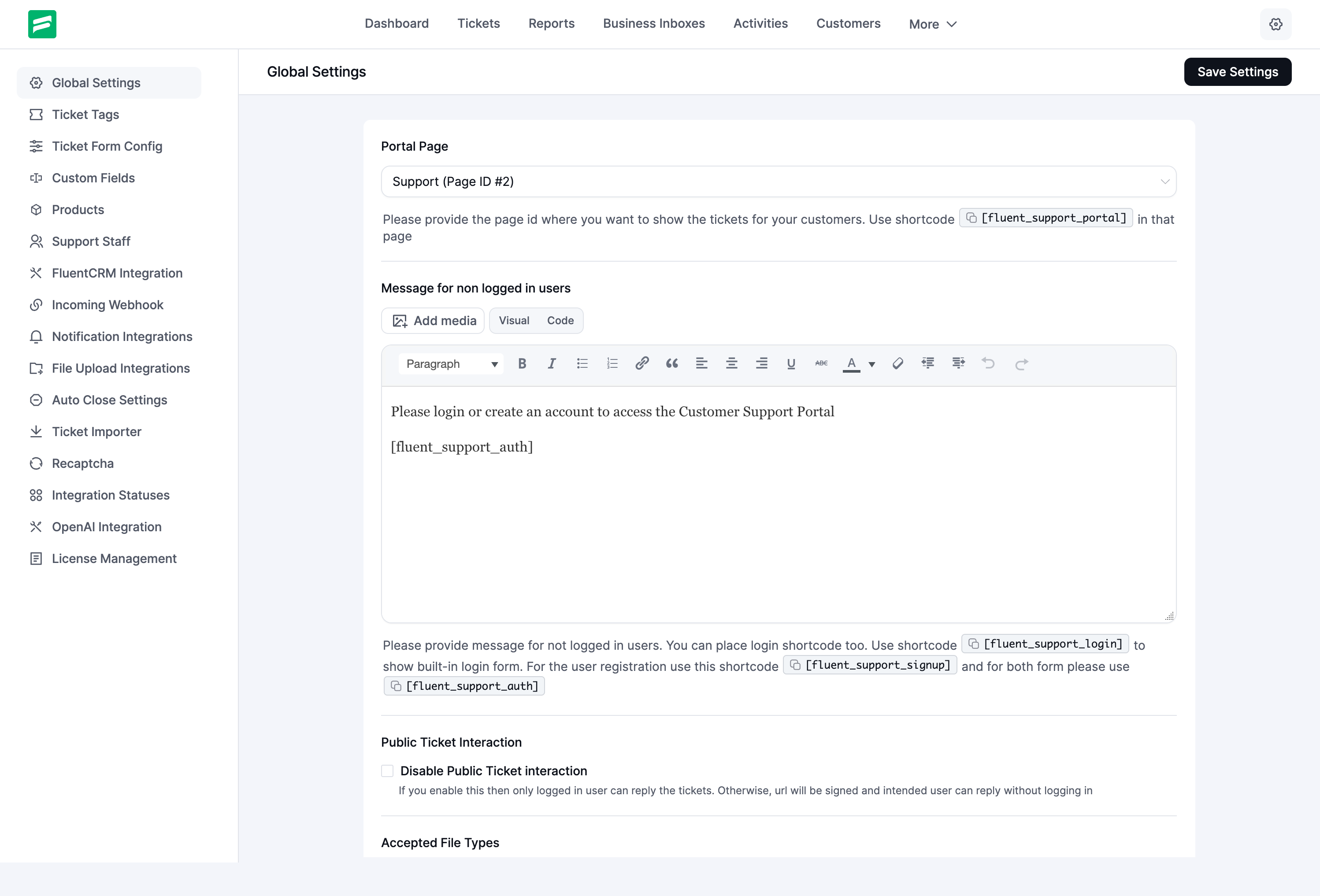
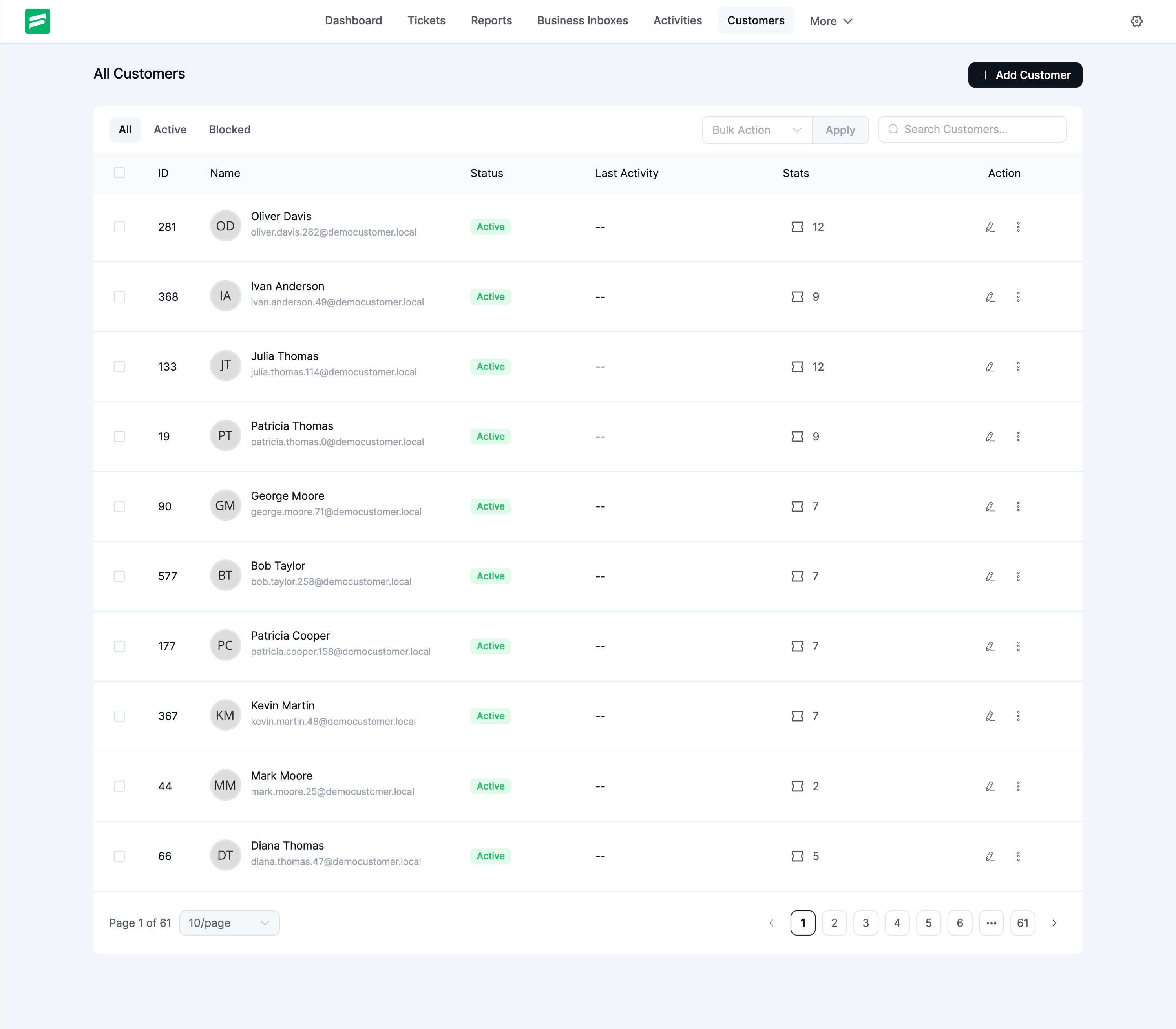
ბლოკები
ეს პლაგინი უზრუნველყოფს 1 ბლოკს.
- Customer Portal
დაყენება
This section describes how to install the plugin and get it working.
- Just search for Fluent Support in WordPress Plugins and click install and activate.
OR
- Upload the plugin files to the
/wp-content/plugins/fluent-supportdirectory, or install the plugin through the WordPress plugins screen directly. - Activate the plugin through the \’Plugins\’ screen in WordPress
- Use the
Fluent Support->Settingsscreen to configure the plugin - (Make your instructions match the desired user flow for activating and installing your plugin. Include any steps that might be needed for explanatory purposes)
ხდკ
-
Are there any limitations about how many support tickets I can manage?
-
No, there are no limitations. You can manage as many support tickets or customers or support staff as you want.
-
Is it 100% self-hosted?
-
Yes, Fluent Support is 100% self-hosted. Fluent Support will not connect with any of our SaaS servers. You own the data, and your data should be hosted on your hosting server.
-
Is it GDPR compliant?
-
Yes, your data never goes to a different server like HelpScout, ZenDesk or Freshdesk. All the data will be saved and managed into WordPress.
-
Will it cause performance issues for WordPress?
-
Absolutely not! From the very first, we were careful about this. It stores all the related data in custom database tables, so it will not affect your WordPress database. We built the application with VueJS, and it’s only run when you go to the admin dashboard of Fluent Support. Also, The Admin UI is super-fast as It’s a SPA and communicates over ajax.
-
Can I customize the appearance of the helpdesk to match my WordPress theme?
-
Absolutely! Fluent Support offers a customizable support portal, allowing you to seamlessly integrate the helpdesk with your WordPress theme for a cohesive and professional look.
-
Where can I find the Full Vue Source Code?
-
The full Vue source code is available on our GitHub repository: https://github.com/WPManageNinja/fluent-support
მიმოხილვები


მონაწილეები & დეველოპერები
“Fluent Support – Helpdesk & Customer Support Ticket System” ღია პროგრამული უზრუნველყოფაა. შემდეგმა ადამიანებმა წვილი შეიტანეს მის განვითარებაში.
მონაწილეები


“Fluent Support – Helpdesk & Customer Support Ticket System” ითარგმნა 10 ენაზე. გმადლობთ თარჯიმნებო თქვენი წვლილისათვის.
გადათარგმნეთ Fluent Support – Helpdesk & Customer Support Ticket System თქვენს ენაზე.
დაინტერესებული ხართ დეველოპმენტით?
დაათვალიერეთ კოდი, შეამოწმეთ SVN რეპო, ან გამოიწერეთ შექმნის ჟურნალი : RSS.
ცვლილებები
2.4.5 (Date: October 09, 2026)
- Added: Remote Portal (Pro) — serve the Customer Portal on your main site, connected with a one-time key
- Added: Workflow triggers On Ticket Reopened, On Agent Response, On Agent Assigned and On Customer Feedback, plus Ticket Tags, Ticket Source, Agent Priority and Feedback conditions (Pro)
- Added: Email piping handles auto-replies, bounces and automated mail with a loop guard, and threads replies by signed email references (Pro)
- Added: Bulk actions to change priority or product, reopen tickets and remove tags
- Added: Ticket view shortcuts for next/previous ticket and close, and a Ticket Stats sidebar widget
- Added: Advanced filter by ticket source, and a “Waiting for your reply” badge in the Customer Portal
- Added: Inbox From name can be the inbox name, the replying agent or a custom template
- Added: MCP tools to edit, delete and publish draft replies, bulk reply, and a duplicate-reply guard
- Added:
fluent_support/agent_feedback_receivedaction when a customer rates a reply - Improved: An agent reply is held for review when the customer wrote again while it was being typed
- Improved: Agent signatures now come from the {{agent.signature}} smartcode in email templates
- Improved: Customer Portal signup follows the WordPress “Anyone can register” setting and uses FluentAuth forms when available
- Improved: Agent-initiated tickets read like an email from the agent
- Improved: Faster dashboard, agent list and ticket view; all API dates in site time
- Improved: Collapsible settings sidebar and translation coverage across the admin and portal
- Fixed: Approved drafts are sent as their author, not the approver
- Fixed: Importers calculate reply, first response and close times correctly
- Fixed: Activity log cleanup deleted every log when retention was set to 0
- Fixed: Auto-close without a response skipped close emails and workflows (Pro)
- Fixed: Dropbox and Google Drive uploads failing after a token refresh (Pro)
- Fixed: Security through ongoing audits and hardening.
2.4.0 (Date: September 15, 2026)
- Added: Advanced Reports suite (Pro) — Ticket Overview, Agent Performance, Product Insight, Business Boxes and Activity reports with date-range filters and comparison charts
- Added: AI Ticket Audit report (Pro) — audit tickets with OpenAI, Gemini or Anthropic and filter results by mood
- Added: Historical Snapshots for Advanced Reports (Pro) — data captured every 6 hours, with a Live / Snapshot comparison selector
- Added: Growth metrics and activity grid in Agent Performance, plus product interaction counts in Product Insight (Pro)
- Added: Google reCAPTCHA (v2 and v3) for the Customer Portal ticket form
- Added: Date range custom field type (Pro) — one field for start and end dates
- Added: Category(Post) filter for Knowledge Base article suggestions (Pro)
- Added: Customer Portal prompts customers to confirm a changed account email via a signed verification link, and merges any unlinked customer record already collecting tickets at that address
- Added:
fluent_support/merging_customer_recordsaction so add-ons can move their own data when two customer records merge - Improved: Keyboard-accessible ticket rows and responsive report tables, charts and toolbars
- Improved: Product dropdowns are alphabetized and searchable; fallback agent is now a searchable dropdown
- Improved: Half-hourly background tasks now run through Action Scheduler and reconcile automatically
- Improved: Per-agent report metrics use grouped queries instead of one query per agent, and mailbox restrictions are resolved once per request
- Improved: Consistent input and select heights in the admin UI; scoped date-range picker styles
- Improved: Report stat numbers now use thousand separators
- Improved: Translation coverage for admin strings — theme modes, ticket sidebar, report tabs, date shortcuts, workflow list and more
- Improved: (MCP) Silent close option for the close-ticket tool
- Fixed: Product filter on the ticket list — cleared filters, filter routing and per-product ticket counts
- Fixed: Business Boxes report showing waiting tickets from the wrong mailbox
- Fixed: Two-factor and login expiry parsed as UTC, expiring early on non-UTC sites
- Fixed: Literal backslashes were stripped from ticket and reply content, including piped emails (Pro)
- Fixed: Duplicate Cc line on the first message of a ticket thread
- Fixed: Agent-initiated outreach email showing the internal log message instead of the agent’s reply for {{ticket.content}}
- Fixed: Long ticket titles overflowing instead of wrapping on the ticket view; ticket title typography
- Fixed: Inline attachments without a placeholder are now visible in the ticket thread (Pro)
- Fixed: Ticket category ordering and stale category IDs in custom field options (Pro)
- Fixed: Security through ongoing audits and hardening.
2.3.2 (Date: August 19, 2026)
- Compatibility with WordPress 7.1
- Fixed: Security through ongoing audits and hardening.
- Fixed: Missing FluentBoards documentation URL to integration statuses.
- Improved: Updated the Gemini model list in AI Model Setup
2.3.1 (Date: July 15, 2026)
- Fixed: Security through ongoing audits and hardening.
- Fixed: Low-contrast text and input fields in the “Generate Responses with AI” popover when using dark mode
2.3.0 (Date: July 13, 2026)
- Added: MCP (Model Context Protocol) server integration — AI agents can now connect directly to Fluent Support tickets, conversations, and customer data via a standards-based MCP interface; configurable from a new MCP Settings page
- Added: Multi-provider AI support — choose between OpenAI, Gemini, and Anthropic as your AI backend from the new AI Model Setup settings page; provider and model are independently configurable
- Added: FluentCart workflow conditions (Pro) — branch automations on customer purchase history with three new conditions: Customer Purchased Product, Customer Purchased Package (Variation), and Customer Has Active License; enables product-tier routing and SLA enforcement automatically
- Added: Easy Digital Downloads workflow conditions (Pro) — same set of commerce conditions (Purchased Product, Purchased Variation, Has Active License) now available for EDD customers
- Added: Change Priority workflow action (Pro) — set a ticket’s priority automatically as a workflow action step
- Added: CLI migration support for Zendesk and HelpScout — import tickets, customers, and conversations via WP-CLI
- Added: Load-more pagination for Previous Conversations sidebar widget
- Added: Remote product search in Workflow commerce conditions — searchable product/variation picker for large catalogs
- Improved: AI response content now renders markdown (bold, lists, code blocks) correctly when inserted into the reply editor
- Improved: Workflow trigger fires an internal notification to assigned agents when an automation runs
- Improved: Previous ticket query scoped to agent visibility, preventing data leakage in the sidebar widget
- Improved: Redesign ticket watchers widget with collapsible toggle
- Improved: Redesign customer/agent ticket list thread, label with role icon badge
- Fixed: Agent @mention search failing with large agent lists — search is now server-side
- Fixed: Inline pasted images not appearing correctly in sent email notifications
- Fixed: Email addresses in internal notes being auto-converted to clickable hyperlinks
- Fixed: Repeated replies closing tickets due to sticky close_ticket flag persisting across responses
- Fixed: Attachment limit error message now shows the configured maximum instead of a generic message
- Fixed: Agent signature and shortcode not applied in agent-initiated ticket notification emails
- Fixed: Mailbox Settings error notification not displaying (wrong $notify call signature)
- Fixed: Active navigation link using incorrect background color design token
- Security: Restricted saved reply access and sanitized agent AI guidelines input
2.2.1 (Date: May 23, 2026)
- Added: Grid view layout for the ticket list
- Fixed issue with time tracking where working minutes were showing as null
- Unified and improved dynamic support menu UI structure
- Security: Hardened ticket ID resolution in Customer Portal policy
2.2.0 (Date: May 20, 2026)
- Added: Internal Notifications module — agents now receive real-time in-app notifications for @mentions, ticket assignments and reassignments, customer replies, ticket close/reopen events, and Workflow triggers; fully configurable per event category with a self-notification toggle
- Added: FluentBooking integration — insert available time slots from ticket replies, view upcoming meetings in the ticket sidebar, and log scheduled-meeting notes automatically
- Added: Public ticket numbers with optional prefix support — configurable serial numbers display in email notifications, ticket UI, and Customer Portal; admins can set a minimum ticket number and per-product prefix via the fluent_support/ticket_prefix filter
- Added: FluentCommunity as a global Customer Portal destination, embedding Fluent Support inside a FluentCommunity space
- Improved: Customer portal destination setting — choose where ticket links in email notifications redirect (Customer Portal, WooCommerce My Account, or FluentCommunity)
- Added: fluent_support/ticket_content_before_render, fluent_support/ticket_content_after_render, fluent_support/response_content_before_render, and fluent_support/response_content_after_render filters for developer control over ticket and response content rendering
- Added: Signing Secret support for Slack and Telegram webhooks while maintaining compatibility with existing integrations.
- Improved: attachment handling for agent-created ticket emails and pasted inline images
- Improved: dark mode visibility for filters, switches, radios, tables, and reply controls
- Refined the ticket reply composer UI for a smoother and more intuitive reply-writing experience.
- Fixed: Customer Portal not immediately reflecting ticket status changes applied by a Workflow action (e.g., auto-close on customer reply)
- Fixed: Fluent Support admin font (Inter) leaking into WordPress admin chrome outside Fluent Support pages
- Fixed: Dark mode toggle switch colors in Global Settings
- Fixed: Global Settings page design inconsistencies
- Fixed: Shortcode attribute not normalizing to lowercase
2.1.2 (Date: April 20, 2026)
- Simplified image upload flow: the Create/Reply button now appears only after the upload is complete.
- Enabled attachments for ticket emails, including Agent-created tickets and Agent-initiated tickets.
- Fixed an issue where alpha-admin.css was loading on all admin pages when the ticket summary feature was enabled.
- Fixed inaccurate Personal Report metrics; all ticket closures and replies are now correctly counted regardless of assignment.
- Fixed admin UI styling to properly align the Fluent Support canvas within the admin interface.
- Prevented duplicate shortcode copy notifications in settings.
- Improved dark mode UI consistency by enhancing blocked status warning visibility, fixing Reply/Close button state styling, and improving icon contrast with standardized dropdown icon styling.
2.1.1 (Date: April 10, 2026)
- Fixed an issue where the global ticket summary was not rendering outside Fluent Support pages
- Fixed Slack notification sending issue (Pro)
- Fixed activity log staff filter dropdown collapsing issue
2.1.0 (Date: April 09, 2026)
- Added Agent Groups to organize support teams and enable smart ticket distribution
- Added Agent Signature option for support agents
- Added Agent-Initiated Tickets (agents can create tickets on behalf of customers)
- Added new email template for Agent-Initiated Tickets
- Added file upload integration with Cloudflare R2 and Amazon S3 (Pro)
- Added Dynamic Sidebar Widgets system (hook-based, supports PHP and Vue components)
- Added fluent_support/should_send_notification filter to control notification delivery across channels
- Improved overall security
- Optimized database queries for better performance
- Fixed Fluent Boards integration action availability in free version when plugin is active
- Fixed portal signup visibility issue when using shortcode attribute
- Fixed “Close Ticket Silently” not suppressing email notifications
- Fixed incorrect syncing of customer status with FluentCRM
- Fixed advanced filter deletion issue in tickets list
- Fixed theme mode toggle visibility issue
- Fixed untranslated strings in advanced filter options
2.0.6 (Date: March 05, 2026)
- Updated: Core PHP framework
- Added: Zendesk migration improvement to collect archived tickets and resume previous migrations
- Fixed: Onboarding dark mode design issue
- Fixed: Bulk option checkbox now visible by default
- Fixed: Ticket list not updating after bulk actions
- Fixed: File upload limit validation issue after deleting previously uploaded files
- Fixed: WordPress admin bar overlapping Fluent Support menu
- Fixed: Agent reply count in reports incorrectly including internal notes
- Fixed: Error when navigating directly to a ticket URL due to window.history.state being null
2.0.5 (Date: March 02, 2026)
- Added: Admin Dashboard Dark Mode
- Added: Support for OpenAI GPT-5.2 & GPT-5.2 Chat models
- Added: View Tickets (Read Only) permission
- Improved: Faster ticket list loading
- Improved: Optimized large-scale Zendesk migration
- Fixed: Draft Reply permission issue
- Fixed: Attachment links during ticket merge
- Fixed: Ticket content unordered list formatting
- Fixed: Integration settings save button visibility
- Fixed: “Waiting Since” tooltip date display
- Fixed: Saved Replies left menu link
- Fixed: Login page styling issue
- Fixed: Date range picker responsive layout
2.0.2 (Date: February 09, 2026)
- Fixed an issue where current ticket watchers were not displaying in the ticket list.
- Fixed an issue where ticket merging could fail from the ticket view page.
- Fixed an issue where reCAPTCHA settings were not saving properly.
- Fixed a responsiveness issue with the bulk actions bar in the ticket list.
- Fixed issues related to ticket migration.
- Fixed a customer profile update issue by treating customer IP fields as strings.
- Fixed a styling issue with the Ticket Merge dialog buttons.
2.0.1 (Date: February 06, 2026)
- Improved onboarding completion UI and post-onboarding navigation
- Improved sanitization and validation handling
- Fixed Saved Replies modal showing stale content when editing
2.0.0 (Date: February 05, 2026)
- Complete admin interface redesign with a modern layout.
- Full RTL (Right-to-Left) language support across the interface.
- Fully mobile-responsive experience across all modules.
- Revamped menu structure with dropdowns for better organization.
- Responsive hamburger menus for Main Menu, Settings, and Reports.
- Drag & Drop Image Upload for tickets.
- Ticket List Display Settings: manage layout and element visibility directly from the Display Settings icon.
- Compact Ticket List Layout for faster scanning and higher information density.
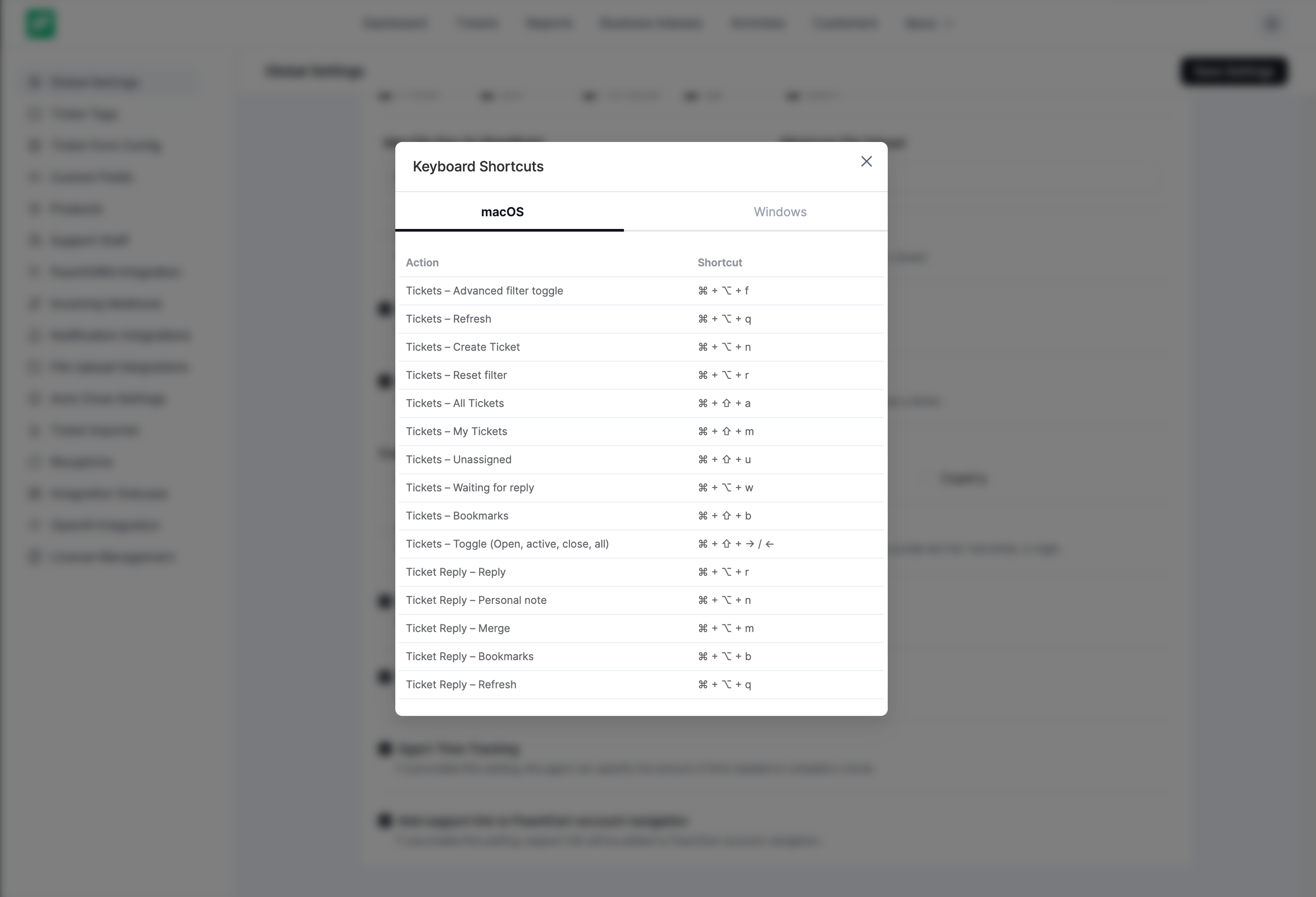
- Keyboard Shortcuts: Enable via Plugin Settings Global Settings Enable Keyboard Shortcuts. Click “Keyboard Shortcuts” to view all available commands.
- Improved Frontend Support Portal responsiveness and theme compatibility.
- Refactored Customer Portal SCSS variables for easier dark mode implementation.
- Updated core PHP framework; resolved PHP 8.4 compatibility issues.
- Improved input sanitization and validation.
- Migrated components to Options API and refactored Vue components for better performance.
- Prevented unnecessary API calls in Reports module.
- Separated personal reports from agent performance reports.
- Added Reports Stats API for product/business-specific insights.
- Selected date range persists when switching report tabs.
- Resolved issue where pressing Enter caused page reload instead of submitting forms.
- Fixed Block Editor styles not applying correctly on Customer Portal.
- Fixed WordPress 6.9 admin text editor toolbar compatibility issues.
- Fixed database table error when Activity Log feature was disabled.
- Fixed auto password generation issue for new users with empty password fields.
1.10.5 (Date: November 28, 2025)
- Security: Fixed an access control bypass in the customer portal caused by improper validation of the intended_ticket_hash parameter.
- Security: Added sanitize_sql_orderby() to prevent unsafe or invalid values in sorting queries.
- Fix product_id filter to require array in whereIn, preventing potential errors when a non-array value is provided.
1.10.4 (Date: November 21, 2025)
- Fixed: Issue with attachments not showing from third-party storage.
1.10.3 (Date: Nov 17, 2025)
- Resolved issues affecting public ticket and attachment visibility.
1.10.2 (Date: Nov 6, 2025)
- Fixed Guideline Issues
1.10.1 (Date: Oct 31, 2025)
- Fixed Text Domain Issues
- Updated Libraries
- Prevent Direct Access to Plugin Files
- Added GitHub Public repo link in the readme file
1.10.0 (Date: October 23, 2025)
- Added: Fluent Cart product purchase widget in the ticket sidebar.
- Added: Fluent Cart product and order options in custom fields.
- Added: Workflow trigger based on Fluent Cart product and order from custom fields.
- Added: Option to integrate the customer portal into the Fluent Cart customer dashboard.
- Added: Multi-select option for product filtering in tickets.
- Improved: Refined plugin performance for increased speed and efficiency.
The full changelog for every version is at docs.fluentsupport.com/change-log.