

აღწერა
🏆 The Best Interactive Image Map and Audio Soundboard Builder Plugin for WordPress
Showcases | Documentation | Upgrade to Pro
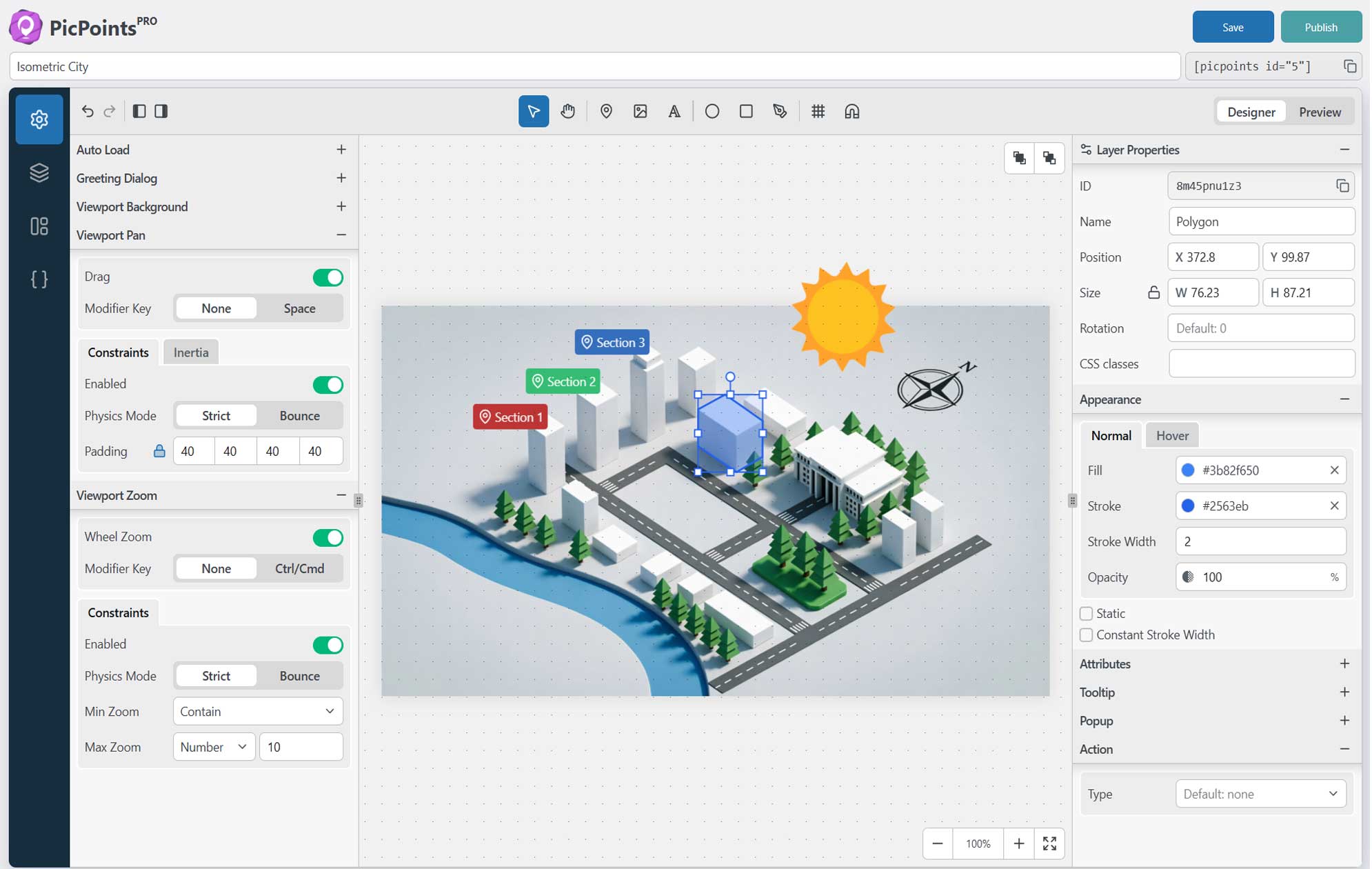
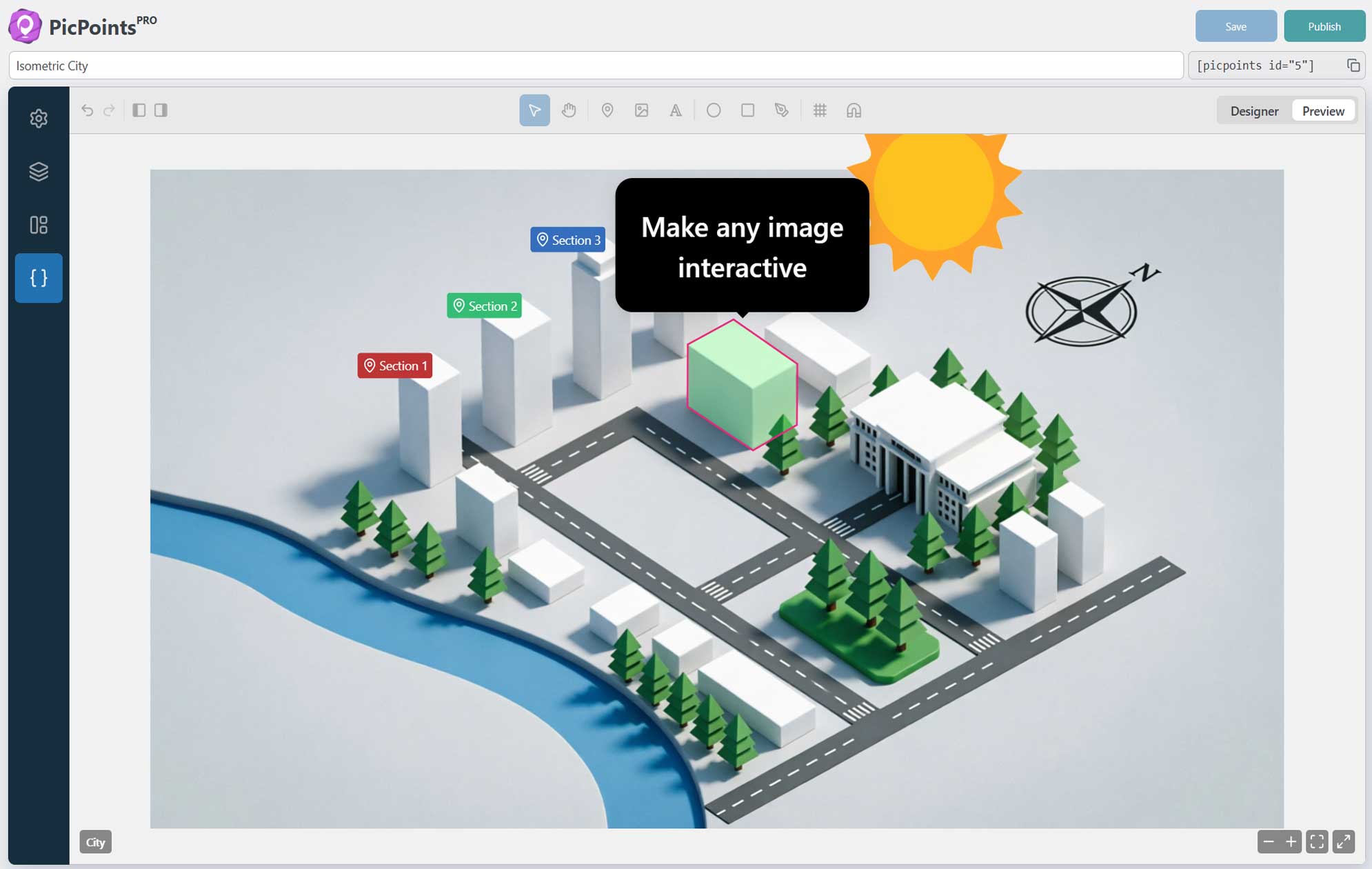
PicPoints is the most advanced, developer-friendly interactive image map and floor plan builder for WordPress. Built for extreme performance and modern web standards, this hotspot plugin handles hundreds of interactive elements effortlessly without lagging your website.
Unlike traditional image mapping tools that break during WordPress theme updates, PicPoints renders entirely inside an isolated Shadow DOM. This guarantees 100% CSS and JS isolation, your theme’s styles will never break your interactive maps, and your maps will never slow down your site page speed.
🔥 Live Demos:
- Market Mall – interactive map for shopping malls and retail centers.
- Real Estate Map – interactive map solution for property and real estate listings.
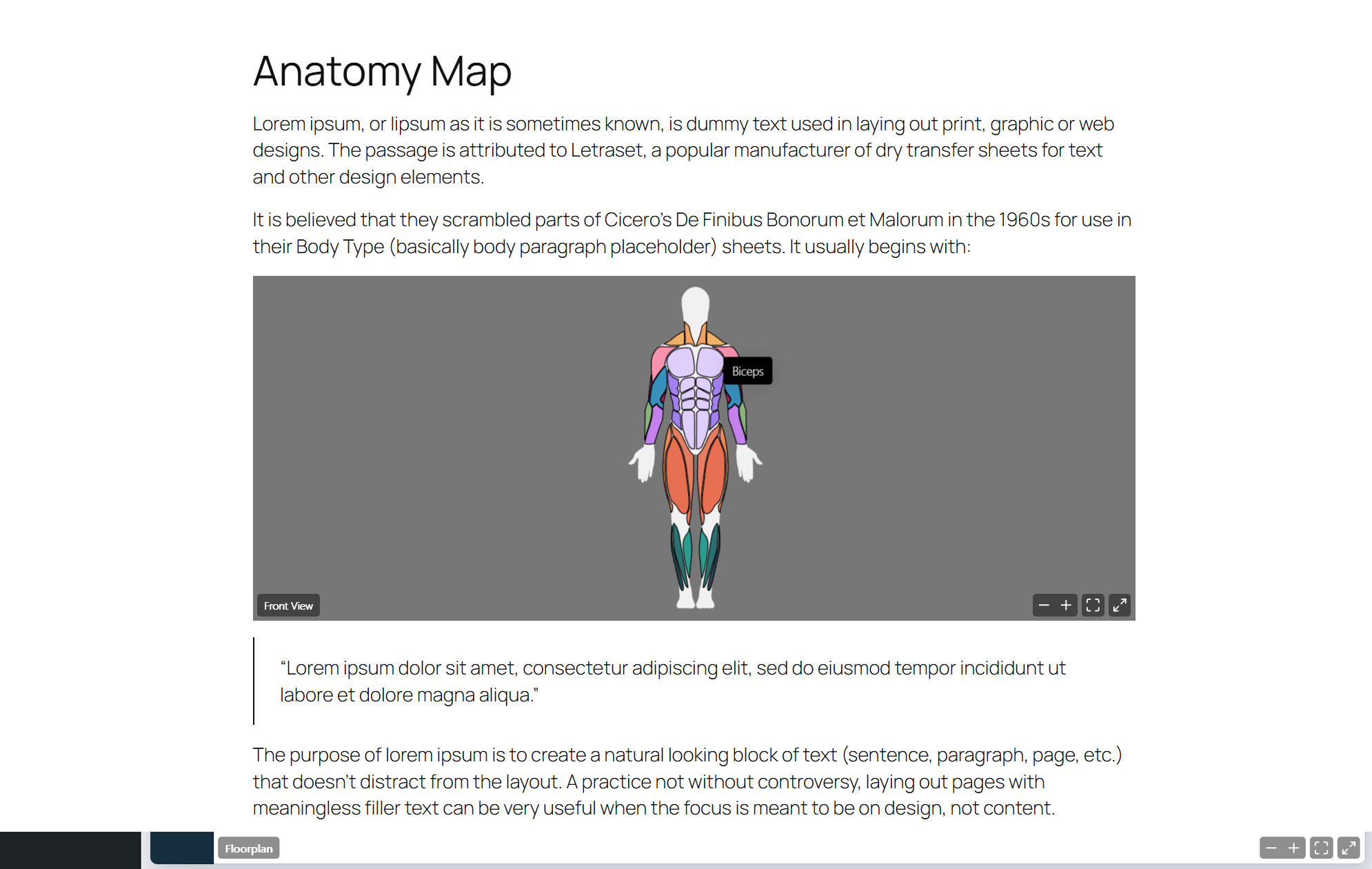
- Human Body Muscle Diagram – interactive anatomy diagram showcasing human muscles.
- Product Explainer – interactive image wrapper for detailed product features and explanations.
- Stadium Map – interactive seating chart and layout map for stadiums or arenas.
- Camera Gear Kit – interactive breakdown map for photography gear and equipment kits.
- The Odyssey – interactive map of the epic 10-year journey.
- Online Storytelling – digital storytelling that tells a story of a small craft workshop
- Audio Map – interactive online soundboard of African animals
Whether you need to build a multi-story real estate floor plan, an interactive product anatomy showcase, a shoppable e-commerce lookbook, or a vector-accurate event seating chart, PicPoints provides a Figma-like SVG vector editor right inside your WordPress dashboard.
Draw complex clickable image shapes with pixel-perfect accuracy using native Bezier curves, group layers, and create rich-content popups and tooltips in minutes.
🚀 Key Features of PicPoints Interactive Map Plugin:
- Isolated Shadow DOM Architecture: Zero CSS conflicts with your WP theme. 100% visual consistency on any website.
- High-Performance Image Mapping: Hardcore optimization tested with up to 1,000 active vector shapes on a single canvas.
- Pro-Grade SVG Vector Editor: Draw ellipses, rectangles, markers, and custom polygons with smooth Bezier curves.
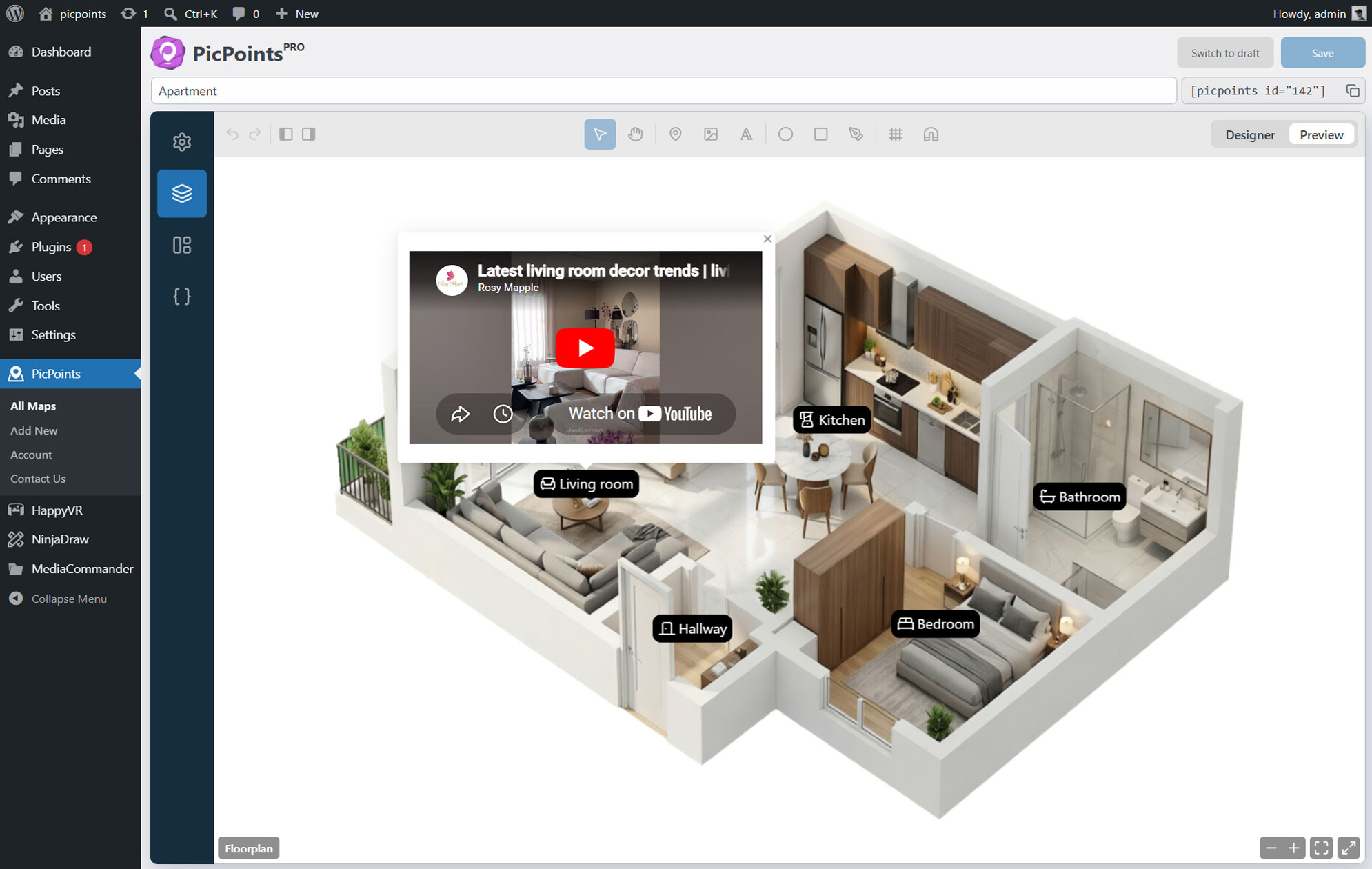
- Multi-Scene & Multi-Level Floor Plans: Perfect for real estate marketing (Floor 1, Floor 2, Floor 3) and complex architectural blueprints.
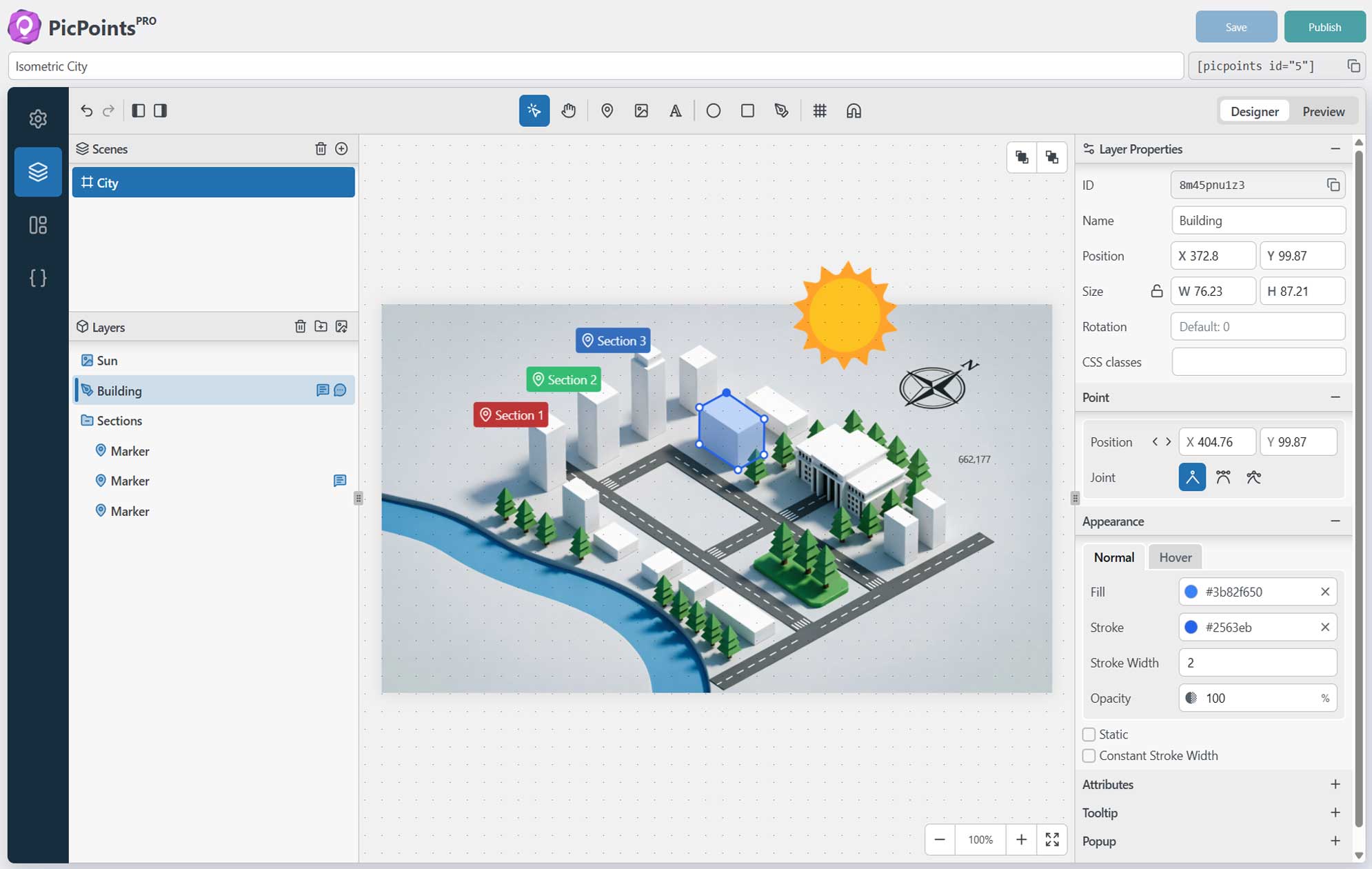
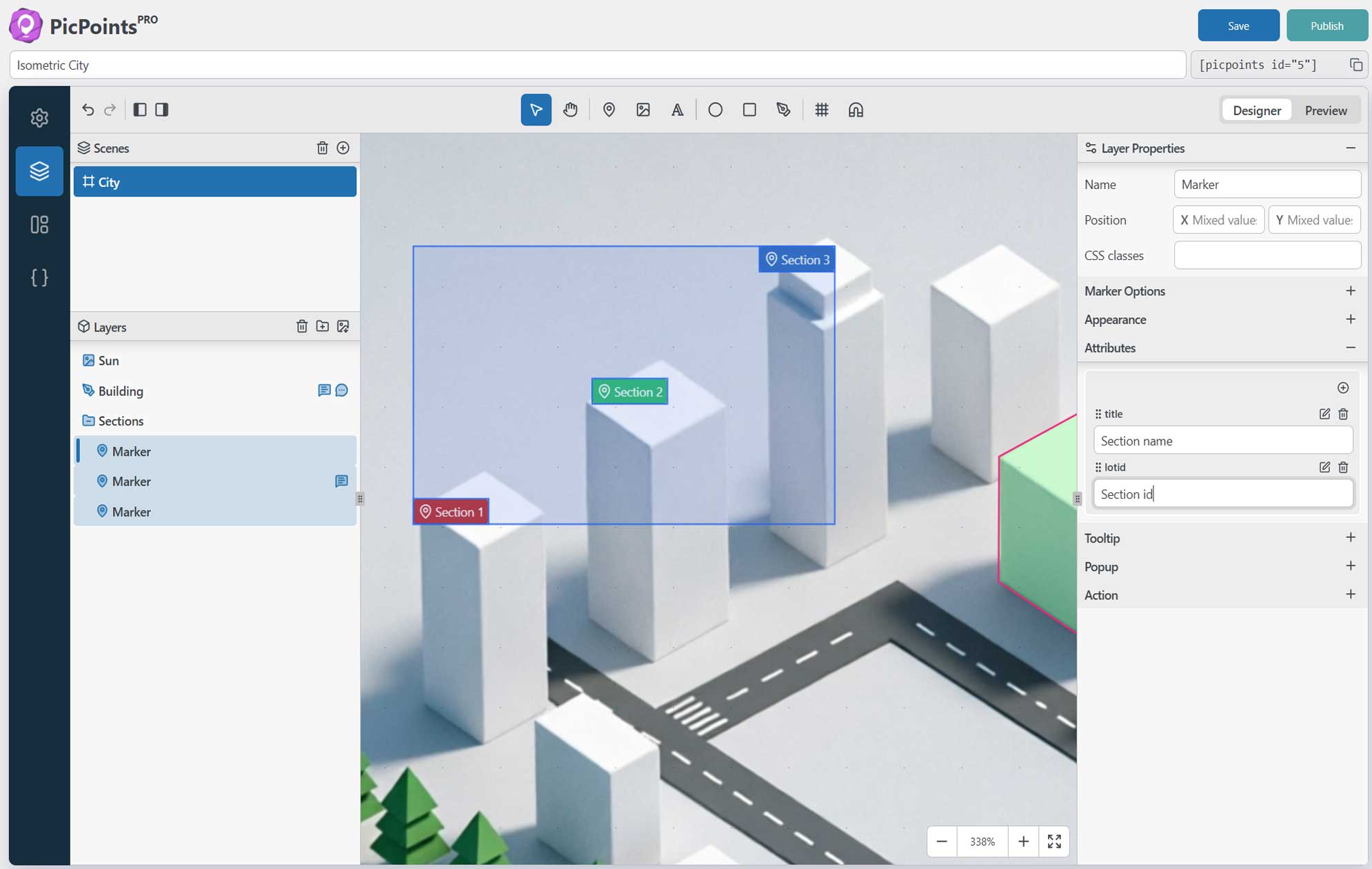
- Figma-Like Layer Management: Group, rename, and organize your vector shapes, pointers, and markers hierarchically.
- Fully Responsive Clickable Images: Adapts flawlessly to mobile devices, tablets, and desktops with smart touch and zoom controls.
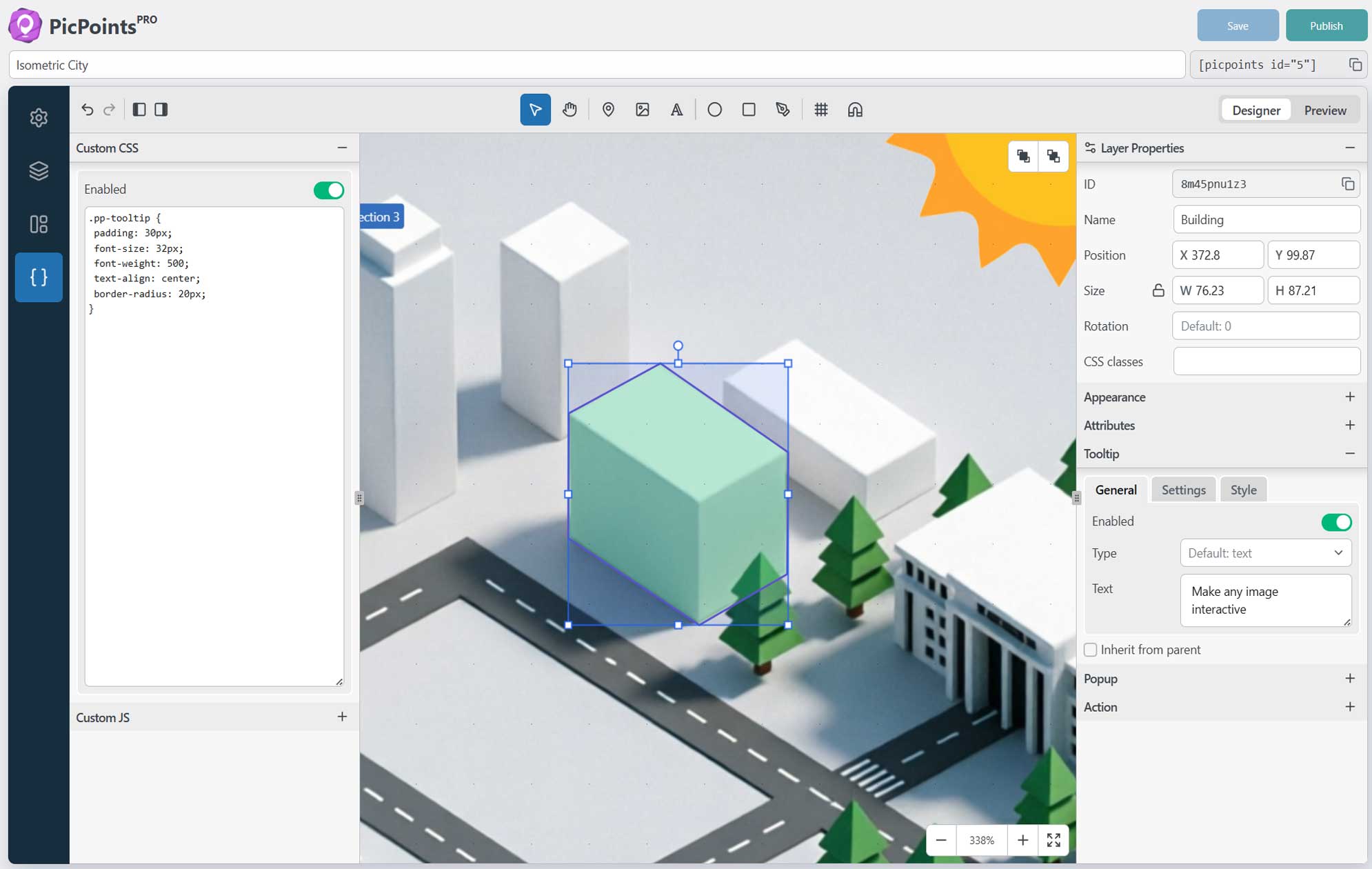
- Rich Tooltips & Hotspot Popups: Trigger automated tooltips on hover or open rich-media popups (images, text, WooCommerce products, iframes) on click.
- Audio Map & Image Soundboard Builder: Add audio files to hotspots, trigger sound effects, music, or voiceovers on click to create a custom online soundboard.
🔥 Features
PicPoints Free is the perfect interactive image map tool for small projects and testing. PicPoints Pro unlocks the full potential for professional web development agencies, e-commerce stores, and realtors.
PicPoints Free – General Features
✅ Unlimited Maps
⚡ Number of scenes (levels) per map: Max 3
⚡ Number of interactive layers/markers per scene: Max 10
✅ Markers: non-scalable pins (icon + text or image) with custom anchor point positioning.
✅ SVG Layers: rectangles, ellipses, images, text (with left/center/right alignment), and polygons.
✅ Smart Undo/Redo History: full history stack to undo/redo changes for scenes & layers.
✅ Mobile Responsive: perfect adaptation to any screen size.
✅ Touch Gestures: supports mobile pan & pinch multi-touch zooming.
✅ Standard Tooltips & Popups (Auto-close enabled)
✅ Flexible tooltip positions: top, bottom, left, right, center, follow
✅ Strict Pan & Zoom behavior
✅ Change viewport & scene background, can be color or image
PicPoints Free – Widgets
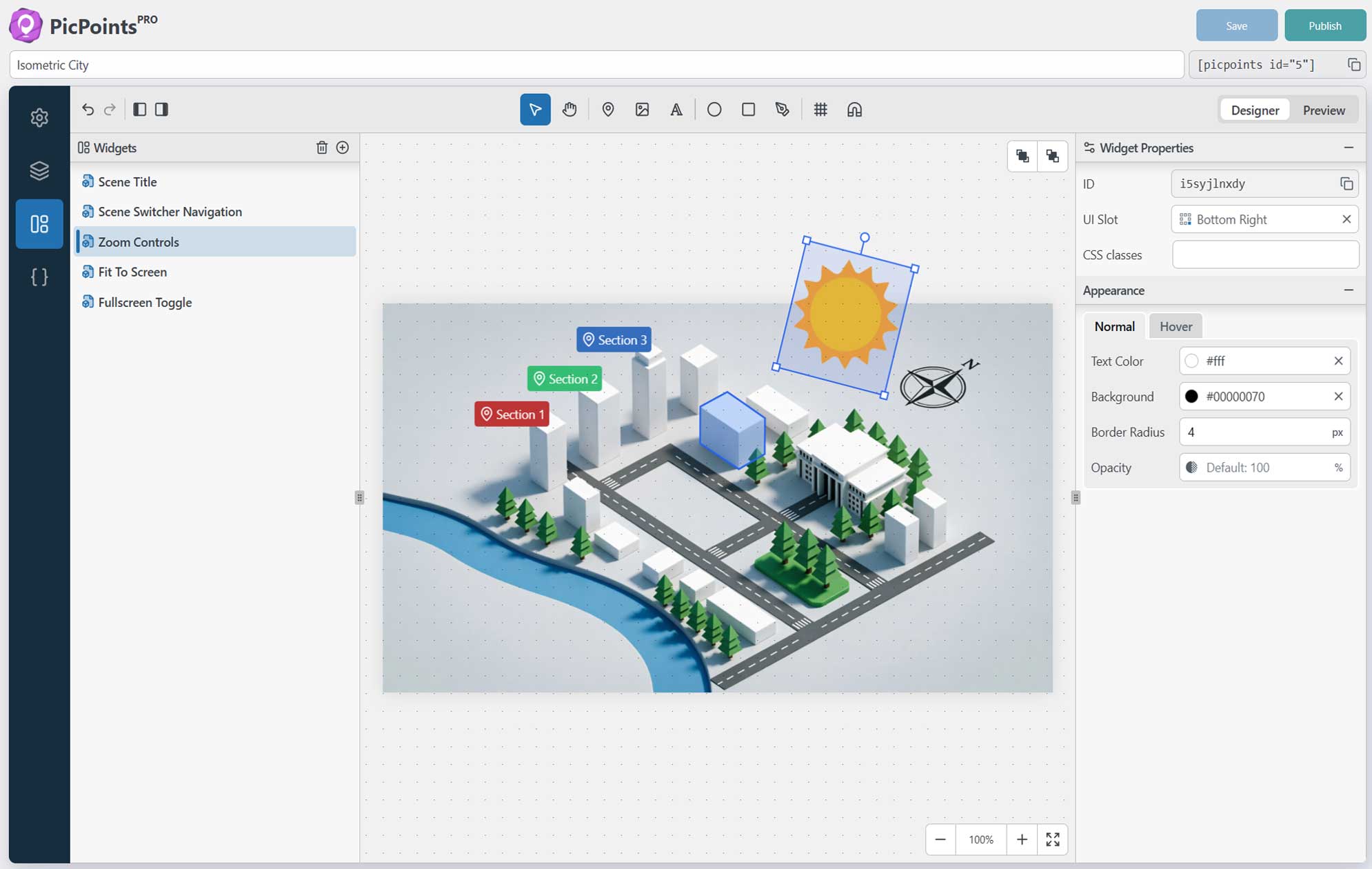
✅ Scene Title
✅ Scene Navigation Dots
✅ Scene Navigation Switcher
✅ Fullscreen Toggle
✅ Fit to Screen Action
✅ Zoom Controls (+/-)
PicPoints Pro includes everything from Free, plus:
✅✨ Unlimited Maps, Scenes, and Layers for enterprise-scale projects.
✅✨ Import layers from SVG import <g> and <path> vector elements from Illustrator or Inkscape with automatic layer tree and partial style retention.
✅✨ Auto-Load toggle map auto-loading on/off or configure a custom delay timer to optimize website page load speed.
✅✨ Greeting dialog show message before map load.
✅✨ Bulk Attribute Editing select multiple layers or groups at once to edit, update, or assign common custom metadata.
✅✨ Advanced Handlebars Templates use classic Handlebars logic ({{variable}}, {{#if}}, {{#each}}) inside Tooltips and Popups to build highly dynamic, data-driven layouts without coding.
✅✨ Physics-Based Canvas Bounce advanced configurations for a smooth viewport experience.
✅✨ Custom JS & CSS Sections per map and per element for infinite extensibility.
✅✨ Developer API Access to connect your interactive maps with external CRM, WooCommerce, or custom databases.
✅✨ Priority email support for agencies and businesses that need fast help.
Note: The undo/redo history covers all scene or layer movements and visual style modifications. Rich content formatting changes inside tooltips and popups bypass the history stack.
🚀 Compatibility
Not all themes and plugins are built the same way, so PicPoints is designed with extra compatibility in mind. PicPoints works seamlessly with modern WordPress themes and popular page builders that support standard blocks and shortcodes.
PAGE BUILDERS
* Gutenberg – modern built-in WordPress block editor
* Classic Editor – classic built-in WordPress editor
* Elementor – leading website builder platform on WordPress
* WP Bakery – create any layout with intuitive way
* Beaver – page builder you can trust with your business
* Bricks – amazing block editor with many templates
* Brizy – next-gen website builder that anyone can use
* and more…
🎓 Use Cases
PicPoints serves as a lightweight, modern, and high-performance alternative to established WordPress interactive mapping plugins like Mapplic, ImageMap Pro, MapSVG, WP Draw Attention, Image Hotspot by DevVN, and Vision.
With PicPoints, you can easily visually outline complex geometries, group interactive elements, and embed shoppable lookbooks or interactive architecture maps via a simple shortcode.
The plugin balances intuitive usability for non-technical users with rich customization and advanced Developer APIs for design agencies, making it the ultimate tool for boosting on-site conversion and spatial user engagement without slowing down your WordPress website.
🎯 PERFECT FOR:
• Travel bloggers creating an interactive audio tour or geographic guide.
• Educators building clickable audio maps for students.
• Web creators making a custom free online sound board or audio guide system.
• E-commerce stores showcasing interactive product blueprints.
💼 GDPR & Privacy
- We do not collect or store any information about our visitors or users without their consent.
- We also do not transfer any data to external servers without users’ consent.
🔥 Check out our other WordPress Plugins
HappyVR – virtual tour builder and 360 panorama viewer for WordPress
MediaCommander – bring folders to media, posts, and pages
NinjaDraw – create diagrams, sketches & visual workflows
Post Order Master – free drag & drop hierarchy manager
Support
Found an issue or have a feature request? Head over to our support forum or drop us an email for assistance. We’re here to help you create stunning floor plans and image maps with ease!
ეკრანული სურათები

ბლოკები
ეს პლაგინი უზრუნველყოფს 1 ბლოკს.
- PicPoints Embed Embed an interactive map built with PicPoints.
დაყენება
- Upload the
picpointsfolder to the/wp-content/plugins/directory, or install the plugin directly through the WordPress plugins screen. - Activate the plugin through the ‘Plugins’ screen in WordPress.
- Look for the “PicPoints” menu item in your WordPress dashboard left sidebar to start building.
- Copy the generated shortcode
[picpoints id="..."]and paste it into any page, post, or widget area.
ხდკ
-
I installed the plugin, what’s next?
-
Once you’ve installed the plugin, you can start creating your first interactive map right away. Just open the PicPoints menu in your WordPress dashboard, create a new scene, setup canvas background and begin adding interactive markers and shapes. Your map will be ready to embed on any page in minutes.
-
Does PicPoints work with page builders?
-
Without a doubt, PicPoints works with most popular web page builders such as Elementor, Divi, Beaver Builder, Visual Composer, WP Bakery, Brizy, Blocks, and many others.
-
Where is the developer version hosted?
-
The developer version is available here.
-
Will this plugin slow down my page load speed?
-
No. PicPoints is built with performance in mind. Thanks to lightweight vector rendering and modular architecture, it can handle over a thousand active elements without visible performance drops or layout shifting.
-
Will my theme’s CSS break the maps layout?
-
Never. PicPoints utilizes Shadow DOM encapsulating technology. It encapsulates all styles inside a shadow tree, meaning your active theme cannot inject or override the CSS of your interactive maps.
-
Can I link markers to WooCommerce products?
-
Yes! You can use rich-text popups to insert product links, images, and prices. With the Pro version, you can use the custom JS/API section to create deep integration like “Add to Cart” directly from the image hotspot.
მიმოხილვები


მონაწილეები & დეველოპერები
“PicPoints – Interactive Image Map & Hotspot Builder” ღია პროგრამული უზრუნველყოფაა. შემდეგმა ადამიანებმა წვილი შეიტანეს მის განვითარებაში.
მონაწილეები

გადათარგმნეთ PicPoints – Interactive Image Map & Hotspot Builder თქვენს ენაზე.
დაინტერესებული ხართ დეველოპმენტით?
დაათვალიერეთ კოდი, შეამოწმეთ SVN რეპო, ან გამოიწერეთ შექმნის ჟურნალი : RSS.
ცვლილებები
1.20.1
- Fixed: Custom CSS or theme styles targeting the viewport no longer break fullscreen mode, the fullscreen state class is now applied to the map root element instead of the viewport
1.20.0
- Added: Gutenberg block “PicPoints Embed” and a live preview right in the block editor
- Added: Standalone embed endpoint for every map (pretty permalink /picpoints/embed/{id}/ and plain ?picpoints_embed={id}), enabled by the “Embed” toggle on the Share panel
- Added: Initial scene support, load a specific scene via the sceneid shortcode attribute, the block settings, or the #scene= URL hash
1.19.0
- Added: Rename scenes and layers by double-clicking their names in the left panel
- Added: Copy and paste layers via the clipboard in the layers panel
- Fixed: Global event listeners and the resize observer are now released when a map is destroyed, preventing memory leaks on pages that create and remove multiple maps
- Fixed: Pressing the Space key no longer blocks page scrolling before the map has started or after it has been destroyed
- Fixed: Configuring a viewport background without an image no longer causes a JavaScript error
1.18.0
- Changed: Improved the upgrade admin notice with detailed Lite version limitations
- Changed: Refined CSS styles for markers
1.17.3
- Changed: Unlimited maps on the free plan, the 3-map limit has been removed
1.17.2
- Fixed: Saving map status could fail and return an HTML page instead of JSON, map status updates now use POST
- Fixed: The admin map list returned a 404 error when WordPress permalinks were set to Plain
1.17.1
- Changed: Refined CSS styles for markers
1.17.0
- Added: Full Lucide icon library (1756 icons) for markers
- Changed: Renamed marker field “Text Size” to “Content Size” to reflect that the value scales both icons and text
- Changed: Renamed marker field “Size” to “Box Size” to distinguish the container dimensions from the content scale
1.16.0
- Added: Full parameter controls for the “Play sound” layer action (volume, loop, stop other sounds, play once per session)
- Added:
.pp-playingCSS class is now applied to a layer while its sound is playing, allowing custom CSS styling during playback
1.15.0
- Added: Export and import map configurations to/from JSON files for backup, duplication, and cross-site transfer.
- Fixed: Handlebars variable substitution in text tooltips showed HTML entities (e.g. ', &) instead of the actual characters.
1.14.0
- Added: Size (width/height) controls for markers
- Changed: Marker property fields are now shown based on the marker type
- Fixed: Clicking the shortcode copy button in the maps list now works
1.13.1
- Changed: Controls now display above tooltips and popups; greeting dialog sits on top of all layers
1.13.0
- Changed: Tooltips and popups near scene edges are no longer clipped
- Fixed: “Close on outside click” popups now respond to clicks anywhere on the page, not only inside the map
- Fixed: Prevented dynamic tooltip and popup style tags from accumulating in the shadow root
1.12.1
- Changed: Refined CSS styles for tooltips
- Changed: Set fixedStroke to true by default for new Polygon layers
1.12.0
- Added: Custom-styled scrollbars for popups and tooltips, long content now scrolls with a clean, consistent scrollbar instead of the browser default.
- Added: Tooltips are now interactive, hovering over a tooltip keeps it open, so users can click links, buttons, and embedded content (iframes, videos) directly inside the tooltip.
- Changed: Refined CSS styles for tooltips and popups
1.11.2
- Changed: Custom CSS/JS code editor now fills the available panel height.
- Changed: Capped tooltip and popup width to prevent long content from stretching too wide.
- Fixed: Unwanted line breaks appeared in template tooltips and popups due to preserved whitespace.
1.11.1
- Fixed: In the rich editor, deleting an element also removed the adjacent element (image, emebed, button).
- Changed: Refined rich-content styling inside tooltips and popups.
1.11.0
- Added: CodeMirror editor for the custom CSS and JS sections of a map, with syntax highlighting.
- Added: Redesigned rich editor with full typography (font-family, font-size, line-height, text color, background), spacing (margin, padding), and per-element
id/classNameattributes. - Added: Button element to the rich editor that supports link navigation and custom JS action execution.
- Changed: 16px base font for tooltips/markers.
1.10.1
- Added: Guide page to help users easily get started and learn core features.
- Fixed: improved keyboard handling (Backspace/Delete/Enter) and selection behaviour in the rich editor.
1.10.0
- Added: Pinch-to-zoom gesture support for touch devices and trackpads.
1.9.3
- Fixed: Pressing Enter in the layer text editor did not insert a line break.
- Changed: Layer “static” state is now applied via the
.pp-staticclass.
1.9.2
- Fixed: Layer click actions did not reliably fire on mobile and touch devices.
1.9.1
- Changed: Layer hover state is now driven by the
.pp-hoverclass instead of the native:hover. - Fixed: Editing rich-text content in a layer popup or tooltip reverted other popup/tooltip properties to their previous state.
1.9.0
- Added: New “static” layer property to make a layer non-interactive (disables pointer events and all hover/click responses).
- Fixed: Text blur in tooltips and popups during show/hide transitions.
- Fixed: Pan via touch drag not working correctly on mobile devices (touch only responded to short taps instead of continuous drag).
1.8.0
- Added: Popup inherit option, layers can now inherit popup settings from their parent group.
- Added: Layer status indicators in the Layers panel showing active Tooltip, Popup, Action, and custom className.
- Changed: Rearranged default control widget slot positions for a cleaner layout.
1.7.0
- Added: New “Focus on layer” action type. Clicking a layer now smoothly animates the viewport to focus on it.
1.6.2
- Changed: Optimize CSS architecture for
.picpoints-markercomponent using modern nesting.
1.6.1
- Fixed: Color picker, resolved an issue where the Hue slider became unresponsive when selecting black (#000) or undefined colors.
1.6.0
- Added: SVG import now recognizes
vector-effect="non-scaling-stroke"and maps it to the layerfixedStrokestyle property, preserving stroke width at any zoom level. - Fixed: SVG import silently dropped cubic bezier segments when path data used negative numbers without comma separators (e.g.
c6.333-3.834-0.5-35), resulting in severely deformed or missing shapes. - Fixed: SVG import ignored the
titleattribute on<g>group elements, leaving group layers unnamed. - Fixed: SVG import layer order was reversed compared to the original SVG document structure.
1.5.1
- Fixed: Duplicating a map only copied the title, all scene content, layers, and configuration were lost in the copy.
- Fixed: Layer hover effect lingered on screen during scene transitions, causing a visual glitch when switching between scenes.
1.5.0
- Fixed: Tooltips and popups could freeze on screen during rapid interaction due to a race condition in the show/hide animation lifecycle.
- Changed: Right panel now displays mixed-value state when multiple scenes or layers with different property values are selected.
1.4.0
- Added: Tooltip inherit option, layers can now inherit tooltip settings from their parent group.
- Added: Visual tooltip enabled/disabled indicator in the layers panel.
1.3.0
- Added: Dynamic variable substitution ({{layer_name}}, {{attribute_key}}) in text tooltips via Handlebars.
- Fixed: Layers panel virtual list rendering offset on new maps when adding the first layer group.
- Fixed: SVG import not rendering paths with multiple subpaths (e.g., country borders with enclaves).
1.2.0
- Added: Advanced custom attributes engine to store structural data per layer or group.
- Added: Dynamic Handlebars templating engine for Popups and Tooltips.
- Added: XSS security layer powered by DOMPurify with native iframe embedding support.
- Fixed: Streamlined layer sidebar UI layout for faster B2B developer workflow.
1.1.0
- Added: Brand new redesigned version
1.0.0
Initial release