
აღწერა
Omea Tools bundles small, useful admin helpers into a single plugin.
Current features:
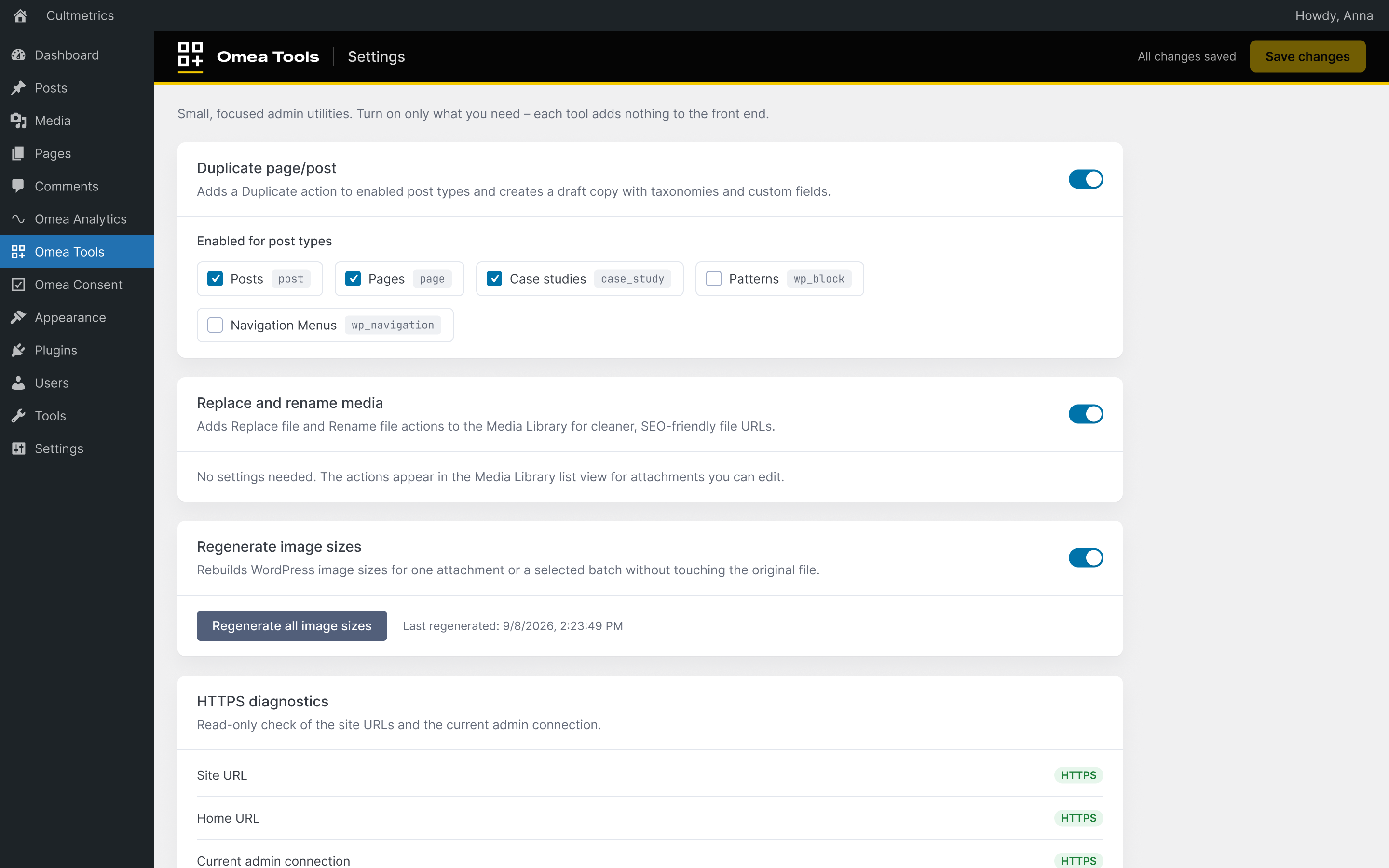
- Toggleable feature cards in the Omea Tools admin page.
- Duplicate posts and pages, with selectable post type support.
- Replace attachment files from the Media Library.
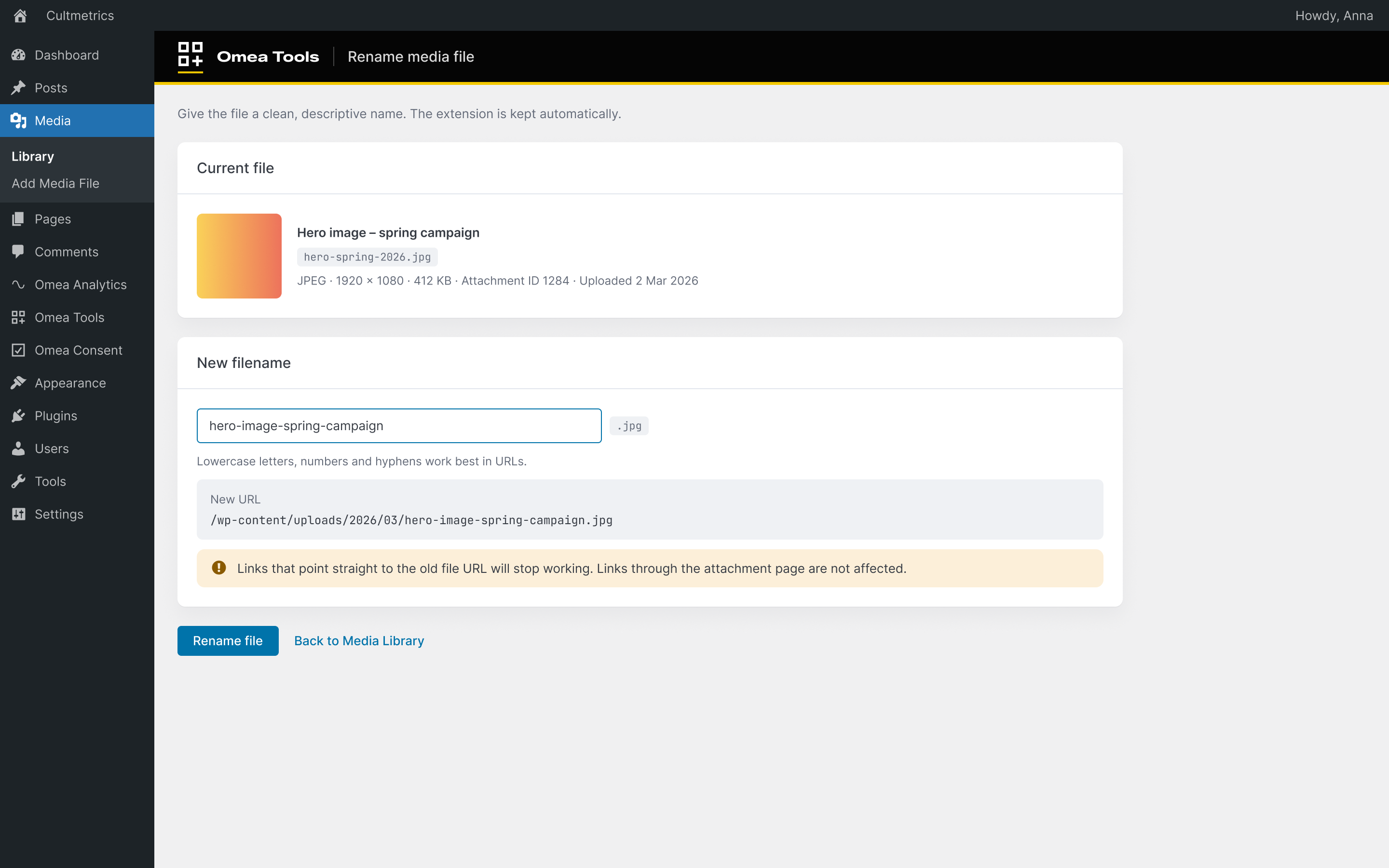
- Rename attachment files for cleaner SEO-friendly filenames.
- Regenerate WordPress image sizes for individual images or selected Media Library batches.
- Read-only HTTPS diagnostics with a link to WordPress Site Health.
ეკრანული სურათები
დაყენება
- Upload the
omea-toolsfolder to/wp-content/plugins/. - Activate the plugin through the ‘Plugins’ menu in WordPress.
მიმოხილვები
There are no reviews for this plugin.
მონაწილეები & დეველოპერები
“Omea Tools” ღია პროგრამული უზრუნველყოფაა. შემდეგმა ადამიანებმა წვილი შეიტანეს მის განვითარებაში.
მონაწილეები
გადათარგმნეთ Omea Tools თქვენს ენაზე.
დაინტერესებული ხართ დეველოპმენტით?
დაათვალიერეთ კოდი, შეამოწმეთ SVN რეპო, ან გამოიწერეთ შექმნის ჟურნალი : RSS.
ცვლილებები
0.1.0
- Initial release with duplicate content and media file tools.
0.2.0
- Added image size regeneration for individual attachments and Media Library bulk actions.
- Added read-only HTTPS diagnostics without changing WordPress URL or SSL settings.
0.3.0
- Added a background “Regenerate all image sizes” job with progress and a completion summary.
- HTTPS diagnostics are always available (read-only).
- Replace and Rename media keep Media › Library highlighted in the admin menu.
- Security hardening: nonce-checked media tool links and safer inline script data.
- Declared WP Consent API compliance – Omea Tools sets no cookies and does not track visitors.
- Refreshed admin styles: 36 px fields, no sideways scroll on mobile.