
აღწერა
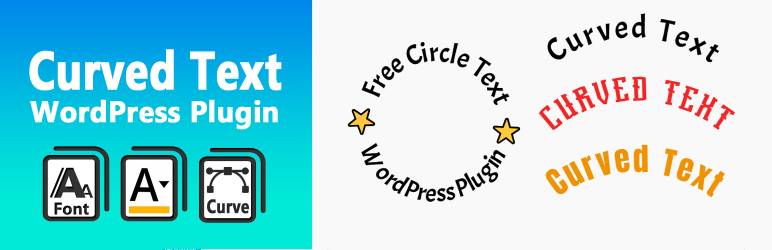
Curved Text Block is a custom Gutenberg block plugin that allows you to easily add curved text to your content. It’s perfect for headings, design elements, or emphasizing key phrases with visual flair.
Created by @codingdude, this block is simple to use and highly customizable — adjust radius, direction, alignment, and more.
If you’re looking to quickly create curved text as an image or SVG, you can also try the Curved Text Generator — a free online tool for exporting curved text designs.
Development
The original (non-minified) source files for this plugin are included in the /src directory.
You can use npm and webpack to build the final production code in /build.
To build from source:
- Run
npm install - Run
npm run build
ეკრანული სურათები


ბლოკები
ეს პლაგინი უზრუნველყოფს 1 ბლოკს.
- Curved Text Block Example block scaffolded with Create Block tool.
დაყენება
- Upload the plugin folder to the
/wp-content/plugins/directory or install via the WordPress plugin admin panel. - Activate the plugin through the ‘Plugins’ screen in WordPress.
- Add the “Curved Text” block in the editor where you want curved text to appear.
ხდკ
-
Can I export the text as an image?
-
The block itself is editable in the post/page editor. To export a curved text design as an image or vector file, use the free Curved Text Generator.
-
Can I change the direction or radius of the curve?
-
Yes. The block includes controls for adjusting the curve radius, direction (clockwise/counter-clockwise), and other styling options.
მიმოხილვები
There are no reviews for this plugin.
მონაწილეები & დეველოპერები
“Curved Text Block” ღია პროგრამული უზრუნველყოფაა. შემდეგმა ადამიანებმა წვილი შეიტანეს მის განვითარებაში.
მონაწილეები
გადათარგმნეთ Curved Text Block თქვენს ენაზე.
დაინტერესებული ხართ დეველოპმენტით?
დაათვალიერეთ კოდი, შეამოწმეთ SVN რეპო, ან გამოიწერეთ შექმნის ჟურნალი : RSS.
ცვლილებები
0.1.0
- Initial release of the Curved Text Block plugin.