

აღწერა
BubbleForge for WooCommerce is a lightweight, high-performance plugin that lets merchants create unlimited product badges (“bubbles”) using an advanced rule engine. Replace the standard WooCommerce sale badge with a fully visual, condition-driven system.
Key features
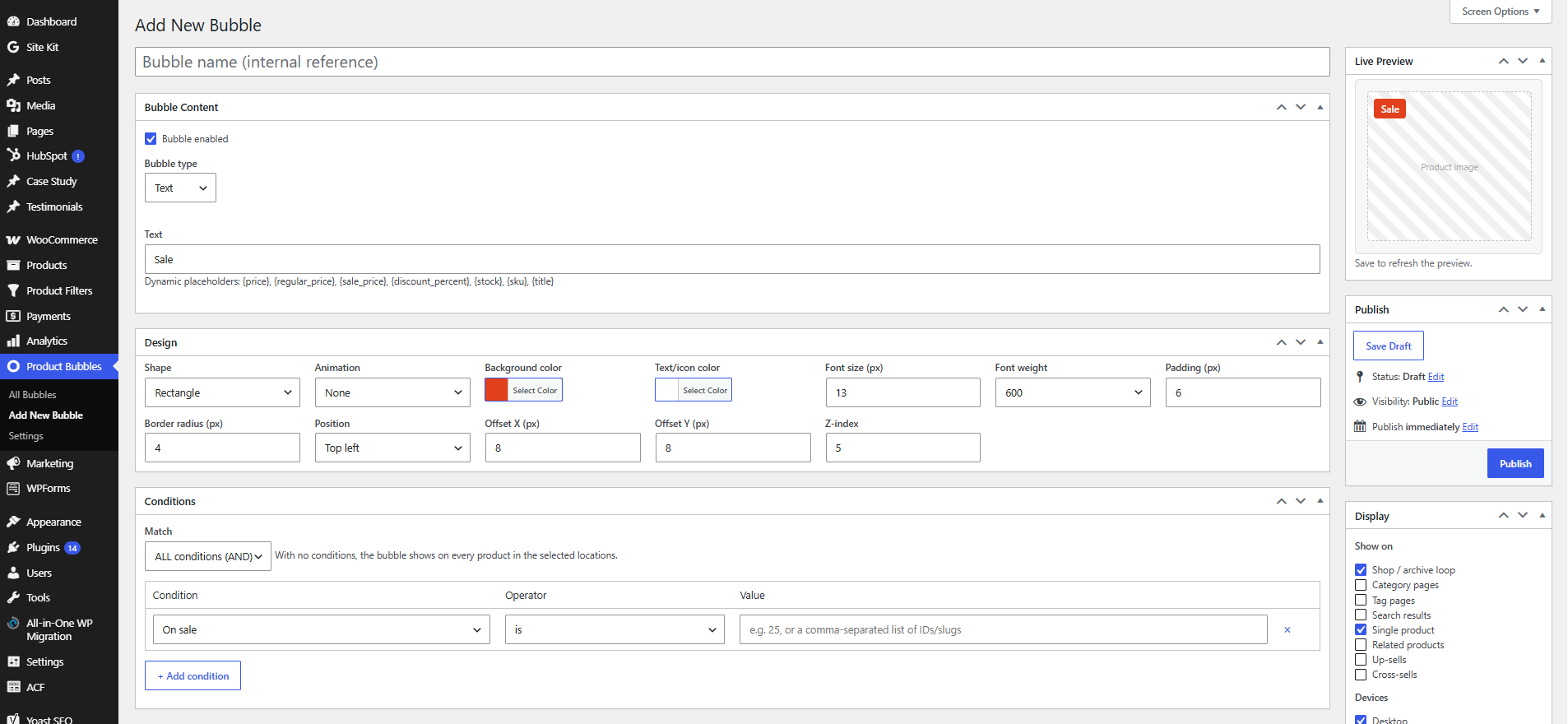
- Bubble types — Text, Emoji, Dashicon, Image, and inline SVG.
- Dynamic placeholders —
{price},{regular_price},{sale_price},{discount_percent},{stock},{sku},{title}. - Advanced rule engine — combine any number of conditions with AND/OR logic:
- Products, categories, tags, attributes, brands, product type
- On sale, discount %, price, featured
- Stock status and stock quantity
- Best sellers, top rated, newly added
- User roles, customer country, device, date schedule
- Display locations — shop/archive loop, categories, tags, search, single product, related, up-sells and cross-sells.
- Design builder — colors, typography, shapes (rectangle, circle, ribbon, flag, star), animations, drag-free positioning with offsets, and responsive device visibility.
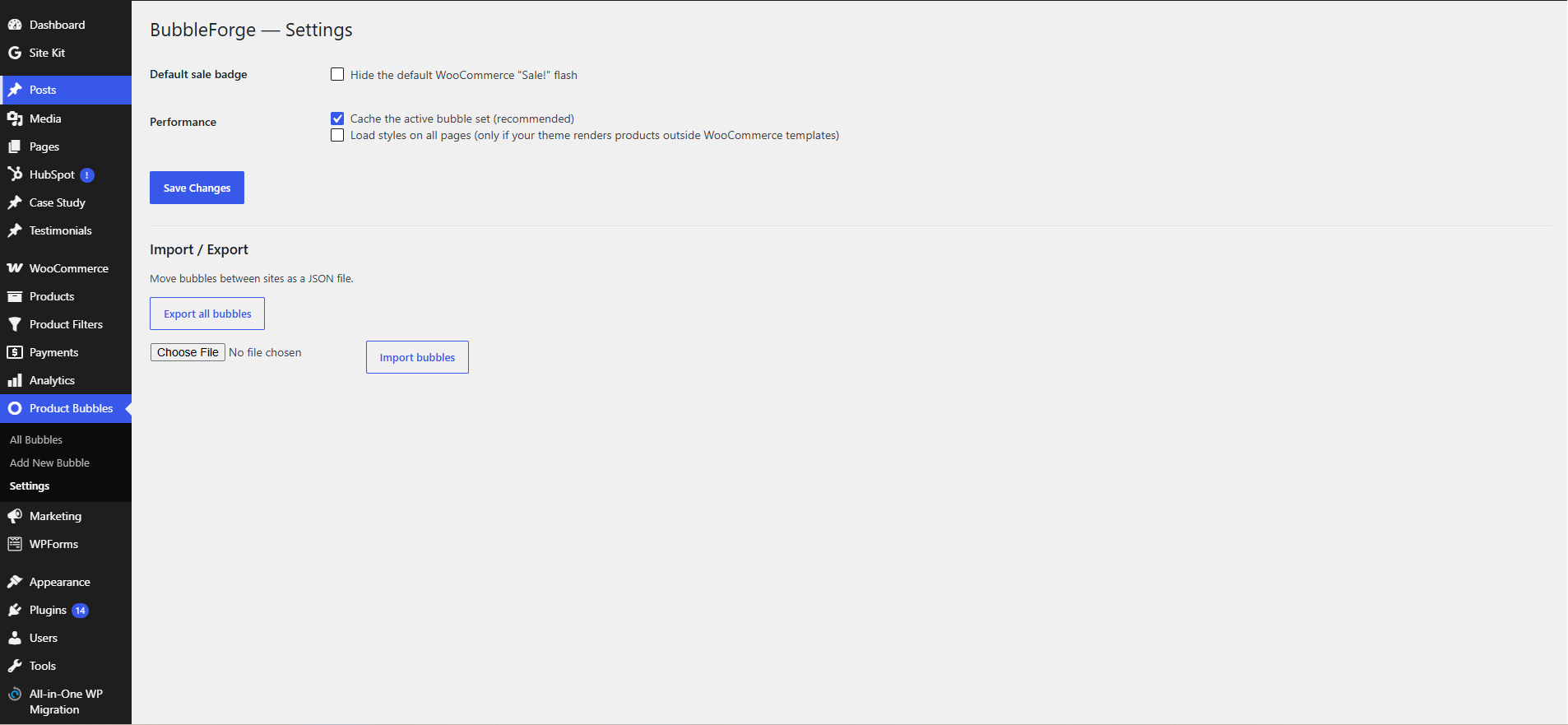
- Performance first — conditional asset loading and a cached active-bubble set.
- Compatibility — WooCommerce HPOS (High-Performance Order Storage) and Cart/Checkout blocks compatible.
- Import / Export — move bubbles between sites as JSON.
ეკრანული სურათები
დაყენება
- Upload the
bubbleforge-for-woocommercefolder to/wp-content/plugins/, or install via Plugins Add New. - Activate the plugin through the Plugins menu in WordPress.
- Make sure WooCommerce is installed and active.
- Go to Product Bubbles Add New to create your first badge.
ხდკ
-
Does it work with High-Performance Order Storage (HPOS)?
-
Yes. The plugin declares HPOS and Cart/Checkout blocks compatibility.
-
Will it replace the default WooCommerce “Sale!” badge?
-
Optionally. Enable Product Bubbles Settings Hide the default WooCommerce “Sale!” flash.
-
My theme doesn’t show bubbles — why?
-
The plugin hooks into the standard WooCommerce template actions (
woocommerce_before_shop_loop_item_titleandwoocommerce_before_single_product_summary). Highly customized themes or page builders that don’t use these hooks may need thebbfgw_should_enqueue_frontendfilter or a custom hook location. -
Can I add my own conditions?
-
Yes, use the
bbfgw_evaluate_conditionfilter to implement custom condition types.
მიმოხილვები
There are no reviews for this plugin.
მონაწილეები & დეველოპერები
“BubbleForge for WooCommerce” ღია პროგრამული უზრუნველყოფაა. შემდეგმა ადამიანებმა წვილი შეიტანეს მის განვითარებაში.
მონაწილეები
გადათარგმნეთ BubbleForge for WooCommerce თქვენს ენაზე.
დაინტერესებული ხართ დეველოპმენტით?
დაათვალიერეთ კოდი, შეამოწმეთ SVN რეპო, ან გამოიწერეთ შექმნის ჟურნალი : RSS.
ცვლილებები
1.0.1
- Fixed product bubble display issue.
- Improved rule handling.
1.0.0
- Initial release.