

აღწერა
BoltUtil is a USDT and USDC payment gateway for WooCommerce, connecting your WordPress store to the BoltUtil stablecoin payment service. Customers select a token and network, place an order, and continue to BoltUtil Hosted Checkout. They can use wallet payment or manual transfer. BoltUtil displays the receiving address and exact payable amount, monitors the network, and reports the confirmed result to WooCommerce. The plugin does not receive cryptocurrency or store wallet private keys or recovery phrases.
Stablecoin payments for WooCommerce
- Accept USDT (Tether) and USDC payments on eligible merchant-enabled routes.
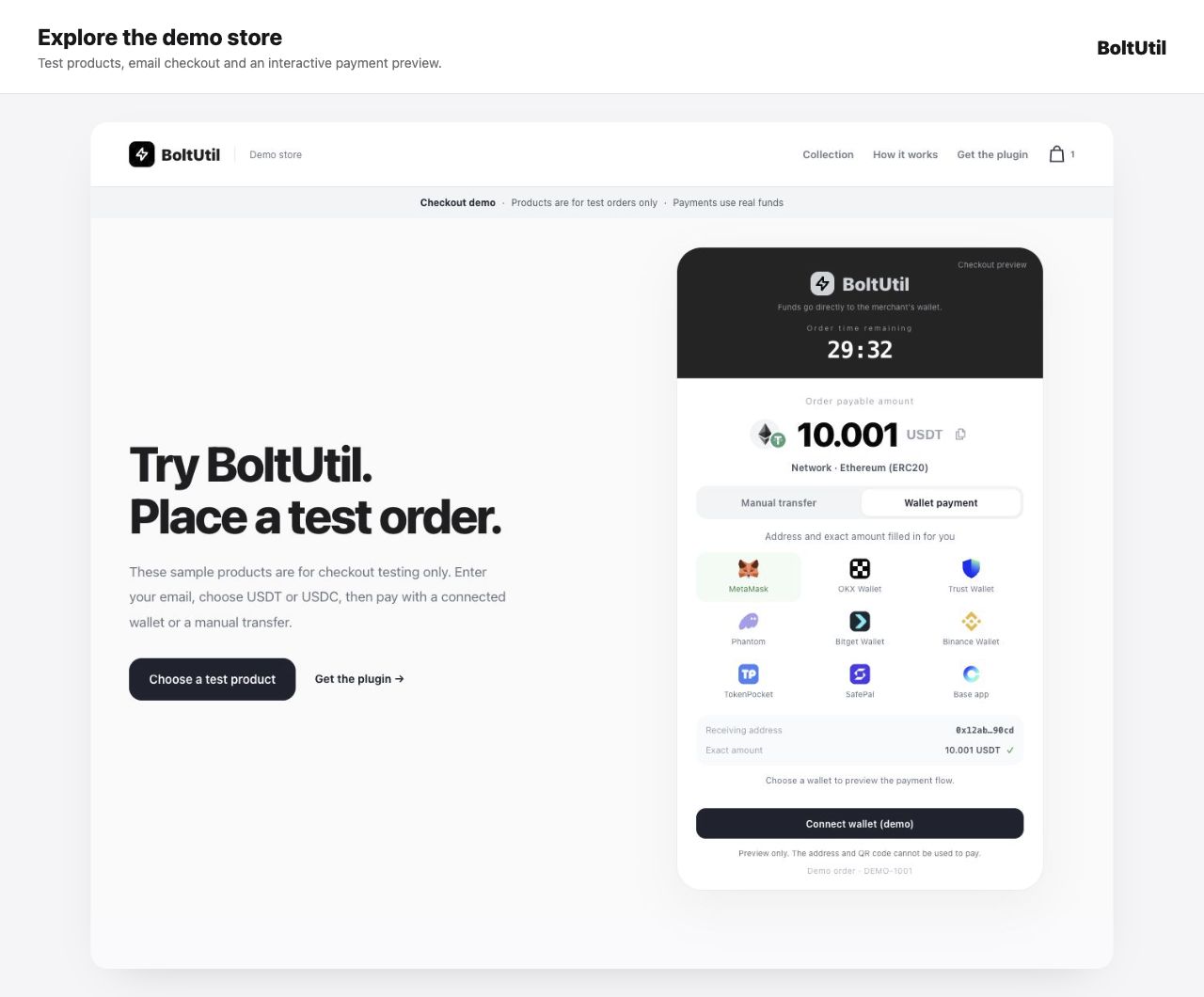
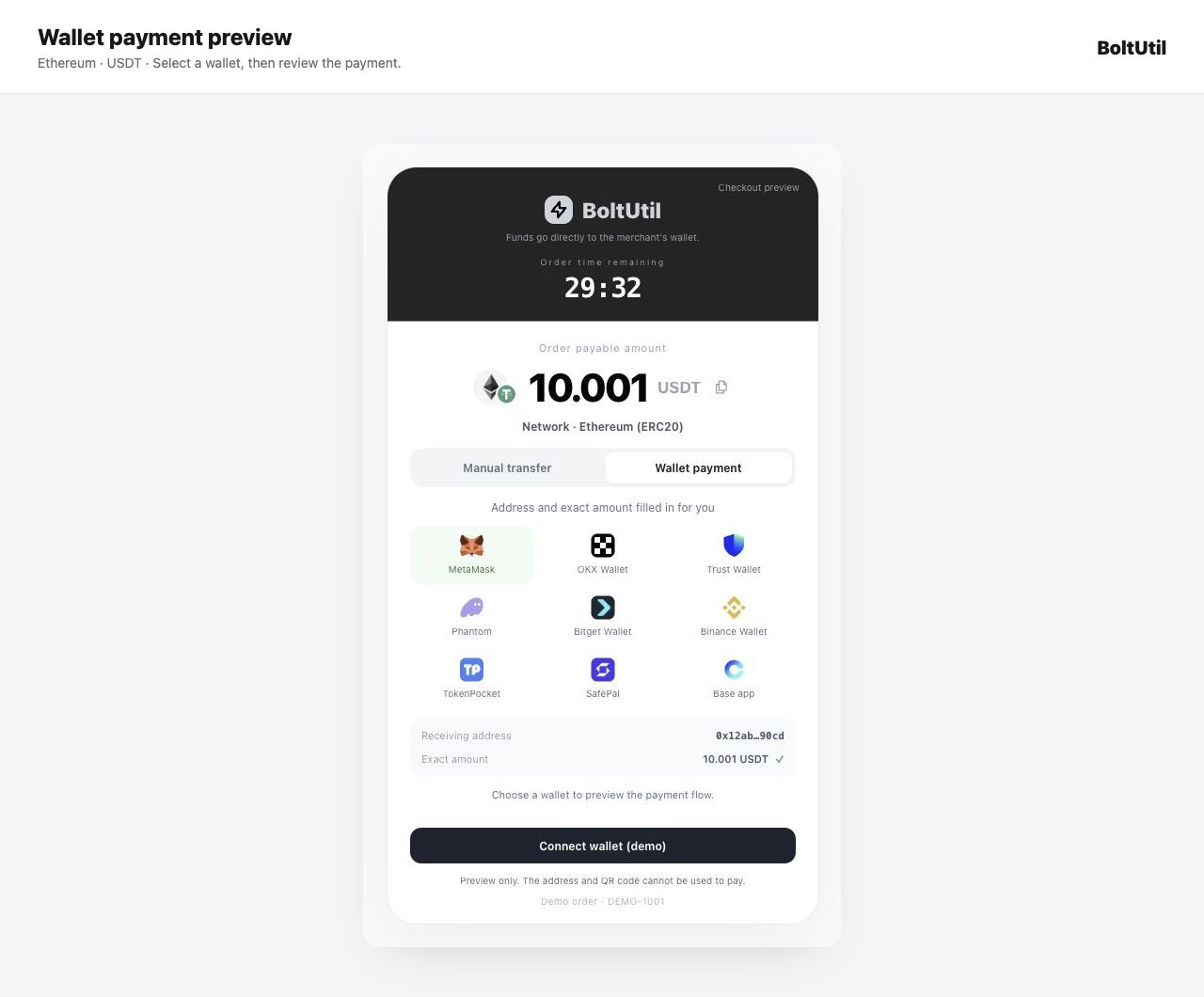
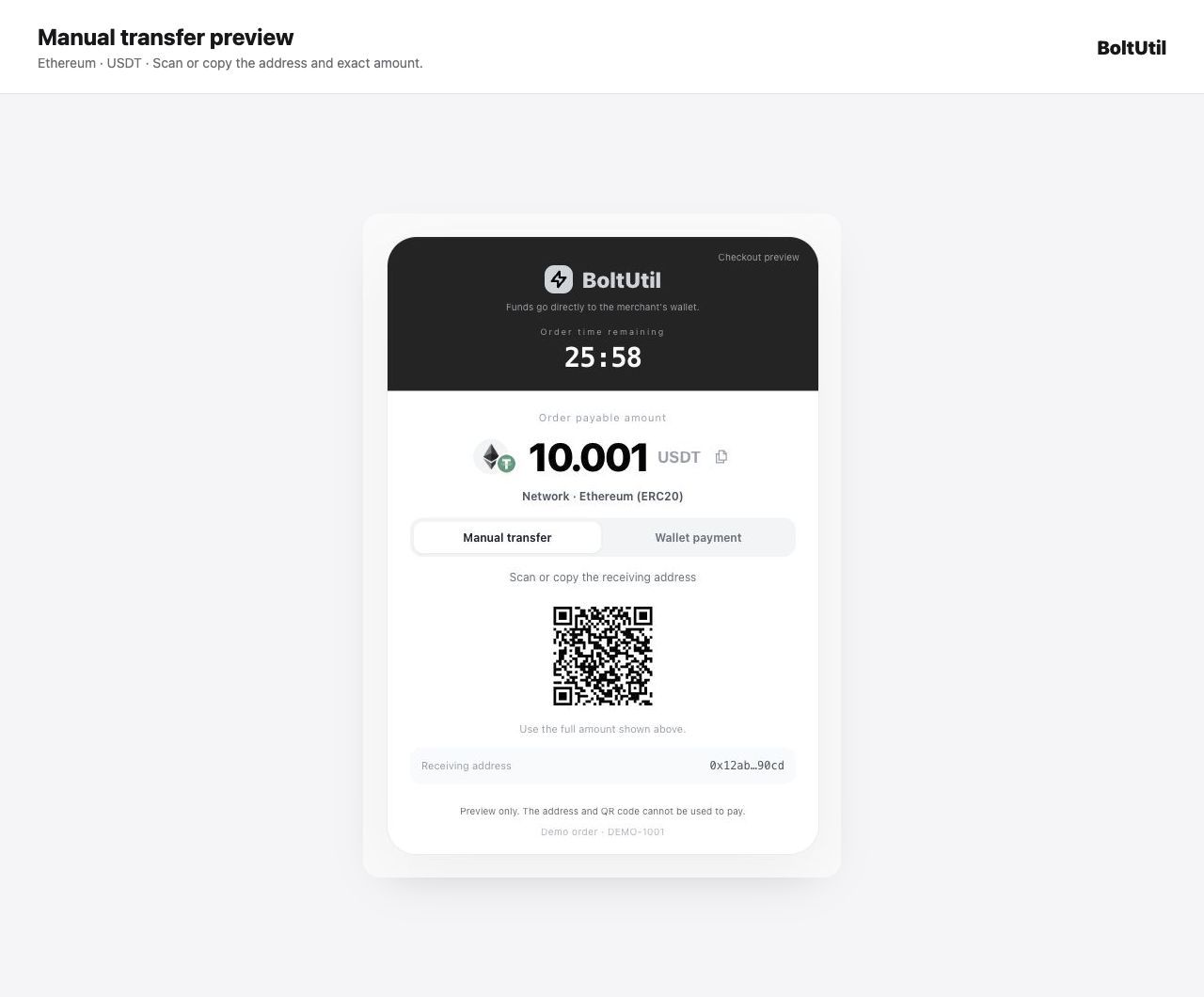
- Offer connected-wallet checkout with the address and exact amount filled in, or manual transfer with a QR code and receiving address.
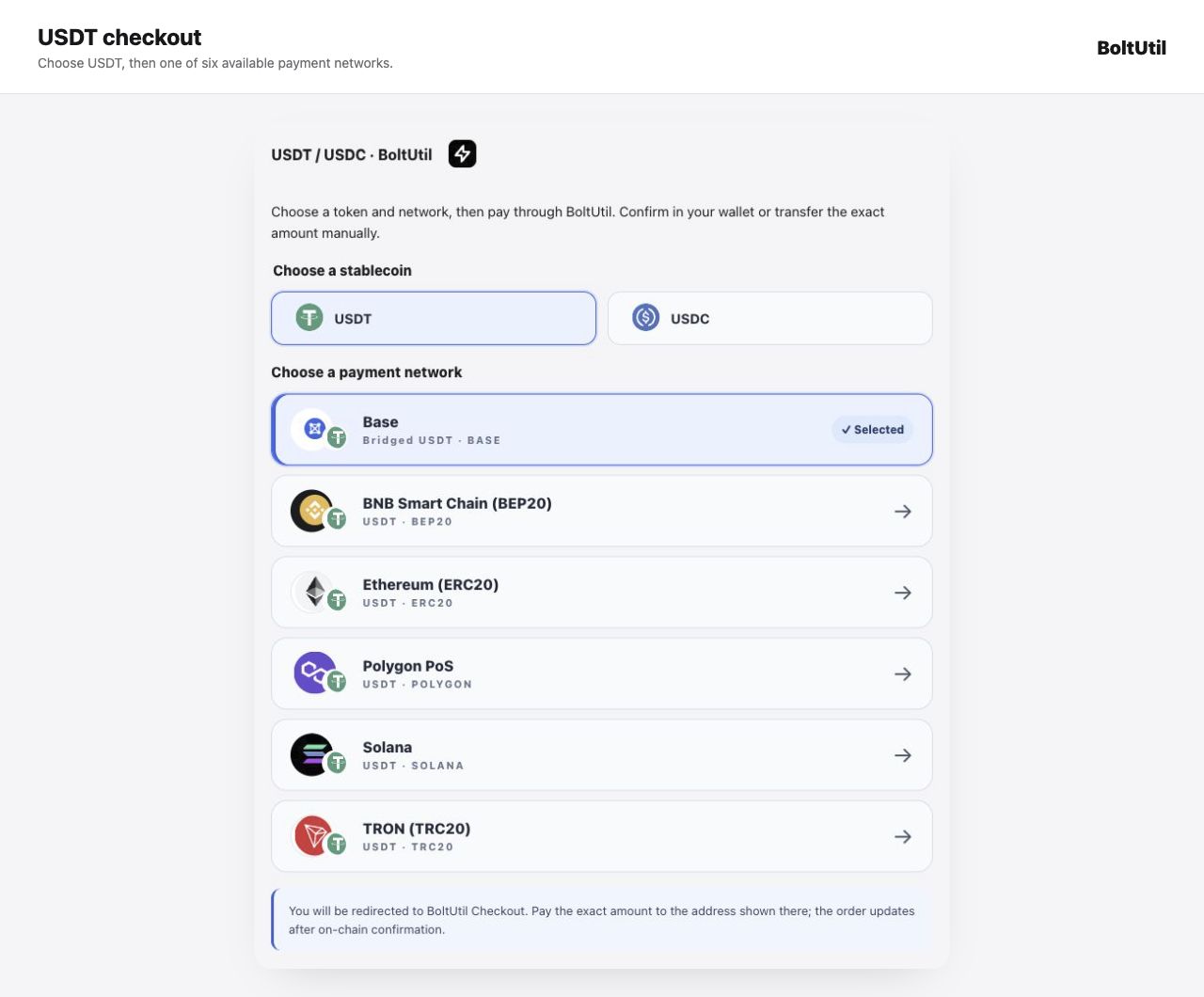
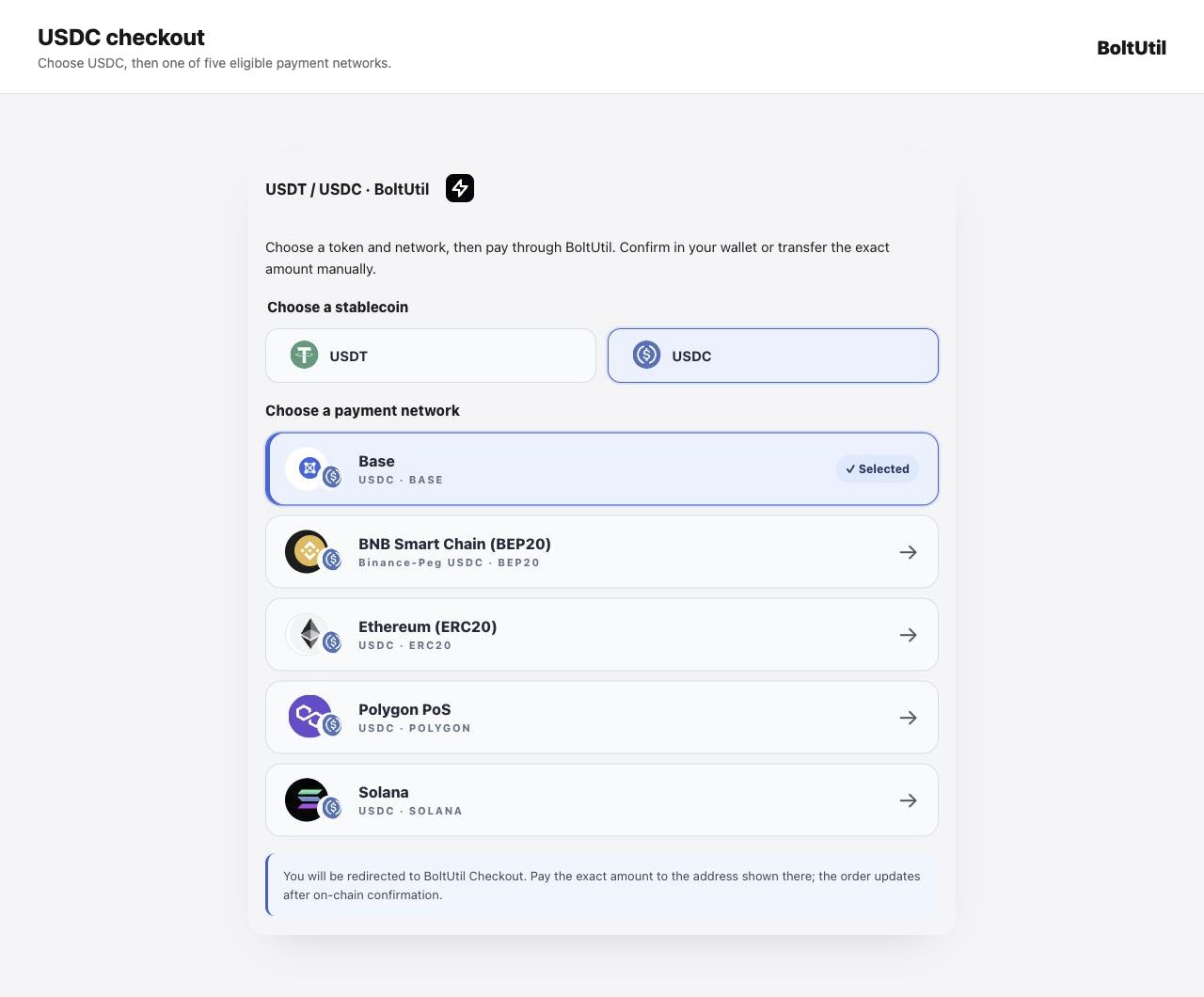
- Support six networks: TRON (TRC20), Ethereum (ERC20), BNB Smart Chain (BEP20), Polygon PoS, Solana and Base. USDT has six routes and USDC five; available options depend on the merchant and service configuration.
- Receive payments directly in your configured wallet. The plugin does not hold customer funds or wallet private keys.
- Update WooCommerce orders after verified payment status and signed Webhooks; support merchant-scoped status rechecks.
- Integrate with Classic Checkout, Cart and Checkout Blocks, and WooCommerce High-Performance Order Storage (HPOS).
Try the WooCommerce demo store | Setup guide | BoltUtil website | Current plans
The demo store has test-only digital sample products and uses real funds for submitted payments. Its interactive checkout preview is illustrative and cannot be used to transfer funds.
USDT supports TRON (TRC20), Ethereum (ERC20), BNB Smart Chain (BEP20), Polygon PoS, and Solana. Native USDC supports Ethereum, Polygon PoS, and Solana; Binance-Peg USDC supports BNB Smart Chain (BEP20). These routes require activation by BoltUtil. Checkout offers only routes enabled in the service and plugin, with an active merchant receiving wallet. Existing installations default to USDT only. Base supports native USDC and Bridged USDT; other assets and networks are not supported.
Only WooCommerce stores using USD are supported. The USD numeric order total is the stablecoin invoice basis; this release does not provide a live exchange-rate quote or lock. The exact stablecoin amount displayed on BoltUtil Hosted Checkout is the amount to pay. Network transaction fees are charged by the customer’s wallet or network, separately from the invoice amount.
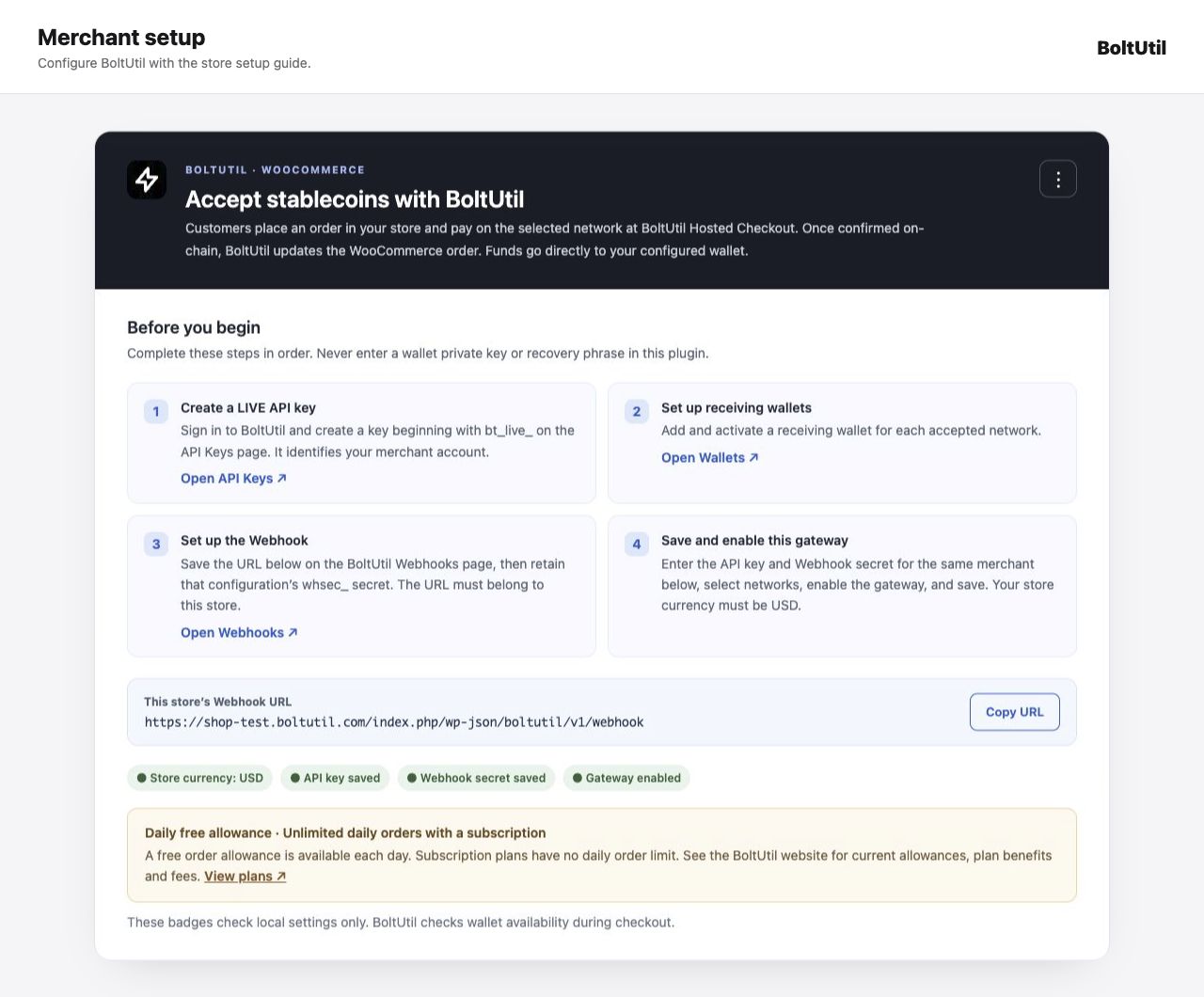
BoltUtil is an external service required for this plugin. Merchants must register a BoltUtil account, create a LIVE API key, configure receiving wallets and an active Webhook, and enter the key and Webhook secret in the gateway settings. A free order allowance is available each day; subscription plans have no daily order limit. Current allowances, plan benefits and fees are described at https://boltutil.com/pricing . The service, rather than plugin code, enforces account limits.
When a customer checks out, the plugin sends the order amount, USD currency, selected USDT or USDC token, selected network, a store-specific external order ID, the store’s return URL, and a merchant reference to BoltUtil over HTTPS. It sends the merchant API key and a signed request; it does not send the customer’s wallet private key. The plugin receives signed payment events and queries BoltUtil to verify status before completing a WooCommerce order. See https://boltutil.com/privacy and https://boltutil.com/terms for BoltUtil service policies. The merchant remains responsible for their store’s own privacy notice and payment disclosures.
ეკრანული სურათები
დაყენება
- Install and activate WooCommerce, then install this plugin.
- Set the WooCommerce store currency to USD.
- In BoltUtil, create a LIVE API key, enable a receiving wallet for each desired network, and create an active Webhook using the URL shown in WooCommerce > Settings > Payments > BoltUtil Payments.
- Enter the LIVE API key and the matching Webhook secret in the gateway settings. Select stablecoins and networks backed by active receiving wallets, enable the gateway, and save.
- Place an unpaid order to check the network choice, BoltUtil redirect, amount, address, and return link. Returning to the store does not mark the order paid.
ხდკ
-
Can customers connect a wallet instead of entering the amount manually?
-
BoltUtil Hosted Checkout offers connected-wallet payment on supported devices and networks. The receiving address and exact amount are filled in; the customer reviews and confirms in the wallet. Manual transfer remains available. Availability depends on the selected token, network, device and wallet, and is handled by the BoltUtil service rather than a wallet SDK bundled in this plugin.
-
Does the plugin store my wallet private key?
-
No. Receiving wallets are configured in BoltUtil. The plugin stores the merchant’s API key and Webhook secret encrypted using the WordPress site’s authentication salts. Keep the WordPress installation and its salts secure.
-
When is a WooCommerce order marked paid?
-
Only after BoltUtil confirms payment and the plugin verifies the signed Webhook and payment status, or after a merchant-scoped status reconciliation. A browser redirect back to the store is not proof of payment.
-
Can customers pay with USDC or on Base?
-
Native USDC on Ethereum, Polygon PoS and Solana, and Binance-Peg USDC on BNB Smart Chain (BEP20), are available only when the service activates the route and the merchant enables USDC in plugin settings. Base supports native USDC and Bridged USDT when the backend, receiving wallet and plugin settings enable the route. Base confirmation depends on L1 finality; the confirmation time varies and is not guaranteed. Planned or inactive routes are never offered.
-
Which languages are available?
-
English is the fallback. The WordPress.org edition uses the standard WordPress language-pack system; available translations follow the administrator, store or customer locale. Translation coverage depends on published language packs. Source catalogs for eleven languages are maintained in the GitHub repository, and the GitHub ZIP includes bundled translations for manual installation. Merchant-written checkout labels are not translated automatically.
-
What happens when a payment needs investigation?
-
The WooCommerce order displays the BoltUtil payment ID, stablecoin, network, invoice amount, and payable amount. An administrator can use the Recheck BoltUtil payment order action. Payment exceptions should also be reviewed in the BoltUtil merchant dashboard.
-
What happens if a payment expires or fails?
-
When BoltUtil verifies an EXPIRED, FAILED, or CANCELLED payment, the plugin marks the unpaid WooCommerce order Failed and records the BoltUtil status in its order notes. A buyer must place a new WooCommerce order to make a new payment attempt. Any unexpected late transfer or amount discrepancy needs merchant review in BoltUtil; the plugin never marks an underpaid order paid automatically.
-
Where can merchants get support?
-
Use https://github.com/changye0413/boltutil-payments-for-woocommerce/issues for plugin setup questions. You can also use the plugin support forum at https://wordpress.org/support/plugin/boltutil-payments-for-woocommerce/ . For BoltUtil account, API, wallet, or payment issues, email support@boltutil.com. Do not include API keys, Webhook secrets, private keys, or recovery phrases in a support request.
მიმოხილვები
There are no reviews for this plugin.
მონაწილეები & დეველოპერები
“BoltUtil Payments for WooCommerce” ღია პროგრამული უზრუნველყოფაა. შემდეგმა ადამიანებმა წვილი შეიტანეს მის განვითარებაში.
მონაწილეები
გადათარგმნეთ BoltUtil Payments for WooCommerce თქვენს ენაზე.
დაინტერესებული ხართ დეველოპმენტით?
დაათვალიერეთ კოდი, შეამოწმეთ SVN რეპო, ან გამოიწერეთ შექმნის ჟურნალი : RSS.
ცვლილებები
0.6.1
- Use WordPress.org language packs in the directory edition; bundled catalogs remain available in the GitHub installation package.
- Describe daily free allowances and unlimited daily subscription orders without hardcoding a quota; link to the current BoltUtil plans.
- Use documented CC0 network artwork and an original GPL Base network illustration for directory distribution.
- Reject malformed Webhook event IDs without a PHP type error.
- Align the WordPress minimum with the required WooCommerce 11.1 release.
0.6.0
- Let buyers choose USDT or USDC first, then show only eligible payment networks.
- Preserve the selected network when switching coins where that combination is available.
- Keep coin and network choices through classic checkout refreshes; validate routes server-side.
- Restore the Solana black circular mark and gradient bars.
Earlier release history is available in the GitHub repository.