
აღწერა
AniLibrary gives you one wrapper block that can hold almost any other block. Add the wrapper, drop your content inside, choose an animation, and you’re done.
Features:
- Works with core blocks, groups, columns, and most custom blocks.
- Choose when animations start: page load, scroll into view, hover, click, or loop.
- Animate in, out, or both — with reverse or continue exit directions derived from the same preset.
- Use the Scrub media preset to move through a video or GIF as someone scrolls.
- GIFs can move in steps; videos give the smoothest result.
- Start top-of-page scrub media at the beginning when the page first loads.
- Repeat scrubbed media playback across a scroll range for multiple visible cycles.
- Nest wrappers with match-parent timing and join-parent animation controls.
- Suggests animation styles based on the content inside.
- Respects users who prefer reduced motion.
- Lightweight front-end output.
- No tracking and no outside asset requests.
ეკრანული სურათები
ბლოკები
ეს პლაგინი უზრუნველყოფს 1 ბლოკს.
- AniLibrary Wrap any block and add easy animations.
დაყენება
- Upload the plugin files to
/wp-content/plugins/anilibrary, or install through the WordPress plugins screen. - Activate the plugin through the “Plugins” screen in WordPress.
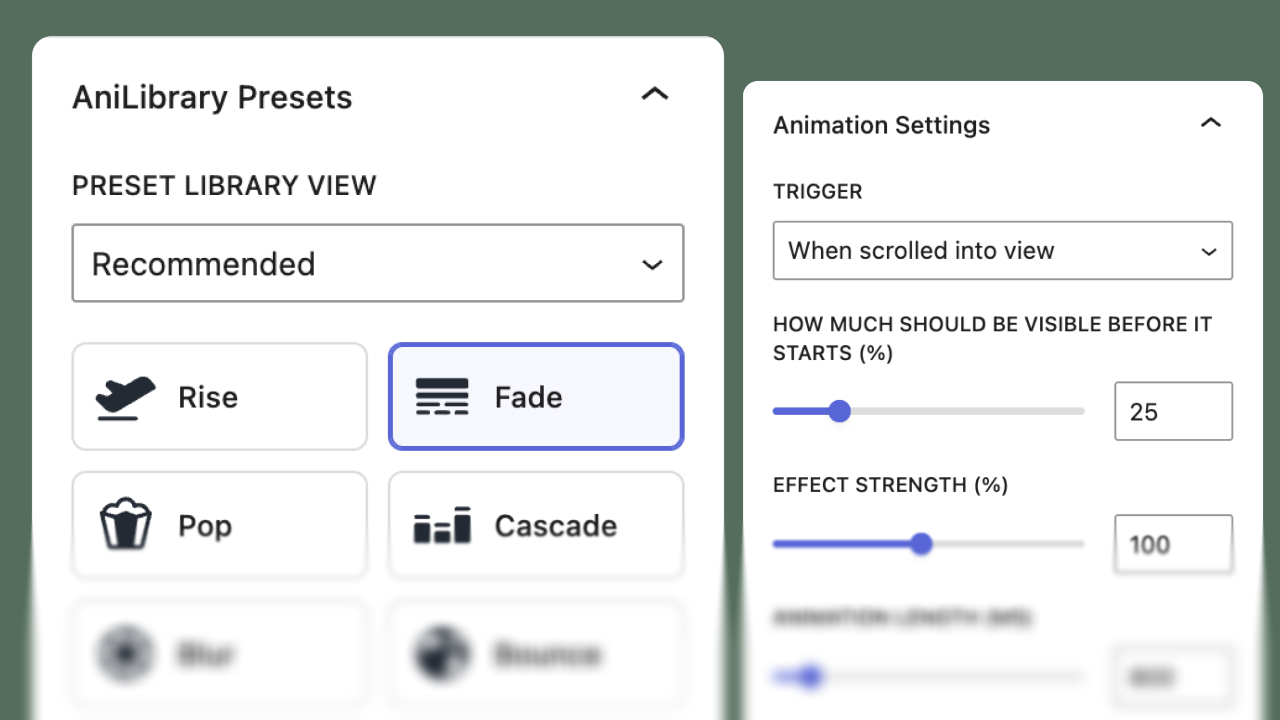
- Open the block editor and add “AniLibrary”.
- Place one or more blocks inside the wrapper and configure animation settings in the sidebar.
ხდკ
-
Will this work with my blocks?
-
Usually yes. The wrapper can contain core blocks and most custom blocks.
-
Can I nest AniLibrary blocks?
-
Yes. Nesting gives you more control over different parts of your content.
-
Does it load scripts on every page?
-
No. Front-end assets only load on pages where AniLibrary is used.
-
What if a visitor prefers reduced motion?
-
AniLibrary automatically reduces motion for those users.
-
How do I remove an animation without losing the content?
-
Select the AniLibrary wrapper and use “Remove animation & keep content” in Animation Settings, or Ungroup.
მიმოხილვები
There are no reviews for this plugin.
მონაწილეები & დეველოპერები
“AniLibrary” ღია პროგრამული უზრუნველყოფაა. შემდეგმა ადამიანებმა წვილი შეიტანეს მის განვითარებაში.
მონაწილეები
გადათარგმნეთ AniLibrary თქვენს ენაზე.
დაინტერესებული ხართ დეველოპმენტით?
დაათვალიერეთ კოდი, შეამოწმეთ SVN რეპო, ან გამოიწერეთ შექმნის ჟურნალი : RSS.
ცვლილებები
1.3.0
- Confirmed compatibility with WordPress 7.1.
- Safari fix: settle completed entrances so blur does not stick mid-flight; exits still work after settle.
- Join parent animation children no longer run their own triggers.
- Scroll triggers use multi-threshold observers and optional viewport margin (rootMargin).
- No-flash pending class until the runtime primes hidden entrances.
- Layout/item stagger for non-text wrappers; selective stagger via abw-stagger-item on child blocks.
1.2.0
- Added Animate In / Out / In & Out, with Reverse or Continue exit directions derived from entrance presets.
- Improved exit timing so delayed entrances skip exit, and mid-entrance exits wait for completion.
- Fixed nested wrappers so outer effects animate nested shells, and independent Scrub stays visible under hide-until-hover.
- Clarified Match parent timing vs Join parent animation nesting controls.
- Animation Settings opens by default; added Remove animation & keep content (Ungroup).
- Added automated nesting and animation scenario tests.
1.1.0
- Added the Scrub media preset for videos and animated GIFs.
- Added controls for forward/backward scroll playback, one-way scroll, and once-only locking.
- Added screen, page, and parent block scroll sources for fixed and nested media layouts.
- Added beginning-at-page-top behavior for hero, fixed, and sticky media.
- Added a playback cycles control for repeating scrubbed media as users scroll.
- Added animated GIF support with graceful fallback when a browser cannot step through the GIF.
1.0.0
- Initial release.
- Added wrapper block with load/scroll/hover/click/loop triggers.
- Added smart preset suggestions based on your content.
- Added reduced-motion-safe runtime defaults.