აღწერა
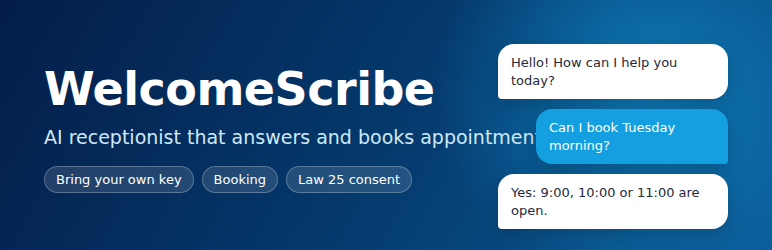
WelcomeScribe is a virtual receptionist for a WordPress site.
Visitors ask questions about your services, products, hours, and FAQ. You write that knowledge in the admin, or you import a draft from the site’s published pages and review it before it is saved. The assistant is instructed to say it does not know rather than invent an answer.
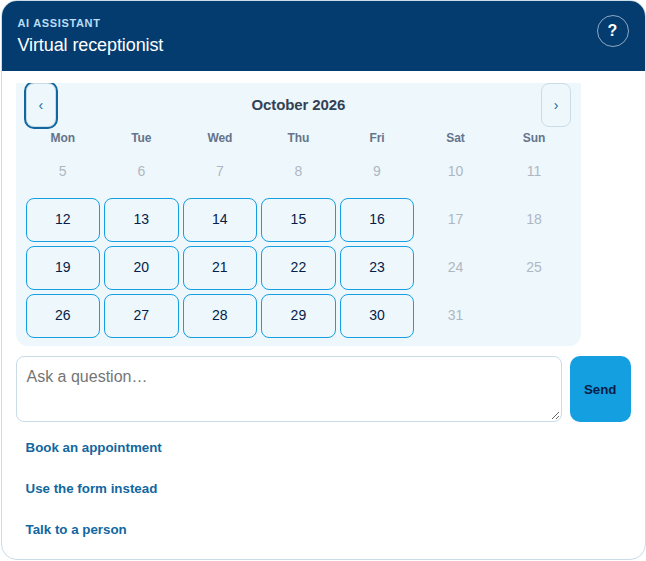
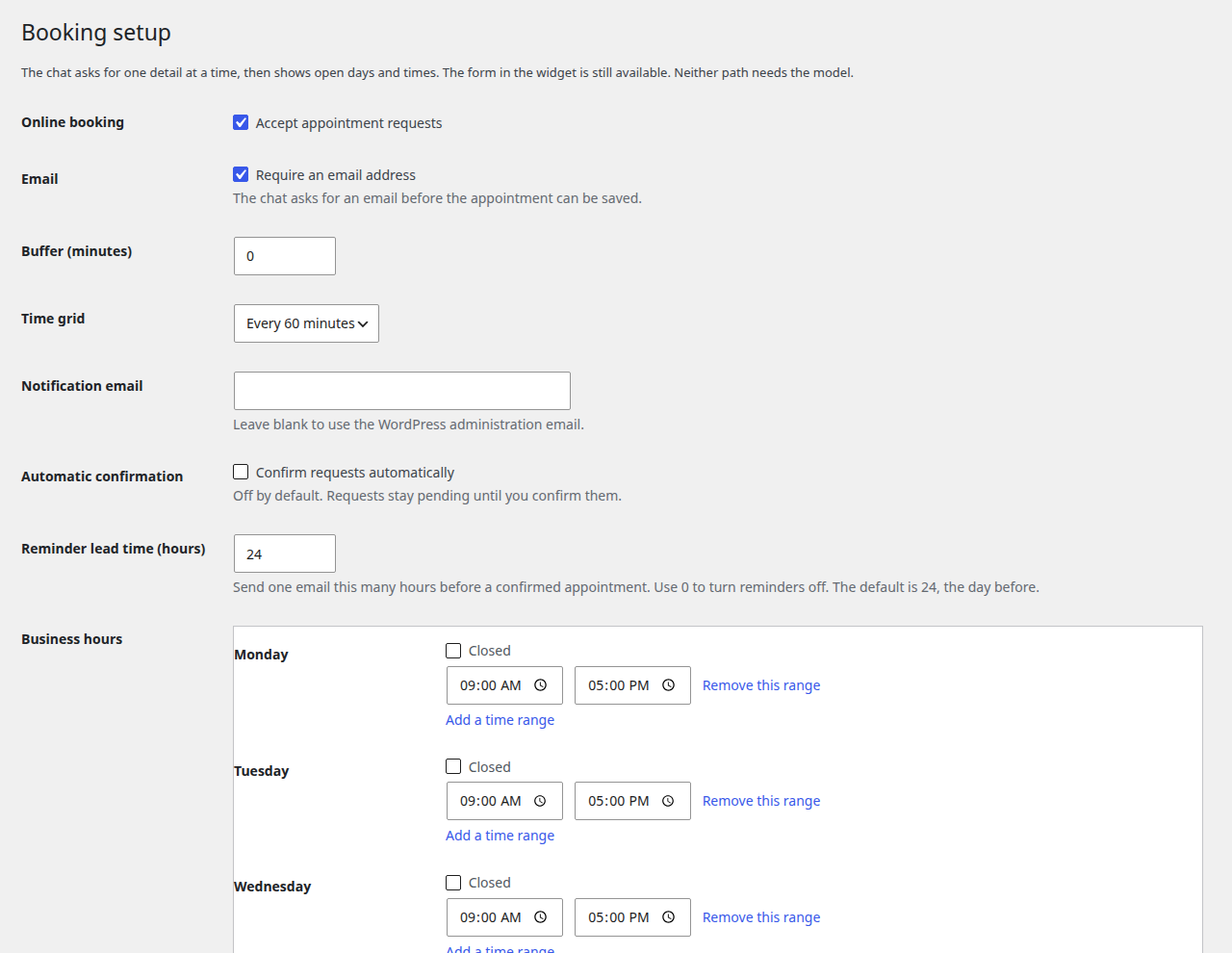
Visitors can request an appointment. You define services, durations, business hours, a buffer, and blackout dates. The assistant can check availability and save a request when the provider supports tool calling. A form in the widget does the same job with no model. The site admin confirms or cancels from the appointments list. The visitor and the admin each get an email with a calendar file and a private link to cancel or reschedule.
Bring your own key. WelcomeScribe does not include an AI service and does not require an account with the plugin author. You choose a provider in Settings and paste your own key:
- Azure OpenAI: resource endpoint, deployment name, API version, and key.
- OpenAI: key and model (default
gpt-4.1-mini). - OpenAI-compatible: base URL, key, and model, for a self-hosted model (vLLM, Ollama) or any host that accepts the OpenAI chat-completions format.
Each provider has the same Test connection button. The browser never talks to the provider: chat goes through the WordPress REST API, and the key stays on the server.
Where data is processed depends on the provider and region you choose. With Azure OpenAI, a Regional Standard deployment in Canada East keeps processing in Canada when that deployment is available to your subscription. A Global deployment, OpenAI, or another host may process prompts in other countries. Read the terms of the provider you choose.
An optional demo mode answers from the knowledge base on this server, with no network call, so the widget and the booking form can be tried before you have a key. It is off by default and is not meant for production.
Quebec Law 25 support in the plugin:
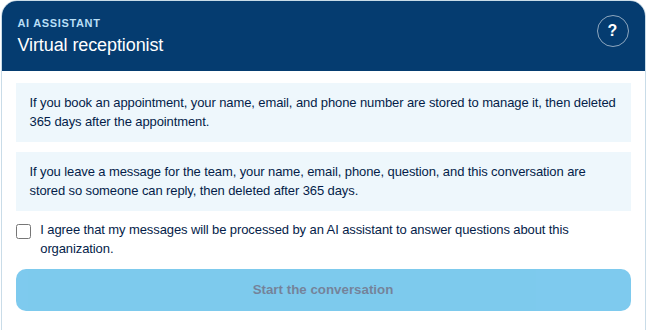
- Explicit consent before the first message, plus a notice that an AI is answering.
- Conversation logging off unless you turn it on.
- A retention period (default 365 days) and a daily purge.
- Hooks into the WordPress personal data exporter and eraser.
- Suggested text for your privacy policy.
Shortcode: [welcomescribe]. Optional language: [welcomescribe lang="fr"] or [welcomescribe lang="en"]. An optional floating button stays off until you enable it.
Every feature described here is included. There is no license key, no locked feature, and no usage tracking.
For developers: providers are registered through the welcomescribe_providers filter, so another plugin can add a provider without changing this one.
External services
WelcomeScribe connects to the AI provider that the site administrator selects and configures in WelcomeScribe, Settings. No request is made until a provider is configured with the administrator’s own key. Demo mode makes no external request. The plugin does not send data to the plugin author.
What is sent, and when
- When a visitor who has ticked the consent box sends a chat message: the system instructions, excerpts from the site’s knowledge base, the conversation so far in that chat window (visitor messages and assistant replies), the page language, the site’s local date and time, and, while booking, the appointment details the visitor typed (service, date, time, name, phone, email).
- When an administrator clicks Improve with AI on the page-import screen: the text of the draft built from the pages the administrator selected.
- When an administrator clicks Test connection: a short test message (“ping”).
The API key is sent in a request header. The visitor’s IP address is not sent to the provider.
Azure OpenAI (Microsoft Azure)
Requests go to the Azure OpenAI resource the administrator enters (https://{resource}.openai.azure.com or https://{resource}.cognitiveservices.azure.com). The region of that resource and the deployment type decide where prompts are processed.
- Terms: Microsoft Product Terms for Online Services
- Privacy: Microsoft Privacy Statement
- Data handling: Data, privacy, and security for Azure OpenAI
OpenAI
Requests go to https://api.openai.com/v1/chat/completions.
- Terms: OpenAI Terms of Use and Services Agreement
- Privacy: OpenAI Privacy Policy
OpenAI-compatible host
Requests go to the base URL the administrator enters, followed by /chat/completions. That host is chosen and operated by the administrator or a third party they select. Its terms and privacy policy apply, and the plugin author has no relationship with it.
Secret calendar addresses (optional)
If the administrator pastes secret iCal addresses under Booking setup, the site downloads those calendars (for example from Google Calendar, Outlook, or iCloud) when it computes open times, with a cache of about 8 minutes, to read busy times. Nothing about visitors is sent in those requests.
ეკრანული სურათები

დაყენება
- In WordPress, go to Plugins, Add New, search for WelcomeScribe, then install and activate it. Or upload the zip from the Plugins screen.
- Open WelcomeScribe, Settings, and choose a provider.
- Azure OpenAI: paste the resource endpoint (for example
https://your-resource.openai.azure.com), the deployment name, and the key. OpenAI: paste the key and keep or change the model. OpenAI-compatible: paste the base URL (for examplehttps://llm.example.com/v1), the key, and the model. - Save, then click Test connection.
- Fill in the knowledge base, or use Import from my pages to build a draft from published pages. Review the preview, then save.
- Optional: set up services and hours under Booking setup.
- Add
[welcomescribe]to a page, or turn on the floating bubble.
You can keep the key out of the database by defining WELCOMESCRIBE_AZURE_OPENAI_KEY or WELCOMESCRIBE_API_KEY in wp-config.php, or by setting either name in the server environment. That value is used for the selected provider and overrides the settings field. The field then shows “Defined in wp-config.php” and is read-only. The key is never printed back into the form or the page. A blank field keeps the key already stored in WordPress.
ხდკ
-
No. The plugin is free and complete. You pay your AI provider directly for the requests your site makes, under your own account.
-
Which provider should I choose?
-
Any of the three works with the same features. Choose Azure OpenAI if you want to pick the Azure region and deployment type. Choose OpenAI for the simplest setup. Choose OpenAI-compatible for a self-hosted model or another host.
-
Does the data stay in Canada?
-
It depends on your provider and region. With Azure OpenAI, a Regional Standard deployment in Canada East processes prompts in that region when such a deployment is available to your subscription. A Global deployment, OpenAI, and other hosts may process prompts outside Canada. A self-hosted endpoint is processed wherever you host it. Demo mode makes no network call.
-
Does the visitor’s browser call the AI provider?
-
No. The widget posts to your site’s REST API. The API key stays on the server.
-
Does importing pages send them to the provider?
-
No. The preview is built on your site from the pages you select. Password-protected and private pages are skipped. Page text is sent to your provider only if you click Improve with AI. Nothing is saved until you accept the preview.
-
Are chats stored?
-
Not unless you enable conversation logging. Appointment requests are stored so the booking can be kept, and they are purged after the retention period counted from the end of the appointment. A message left for the team is stored after consent and purged after the same retention period. Logging, bookings, and those messages are included in the WordPress export and erase tools.
-
What happens when I delete the plugin?
-
By default, deleting the plugin removes its settings, tables, appointments, messages, and logs. You can turn that off under Settings, Uninstall, if you plan to reinstall.
-
Is demo mode required?
-
No. Demo mode is off by default. It exists only to try the widget without a key.
მიმოხილვები
There are no reviews for this plugin.
მონაწილეები & დეველოპერები
“WelcomeScribe” ღია პროგრამული უზრუნველყოფაა. შემდეგმა ადამიანებმა წვილი შეიტანეს მის განვითარებაში.
მონაწილეები
გადათარგმნეთ WelcomeScribe თქვენს ენაზე.
დაინტერესებული ხართ დეველოპმენტით?
დაათვალიერეთ კოდი, შეამოწმეთ SVN რეპო, ან გამოიწერეთ შექმნის ჟურნალი : RSS.
ცვლილებები
0.4.4
- Translations now come from translate.wordpress.org. The plugin no longer ships its own French files. French sites on fr_FR, fr_BE, fr_CH and other French locales use the French (Canada) language pack when their own locale has none.
- Each public REST route (chat, availability, bookings, booking guide, message guide) has its own permission check: the feature must be turned on, the request must come from this site, the security token must be valid, and a per-visitor rate limit applies.
- Request parameters are validated more strictly (type, length, format, and allowed values).
- Rate-limit counters are keyed by a salted hash of the visitor’s IP address. The IP address itself is not stored in them.
- The cancel / reschedule page loads its styles from a stylesheet file.
- The demo mode and calendar feed notices show only on WelcomeScribe screens, are shorter, and can be dismissed.
0.4.3
- New setting: Quick actions. Shows the Book an appointment, Use the form instead, and Talk to a person buttons under the message box. Off by default, including on existing sites.
- New setting: Back button. Shows the Back button in the guided booking and Talk to a person steps. Off by default, including on existing sites. Visitors can still type “back” or “retour”.
- Booking and Talk to a person still start when the visitor types the request, with or without the buttons.
0.4.2
- The chat widget follows the page language: Polylang first, then WPML, then the WordPress locale.
- Every French locale (fr_FR, fr_BE, fr_CH…) uses the bundled French (fr_CA) translation, including when the widget, guides, and emails switch locale. English locales use English.
- The locale sent by the widget to the REST API is kept as is (fr_FR stays fr_FR), so chat replies, guides, and emails use the same language as the widget.
0.4.1
- New setting for the floating bubble scope: Everywhere, Pages only, or Pages and blog home.
- Floating widget visibility is now evaluated consistently for both front-end rendering and asset enqueueing.
- New filter:
welcomescribe_show_floating_widgetlets developers override the floating widget visibility decision.
0.4.0
- New providers: OpenAI (key and model, default
gpt-4.1-mini) and a generic OpenAI-compatible host (base URL, key, and model). Azure OpenAI is unchanged. Each uses the same request code and the same Test connection button. - Settings show only the fields of the selected provider.
- The settings screen and this readme no longer promise that data stays in Canada. A note explains that it depends on the provider and region.
- Providers are registered through the new
welcomescribe_providersfilter, and each provider reports whether it is configured. - New setting: keep or delete WelcomeScribe data when the plugin is deleted. Deleting stays the default.
- Removed the “Not in this version” list from the settings screen.
- Fixed a PHP warning when calendar settings were saved with a list of addresses.
- readme: External services section, FAQ, and WordPress 7.1 compatibility.
0.3.1
- A signed link in the appointment email lets the visitor cancel or reschedule without an account. The link expires, and the business is notified.
- Appointment emails include a calendar file. Times match the site timezone, including daylight saving.
- One reminder email can go out before a confirmed visit. The default is 24 hours, and 0 turns it off.
- Automatic confirmation stays off, so a request remains pending until you confirm it.
- Paste one or more secret iCal addresses (Google Calendar, Outlook, or iCloud). Busy times block open slots. An unreachable feed keeps booking available and shows an admin warning.
- A private calendar address lists WelcomeScribe appointments. The phone number stays out of the title unless you turn that on.
0.3.0
- Visitors can leave a message for the team from the chat, one question at a time, when they ask for a person or the assistant cannot answer. The business receives the transcript by email. Messages are listed under WelcomeScribe, Messages.
- WelcomeScribe, Conversations lists logged sessions and shows chats, bookings, and messages over 7 and 30 days, plus questions the assistant could not answer.
- A day can have more than one open range, so a lunch break is a closed gap. A service can keep its own hours. Existing single-range hours keep working.
- The chat refreshes the REST nonce before the first post and retries once if the cookie nonce is stale.
0.2.1
- The API key can come from
WELCOMESCRIBE_AZURE_OPENAI_KEYorWELCOMESCRIBE_API_KEYinwp-config.phpor the server environment. That value overrides the database and is not shown in the settings form. - Test connection reports the HTTP status, the deployment or model, and the latency. The raw provider response and headers are not returned or logged.
- Out-of-scope questions are declined as outside the receptionist role.
- An ambiguous “jeudi prochain” asks the visitor to choose this week or next week.
- French replies use a typographic apostrophe, leaving URLs, email addresses, and code spans unchanged.
0.2.0
- Knowledge base: import a proposed draft from published pages, with an editable preview, merge or replace, size limits, and an optional Improve with AI step that runs only after an explicit click.
- Contact pages: detected hours go to the hours field.
- Demo mode: Improve with AI restructures the draft on the site and does not send page text to a network service.
0.1.1
- PHP 8.4, plain permalinks, service labels, and consent checkbox fixes.
- Opt-in demo provider, off by default.
- French (Canada) translation.
- Step-by-step booking in the chat.
0.1.0
- First release.