
აღწერა
StatsTracker – Download Status Viewer is a lightweight WordPress plugin that allows site administrators to view download statistics of selected WordPress.org plugins.
The plugin fetches data directly from WordPress.org on demand and displays clear download metrics, making it easy to analyze plugin popularity and trends.
Features:
– Track up to 50 selected plugins
– Displays the following statistics:
– Total downloads
– Active installs
– Fetches data only when the button is clicked
– View results from:
– Admin dashboard
– Frontend via shortcode
– Clean, easy-to-read table layout
ეკრანული სურათები

Example of setting’s page output. 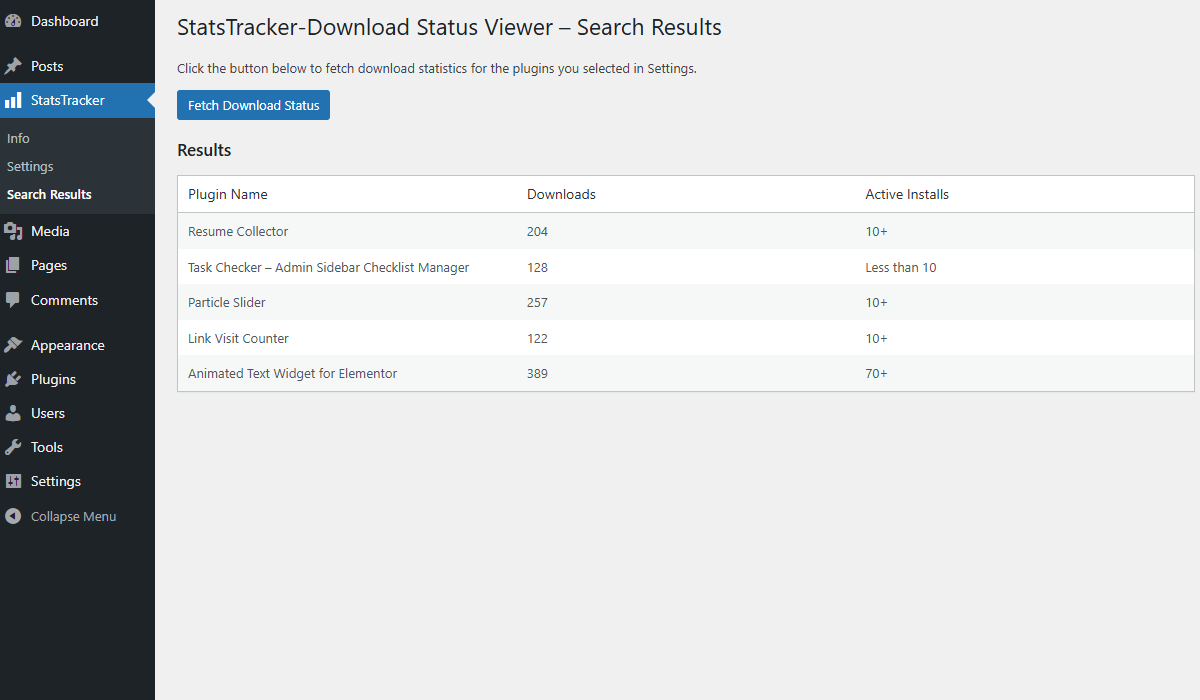
Example of search result’s page output.
დაყენება
- Upload the plugin files to the
/wp-content/plugins/statstracker-download-status-viewerdirectory, or install the plugin through the WordPress Plugins screen. - Activate the plugin through the ‘Plugins’ screen in WordPress.
- Go to StatsTracker from the admin sidebar.
- Click the Fetch Download Status button to retrieve the latest statistics.
- (Optional) Use the provided shortcode
[stdlstusvwr_status_viewer]to display results on the frontend.
ხდკ
-
How many plugins can be tracked at once?
-
You can view download statistics for up to 50 selected WordPress.org plugins.
-
When is the data fetched from WordPress.org?
-
The data is fetched only when you click the button, both in the admin area and on the frontend.
-
Does this plugin store download data locally?
-
No. The plugin retrieves live data from WordPress.org when requested.
მიმოხილვები
There are no reviews for this plugin.
მონაწილეები & დეველოპერები
“StatsTracker – Download Status Viewer” ღია პროგრამული უზრუნველყოფაა. შემდეგმა ადამიანებმა წვილი შეიტანეს მის განვითარებაში.
მონაწილეები
გადათარგმნეთ StatsTracker – Download Status Viewer თქვენს ენაზე.
დაინტერესებული ხართ დეველოპმენტით?
დაათვალიერეთ კოდი, შეამოწმეთ SVN რეპო, ან გამოიწერეთ შექმნის ჟურნალი : RSS.
ცვლილებები
1.0
- Initial release.