
აღწერა
Help visitors get answers from your WordPress content, documentation and connected services. AI-Kit combines a site-wide chatbot with an embeddable DocSearch component, supported by a shared knowledge base and a backend you control.
Answers for your visitors
* Site-wide chatbot (Pro): Add an assistant that visitors can open from any page. Configure its appearance, role, tone, topics and response guidance.
* DocSearch (Pro): Place semantic search in a page or other Gutenberg block area. Show a concise AI summary above a broad set of relevant knowledge sources. DocSearch applies category and tag filters only when the visitor explicitly selects them; it does not silently narrow the search with model-inferred taxonomy filters.
* Knowledge content: Select public posts, pages and supported public custom post types. Configure approval policies and inspect synchronization and backend ingestion separately.
* Connected information (Pro): Extend chatbot answers with shop or service data through administrator-approved, read-only REST and MCP tools. Enable web grounding for selected, allowed HTTPS sources when current information is needed. These integrations require compatible endpoints and backend configuration; installing the plugin does not connect them automatically.
* Response controls (Pro): Set evidence and citation requirements, topic boundaries and behavior when evidence is missing. Review answers against your actual content and use cases.
* Page summaries (Pro): Give visitors a convenient way to summarize longer content with the AI-Kit Feature block or shortcode.
Setup that explains what is ready
Open SmartCloud Answers for guided setup, source status and backend-access guidance. The wizard saves its choices when you finish, and can be reopened with existing values. Detailed settings remain available on the same product page.
A connected WP Suite site, a Pro subscription and a configured, compatible AI-Kit backend are required for visitor chat and DocSearch. The backend is typically deployed into your own AWS account. A WP Suite site connection alone does not deploy that backend or grant access to its protected administration APIs.
Additional tools for authors
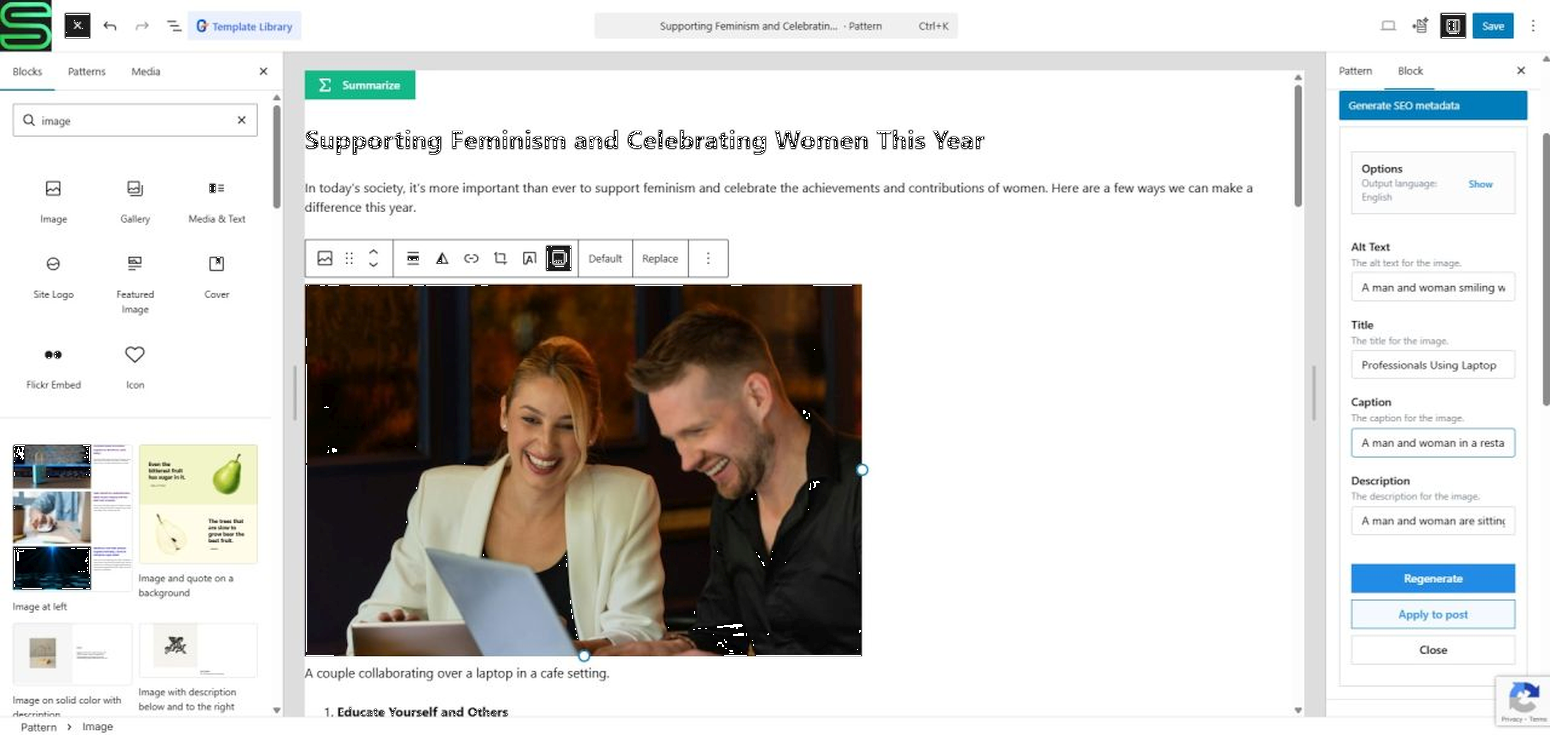
Free editor and Media Library tools use supported Chrome on-device AI when available: generate image and post metadata, draft text, and rewrite, translate or proofread selected content. Browser and device support determine which local tools are available. Pro can provide backend processing for supported tools. These authoring tools complement the visitor-facing Answers experience.
WordPress integration
* Gutenberg blocks and shortcodes for visitor search and AI features.
* Shared translation overrides under SmartCloud Platform Settings Translations and frontend language/direction controls.
* JavaScript APIs for developers integrating the supported features into their own interfaces.
AI-Kit is part of WP Suite by Smart Cloud Solutions, Inc. WordPress remains your content and editing system; optional connected services provide the AI backend and integrations.
Documentation: WP Suite – Docs
This plugin is not affiliated with or endorsed by Google, Amazon Web Services, or the WordPress Foundation. All trademarks are property of their respective owners.
Free and Premium Usage Notice
Free: Use supported on-device editor and Media Library tools without a WP Suite account, subscription or AI backend. You can also choose knowledge-source policies in WordPress; selecting content does not by itself deliver documents to a backend or enable visitor answers.
Pro: An active subscription on the connected WP Suite site enables the paid runtime for the chatbot, DocSearch, frontend AI Feature block/shortcodes and backend processing. Visitor answers and search additionally require a compatible, configured backend with accessible, indexed knowledge content. Chatbot REST/MCP tools and web grounding require their own explicit configuration.
Backend services normally run in your AWS account. AWS usage and any external service charges are separate. Authentication and permissions depend on the configured backend. For protected administration APIs, sign in to the site’s configured Cognito pool with the required role, or use the Gatey WordPress login integration. WP Suite workspace sign-in and a WordPress administrator session do not automatically authorize that backend.
Machine-readable resources
- AI plugin manifest: https://wpsuite.io/.well-known/ai-plugin.json
- OpenAPI spec: https://wpsuite.io/.well-known/openapi.yaml
External Services
This plugin may integrate with the following external services, depending on configuration:
-
Google reCAPTCHA v3
- What it is & what it’s used for:
Client-side bot detection. If enabled, AI-Kit can request reCAPTCHA tokens in the browser to protect certain interactions. - What data is sent & when:
The browser may contact Google to retrieve a reCAPTCHA token (client-side). - Configuration in WordPress:
Enter your reCAPTCHA site key in SmartCloud Platform Settings reCAPTCHA. - Links:
- About reCAPTCHA: https://www.google.com/recaptcha/about/
- Google Terms: https://policies.google.com/terms
- Google Privacy: https://policies.google.com/privacy
- What it is & what it’s used for:
-
Customer-configured AI backend endpoint (Pro only)
- What it is & what it’s used for:
An API endpoint you configure for visitor chat, semantic search, knowledge synchronization and backend AI processing. - What data is sent & when:
Chat messages, search queries, text and/or image-related inputs required for the requested feature. Knowledge Sync sends approved source content, metadata and site-specific synchronization information from WordPress. Conversation settings and approved tool arguments are sent when those features are used. - Where it goes:
Requests are sent to the API URL you provide — typically an AWS API deployed to your own AWS account (e.g., via the “wpsuite-ai-kit” SAR template). - How it’s called:
HTTPS requests from the browser for interactive features, and signed server-side HTTPS requests from WordPress for Knowledge Sync. Configured REST/MCP tools and web grounding make backend-to-service requests to administrator-approved destinations; review those services and their privacy terms before enabling them.
- What it is & what it’s used for:
-
WP Suite platform connection (optional; site/workspace linking & shared features)
- When it applies:
When you use WP Admin SmartCloud Connect your Site to WP Suite to link this WordPress site to a WP Suite workspace, or to switch/disconnect later. - What it’s used for:
Storing and retrieving Pro feature configuration (e.g., API/chatbot/feature settings) and enabling an admin-side preview experience so you can try Pro features in WP Admin before enabling them on the live site. - What data may be sent:
Minimal account/session data required for authentication, and minimal site/workspace linking data required to associate a WordPress site with a workspace (e.g., site/workspace identifiers and the site’s URL/domain). - Where it goes / how it’s called:
Secure HTTPS requests from the browser to WPSuite.io services (e.g. wpsuite.io and api.wpsuite.io). - Links:
- WPSuite.io Privacy Policy: https://wpsuite.io/privacy-policy
- WPSuite.io Terms of Use: https://wpsuite.io/terms-of-use
- When it applies:
-
Amazon Cognito (optional; authentication for WP Suite Hub and/or protected APIs)
- When it applies:
- When using the WP Suite Hub, users authenticate (sign in / sign up) before creating/selecting a workspace and linking a site.
- If a plugin is configured to access protected endpoints that rely on Cognito, authentication/token flows may also be used for those requests.
- What it’s used for:
User authentication and token-based authorization for subsequent API calls (e.g., to WPSuite.io APIs). - Links:
- AWS Service Terms: https://aws.amazon.com/service-terms/
- AWS Privacy: https://aws.amazon.com/privacy/
- When it applies:
-
Stripe (optional; subscription/purchase flow)
- When it applies: Only when the user opens the optional WP Suite subscription / purchase flow in the shared admin component.
- What it’s used for: Displaying hosted pricing/subscription UI for optional paid features.
- What data may be sent: Browser/session data required by Stripe to render the hosted purchase UI and process the purchase flow.
- Links:
- Terms: https://stripe.com/legal/consumer
- Privacy: https://stripe.com/privacy
Trademark Notice
Google Chrome and reCAPTCHA are trademarks of Google LLC.
Amazon Web Services, AWS, Amazon Cognito, and Amazon Bedrock are trademarks of Amazon.com, Inc. or its affiliates.
AI-Kit is an independent project and is not affiliated with, sponsored by, or endorsed by Google, Amazon Web Services, or the WordPress Foundation.
Source & Build
Public (free) source code:
All code that ships in the public (free) version of AI-Kit is available here: https://github.com/smartcloudsol/ai-kit
Build & distribution:
AI-Kit is shipped to WordPress.org as a pre-built distribution. Build steps and developer notes are maintained in the GitHub repository documentation.
Shared WP Suite admin and localization:
The bundled WP Suite Hub admin originates from the wpsuite-admin/ module in https://github.com/smartcloudsol/smartcloud-wpsuite and is packaged under smartcloud-wpsuite/. It owns the site-wide custom translation catalog used by Gatey, AI-Kit, and Flow, alongside shared workspace linking, licence validation, and subscription management.
Pro-only features (source availability):
AI-Kit Pro includes additional functionality such as the chatbot, DocSearch, backend processing, and the frontend Feature block/shortcode experience. The code that enables these paid-only features is distributed to Pro users but is not published in the public repository.
ეკრანული სურათები




ბლოკები
ეს პლაგინი უზრუნველყოფს 3 ბლოკს.
- KB Section Designate a section for Knowledge Base extraction
- AI-Kit Feature (PRO) AI-Kit Feature – add AI-powered features to your site
- AI-Kit Doc Search (PRO) AI-Kit Doc Search – knowledge base search summary with sources
დაყენება
- Upload the plugin ZIP or install it from the WordPress plugin repository.
- Activate it through Plugins in WordPress.
- Open SmartCloud Answers and follow the setup steps to select your knowledge content.
- For visitor answers, connect the site to WP Suite with Pro, deploy/configure a compatible backend, and complete any required backend sign-in. Review the backend-access guidance on the Answers page.
- Enable and configure the site-wide chatbot, or add the AI-Kit Doc Search block to a page. Synchronize and index approved knowledge content, then test visitor questions and source links.
- For free authoring tools, open Gutenberg or Media Library in a supported browser.
ხდკ
-
Can visitors use the chatbot or DocSearch for free?
-
Visitor chat and DocSearch need Pro and a compatible backend. Free tools cover supported on-device editor and Media Library workflows. You can prepare knowledge-source choices before connecting a backend.
-
What is the difference between the chatbot and DocSearch?
-
The chatbot works towards answering the question, using configured behavior, appropriate knowledge-category filters and approved tools to reduce irrelevant context. DocSearch explores relevant sources broadly and presents them below an AI summary; taxonomy filters apply only when the visitor selects them. Both can use the same indexed site content; external REST/MCP tools and web grounding extend the chatbot’s conversations.
-
Can it answer questions about my shop or other services?
-
Yes, when you provide suitable content or configure approved read-only REST/MCP integrations on a compatible backend. Shop and service connections are not automatic. External action tools that change data are not enabled by this integration.
-
Does a connected WP Suite site mean my backend is ready?
-
No. The backend must be deployed, configured and reachable, with the required authentication. The backend-access check verifies a protected administration request; it does not verify visitor replies, answer quality or completed knowledge ingestion.
-
What browsers support the free tools?
-
On-device tools require supported desktop Chrome AI APIs. Availability depends on the browser, operating system, device and requested feature. Pro backend processing can support configured features when local AI is unavailable. Chatbot and DocSearch use the backend rather than on-device AI.
-
Does AI-Kit send my content to external services?
-
On-device processing happens in the browser. Backend features send the inputs needed for the request to your configured API. Knowledge Sync sends approved source content and metadata from WordPress to the configured backend. Approved chatbot tools may send relevant arguments to their configured services. See External Services below.
-
Will it work with static exports?
-
The frontend components run in the browser and can call the configured backend from a static site, subject to its origin and authentication settings. WordPress remains responsible for source management and server-side Knowledge Sync. Maintain the required runtime configuration and entitlement refresh for your exported site.
-
How is automatic Knowledge Sync scheduled?
-
AI-Kit registers a WordPress cron event that becomes due every five minutes. Normal WP-Cron traffic can execute it. For predictable operation on low-traffic sites or installations with WP-Cron disabled, run
wp cron event run --due-nowfrom the system scheduler every five minutes. AI-Kit uses a runner lock to prevent overlapping work. Delivery and backend indexing are separate stages. -
Can I embed search or summaries without the site-wide chatbot?
-
Yes. Use the AI-Kit Doc Search or AI-Kit Feature Gutenberg block, or the [smartcloud-ai-kit-doc-search] and [smartcloud-ai-kit-feature] shortcodes. These visitor-facing components require Pro and the appropriate runtime/backend configuration.
მიმოხილვები
There are no reviews for this plugin.
მონაწილეები & დეველოპერები
“SmartCloud AI-Kit – Chatbot and Semantic Search” ღია პროგრამული უზრუნველყოფაა. შემდეგმა ადამიანებმა წვილი შეიტანეს მის განვითარებაში.
მონაწილეები
გადათარგმნეთ SmartCloud AI-Kit – Chatbot and Semantic Search თქვენს ენაზე.
დაინტერესებული ხართ დეველოპმენტით?
დაათვალიერეთ კოდი, შეამოწმეთ SVN რეპო, ან გამოიწერეთ შექმნის ჟურნალი : RSS.
ცვლილებები
1.6.0
- Keep backend mode, resolved API URL and access guidance in one compact Status panel.
- Show current DocSearch and summarizer screenshots in the Getting started guide, with accessible image dialogs.
- Present chatbot and semantic search as the primary visitor experience, with clear Free, Pro and backend requirements.
- Remember completed Answers setup even when the chatbot and knowledge synchronization remain disabled.
- Explain backend access with contextual sign-in and configuration guidance instead of an unexplained authorization error.
- Improve shared navigation alignment, connection details, inline help and setup field guidance.
- Explain scheduled knowledge synchronization results and sources waiting for verified site publication.
- Combine Answers onboarding, status and detailed settings on one product page; show AI Tools as an informational panel.
- Stage assistant appearance, conversation guidance and knowledge-source selections until the final setup step, with partial-save recovery.
- Use the saved Chatbot Settings name for conversation identity instead of asking for a second assistant name.
- Add shared product navigation and separate Platform Settings with reCAPTCHA, Styling and Translations tabs.
- Preserve existing admin links, permissions and compatibility with older plugin menus.
1.5.10
- Knowledge Base: Initialize the optional publisher cursor when the public release gate is disabled, preventing warnings during baseline reconciliation without changing release eligibility or review requirements.
1.5.9
- Knowledge Base: Add a durable full resynchronization action with batch progress and automatic follow-up passes after taxonomy or backend capability changes.
- Knowledge Base: Show backend ingestion states and allow an administrator to resume a coordinator paused for review once its cause has been resolved.
- AI spend policy: Show the previous month’s reconciled usage and signed corrections from delayed AWS Cost Explorer data.
- Composer validation: Accept authored Knowledge Base category, subcategory, and tag values independently of generated suggestions, including existing slug-based overrides, while enforcing backend metadata limits.
- Dependencies: Refresh the bundled admin DOMPurify dependency for the latest security fix.
1.5.8
- Composer compatibility: Accept standard Gutenberg block metadata when validating governed AI Kit blocks, while continuing to reject unknown custom attributes.
- Composer validation: Read the canonical category and subcategory vocabulary keys when validating governed Knowledge Base sections.
- Shared styling: Load the site’s additional stylesheet URL list after WP Suite Theme CSS inside AI Kit frontend shadow roots.
- Dependencies: Bundle WP Suite Hub 2.5.17, AI Kit Core 1.5.16, and AI Kit UI 1.5.29.
- Chatbot and DocSearch: Decode HTML-escaped citation titles, descriptions, and displayed source links; normalize encoded ampersands in safe source URLs without changing unrelated query parameters.
- Knowledge Base: Apply the configured public Base URL Override to source links even when the Static Publisher release gate supplies the last released path.
- Knowledge Base: Preserve an explicit per-document source URL ahead of the release-gated permalink.
- Knowledge Base: Refresh synchronization baselines so existing source metadata can receive the corrected public URL.
1.5.7
- Knowledge Base: Synchronize every assigned category branch and its ancestors through canonical category paths, including deeply nested categories.
- Knowledge Base: Preserve the primary category and subcategory for compatibility with existing integrations and authored overrides.
- Knowledge Base: Detect backend taxonomy capability and hierarchy changes, refresh synchronization baselines, and show when metadata needs resynchronization.
- Dependencies: Update AI Kit core and UI packages for the category-path contract.
1.5.6
- Knowledge Base: Render the effective block-theme content for every supported post type, including server-rendered dynamic blocks stored in templates.
- Knowledge Base: Exclude shared header, footer, navigation, and template-part chrome from generated source documents.
- Add guarded PHP extension points for dynamic knowledge-base markdown and its referenced WordPress records.
- Recalculate generated-section origin hashes after dynamic content providers contribute canonical content.
- Prevent editor asset loading from failing when an optional build manifest has no dependency list.
1.5.5
- Chatbot: Configure a welcome greeting and up to six starter questions; visitors can send a localized question with one click.
- Chatbot: Wrap longer starter questions, show live thinking steps above the typing dots, and keep references collapsed until opened.
- Localization: Resolve authored welcome text and starter questions through the active site translation catalog.
- Dependencies: Refresh AI Kit core and UI packages for the updated chatbot configuration.
1.5.4
- Chat readability: Improve muted text contrast in dark themes, including expanded activity details on mobile.
- Backend compatibility: Pair with orchestration v1.0.103 for stronger response-format recovery and reliable Cognito authorizer updates.
1.5.3
- Chat streaming: Add a WebSocket client for incremental answers and tool activity, with the existing HTTP chat path retained when streaming is unavailable.
- Chat experience: Keep partial answers when a turn is cancelled, show precise failures and retry options, and summarize completed Knowledge Base searches without cluttering the live response.
- Sources and localization: Clean up citation previews and localize the new chat activity and error messages across all supported interface languages.
- Conversation Profile: Clarify action kinds in the editor and contextual help, including examples for links, contact actions, and handoffs.
1.5.2
- Cost visibility: Distinguish backend-recorded AI usage from historical AWS account billing and show the scope and freshness of each figure. Unavailable or delayed billing data is shown as unknown rather than zero.
- Cost controls: Clarify monthly spend status, remaining allowance, and reconciliation information in API Settings.
- Error messages: Distinguish spending limits, an explicit AI pause, and temporary service or request failures in frontend feedback.
1.5.1
- Localization: Show accurate localized messages for grounding failures, request timeouts, and backend errors.
1.5.0
- Conversation profiles: Replace request-carried shared context with a structured, server-owned profile for site scope, response policy, escalation guidance, action catalog, Knowledge Base behavior, grounding, memory, and agent controls.
- Conversation profile editor: Keep multiline topic and policy fields editable, make them vertically resizable, and add contextual help throughout the profile.
- Restricted web grounding: Replace host-wide rules with exact HTTPS URL prefixes so administrators can allow a whole site or only a path such as the AWS Marketplace section.
- Admin compatibility: Remove duplicate checkbox marks caused by overlapping WordPress and Mantine styles.
- Grounded chat: Add evidence-aware conversation behavior, bounded answer repair, citation finalization, topic-aware memory, compact source previews, and safe recovery when a model proposes an unsupported Knowledge Base metadata filter.
- Agent tools: Advertise the optional isolated script runner and Knowledge Base tool capabilities without granting the browser or WordPress process code-execution privileges.
- Escalation: Add visitor-language safety responses and a structured backend handoff event for support workflows.
- Cost safety: Add an API Settings editor for the backend-wide monthly AI spend circuit breaker, including a lower operational limit, explicit emergency pause, estimated UTC-month usage, remaining allowance, and graceful API status responses. The infrastructure hard cap remains authoritative.
1.4.28
- Dependencies: Bundle WP Suite Hub 2.5.16 so Static Publisher is notified when the shared translation catalog changes.
1.4.27
- Composer validation: Treat Knowledge Base sections as semantic containers that may wrap governed Gutenberg and Canvas blocks while keeping Feature and Doc Search child validation strict.
1.4.26
- Knowledge Sync scheduling: Configure how often WordPress sends queued content changes to the Knowledge Base backend, from 5 minutes to 24 hours; changing the interval automatically replaces the previous WP-Cron recurrence.
- Optional public release gate: Sites using Static Publisher can hold content-bound Knowledge Sync work until a verified publish baseline or targeted content-sync acknowledgement covers the corresponding journal sequence. Directly served WordPress sites keep the existing periodic behavior by default.
- Release safety: Bind baseline, queued, and leased changes to one exact Static Publisher consumer and revalidate its committed sequence before delivery; posts newer than the verified publish cursor wait for the next release, while unavailable, incomplete, or ambiguous publisher configuration fails closed without making Static Publisher a required dependency.
- Operational status: Explain source verification, tombstones, local baselines, outbox work, vocabulary state, and WordPress versus Bedrock processing directly in the admin UI.
- Ingestion counters: Identify committed/requested generation values as coordination counters rather than document totals, avoiding confusion with S3 and Bedrock document counts.
1.4.25
- Knowledge Base localization: Synchronize each WordPress language mutation as an independently searchable document with its normalized locale and localized URL, title, and excerpt.
- Metadata overrides: Switch between linked Polylang or WPML translations in the same source editor and maintain independent title, description, taxonomy, tag, and section overrides for every locale.
- Search and chat: Send the resolved site locale to the backend so retrieval stays inside one language, with deterministic locale and English fallback behavior.
- Request transport: Preserve the resolved locale through the frontend request allowlist so DocSearch and chat calls reach the backend with their BCP 47 language tag.
- AI agent responses: Generate end-user-facing prose and structured string values in the locale propagated by Flow.
- DocSearch: Translate taxonomy filter labels before locale-aware sorting.
- Chat citations: Accept the current structured document/chunk citation payload while retaining compatibility with legacy flat citations during rolling backend upgrades.
- Localization: Correct block text domains and formalize key English, German, Spanish, French, and Hungarian frontend copy.
- Compatibility: Require Knowledge Automation capability 6 and use the version 2 delivery contract for locale-aware documents; legacy version 1 records remain readable by the backend.
1.4.24
- Dependencies: Bundled WP Suite Hub 2.5.15 with the Amplify preview.3 runtime that supplies the corrected Authenticator translations.
- Compatibility: Guard shared Hub constants when another WP Suite plugin already owns the runtime, avoiding duplicate-constant warnings during updates and CLI operations.
1.4.23
- Localization: Added the shared site translation catalog so custom strings resolve consistently across WP Suite plugins and site locales.
- Settings: Added an opt-in setting for the AI Feature language-switcher in the Chatbot, defaulting to off on fresh installs.
- Dependencies: Updated AI Kit Core to 1.5.9, AI Kit UI to 1.5.16, WP Suite Core to 2.4.2, and the bundled WP Suite Hub to 2.5.14 with the Amplify preview.2 catalogue corrections.
1.4.22
- Localization: Resolve automatic frontend language from the active site locale before using the browser preference, and include complete AI-Kit translations for all 22 supported locales.
- Dependencies: Refresh the shared WP Suite, Gatey, AI-Kit UI, and Amplify runtimes, while retaining React 18 compatibility.
1.4.21
- Metadata editors: Use YAML consistently for manual policy, external vocabularies, WordPress-derived data, effective/proposed results, and provenance. Preserve the structured API contract and validate external vocabulary input before saving.
1.4.20
- KB status: Use automatic delivery state for synchronized base documents instead of incorrectly requiring manual publication. Preserve review requirements for separate manual documents and stale locked overrides.
- Admin: Add sync queue, delivery, removal, and failure statuses to KB Sources badges and filters; show sync error codes and distinguish delivery acknowledgement from KB indexing.
- Notices: Recheck current source states before displaying a persisted review warning, clearing it when no source needs review.
1.4.19
- Knowledge Sync metadata: Respect per-document source URL, title, description, category, subcategory and tag overrides; fall back to the KB Base URL Override for source links. Reconcile existing documents after upgrading or changing the base URL, and queue metadata-only edits with the configured approval policy.
- Compatibility: Require Knowledge Automation capability 5 for automatic document delivery so older backends cannot silently discard authored metadata overrides.
1.4.18
- Knowledge Sync: Added durable, multisite-aware WordPress change capture, baseline recovery, signed site enrollment, and resumable delivery foundations for automated Knowledge Base updates.
- Knowledge Base: Added admin controls for enrollment, post-type policies, optional multisite scope, manual review release, immediate sync runs, and operational status.
- Metadata: Added separately owned manual YAML, external JSON vocabulary, and WordPress-derived layers with effective-config and provenance previews.
- Metadata UX: Clarified layer ownership, merge rules, JSON producer shapes, provenance, and actionable WordPress vocabulary states.
- Connection: Made AI-Kit API Settings the sole backend source for Knowledge Sync, with automatic read-only endpoint mirroring for the server-side cron runner.
- Content policies: Included and accepted built-in WordPress pages, excluded media attachments, and clarified the advanced document-profile metadata label.
- Migration safety: Stage external and WordPress vocabulary inputs without changing a legacy live metadata config until an administrator reviews the proposed result and explicitly establishes the manual layer.
- Vocabulary: Force a fresh WordPress vocabulary baseline after enrollment or a resolved backend change.
- Vocabulary safety: Preserve hierarchical category parentage so subcategories remain grouped below their top-level category, and require a compatible backend before delivery.
- Metadata reliability: Keep the last-known-valid effective config intact when producer materialization or ingestion scheduling fails, and compact redundant taxonomy metadata before enforcing the S3 Vectors 1 KiB limit.
- Recovery: Requeue legacy catch-all
invalid_projectionfailures once during the database upgrade so corrected backend validation can process them or return a precise reason. - Operations: Added review-aware WordPress abilities for inspecting sync policy, queue/baseline state, and vocabulary changes, plus an explicitly confirmed request that schedules the normal policy-preserving runner.
- Reliability: Added terminal-success ingestion generations, durable leases, coalesced trailing runs, bounded recovery, and visible ingestion deletion statistics.
- Recovery: Added paginated remote manifest verification, targeted repair for missing or mismatched sources, and manifest-proven cleanup of orphaned WordPress sources.
- Safeguards: Added generation-bound administrator approval for high-count, high-ratio document deletion sets.
- Keys: Added signed self-revocation with local private-key cleanup and an explicit admin control alongside verification and rotation.
- Compatibility: Added backend capability discovery with legacy-safe fallback, per-feature enforcement, and backend release/schema details in diagnostics.
- Transparency: Added localized, configurable AI-generated content notices to the Chatbot and DocSearch interfaces, including chatbot-name interpolation.
- Safety: Disabled Chatbot image attachments by default so they must be explicitly enabled only for a multimodal frontend model.
- Errors: Added a localized explanation when the configured AI model cannot process image attachments.
1.4.17
- Packaging: Restored the generated AI-Kit admin JavaScript chunk omitted from the previous WordPress.org package.
- Cleanup: Removed the obsolete generated admin chunk left behind by the previous build.
1.4.16
- DocSearch: Added developer API options for initially selected categories, subcategories, and tags.
1.4.15
- Compatibility: Declared compatibility with WordPress 7.1.
1.4.14
- Mobile: Mount modal AI Feature and DocSearch interfaces in the document-level overlay even when opened from a header button, so their backdrop covers the complete viewport rather than only a sticky-header stacking context.
1.4.13
- Multisite: Store shared Hub ownership per site and recognize network-activated owners.
1.4.12
- Knowledge Base: Added one persistent, site-wide admin notice when previously reviewed or published source content changes and needs review again.
- Reliability: Deduplicated review notices across bulk and repeated saves, and preserved published state when dependent-source regeneration fails before making changes.
1.4.11
- Dependency: Replaced the deprecated SmartCloud Amplify UI 6.16.0 package line with exact supported 6.15.5/3.6.5/6.15.5 versions and rebuilt the shared vendor runtime.
- Reliability: Preserved reCAPTCHA classification and retryability metadata, and report temporary provider outages separately without exposing sensitive response data.
1.4.10
- Compatibility: Restored ownership-safe WP Suite Theme CSS fragment updates on WordPress-managed Custom CSS storage.
1.4.9
- Feature: Added native, server-rendered Gutenberg fallback content for AI Feature and Doc Search while their React interfaces initialize.
- Performance: Kept authored fallback content visible until React commits, reducing layout shifts and avoiding empty roots for crawlers.
- Compatibility: Preserved shortcode and Elementor rendering without requiring fallback content outside Gutenberg patterns.
- Compatibility: Allowed authored React fallback blocks and their native Gutenberg content in AI Feature and Doc Search Abilities validation.
- Editor: Added a visible inner-block inserter for adding fallback content to AI Feature and Doc Search blocks.
- Fix: Preserved native rendered Gutenberg child markup in fallback blocks and kept fallbacks visible until the actual React UI commits.
- Safety: Kept fallback blocks restricted to their supported direct parent roots.
- Packaging: Renamed the bundled shared runtime directory to
smartcloud-wpsuite. - Migration: Made
smartcloud-wpsuitethe canonical admin, option, and REST namespace while retaining legacy aliases and synchronized site settings for rolling upgrades. - Cleanup: Added multisite-aware uninstall removal for AI-Kit settings, migration state, Knowledge Base tables, and cached discovery metadata without touching shared WP Suite licences.
1.4.8
- Maintenance: Refreshed the AI-Kit package chain, AWS Amplify UI integration, build tooling, and dependency security fixes.
- Compatibility: Updated the bundled shared Hub runtime to 2.5.7.
1.4.7
- Fix: Prevented duplicate Knowledge Base Source status output on custom post type list tables.
- Fix: Added visible, localized, and accessible frontend failure feedback for DocSearch, AI Feature, and Chatbot actions, including human-verification, authorization, throttling, network, and backend failures while preserving retry input.
- Privacy: Retained only safe status, error-code, and request-ID diagnostics in frontend failure feedback without exposing verification tokens or request data.
- Integration: Aligned AI Feature and DocSearch theming metadata with provider-based block materialization, including the historical AI Feature build-directory mapping.
- Theming: Aligned action hover, focus-visible, and disabled states with each block’s resolved Mantine primary color and shared WP Suite shadow-root styling.
- Shared Hub: Added ownership-safe WP Suite Theme CSS fragment updates and hardened the frontend settings bootstrap for CSS-rich configuration values.
- Compatibility: Updated the bundled shared Hub runtime to 2.5.6.
1.4.6
- Fix: Made the shared WP Suite Abilities foundation safe to load from multiple product plugin paths without redeclaring its base provider class.
- Compatibility: Updated the bundled shared Hub runtime to 2.5.5 so existing sites re-elect a current Hub owner after upgrading.
1.4.5
- Feature: Added an optional native WordPress Abilities API provider for AI-Kit component discovery, schema inspection, validation, materialization, runtime capability reporting, and safe knowledge metadata listing.
- Compatibility: The provider loads only when the WordPress Abilities API and the shared WP Suite Hub abilities layer are available, so existing AI-Kit behavior is unchanged on older WordPress runtimes.
- Integration: Added a private provider profile for SmartCloud Agent Composer without adding a product-level MCP server or public MCP exposure.
1.4.4
- Compatibility: Refined paid-feature handling in preparation for upcoming WP Suite Agency subscriptions.
1.4.3
- Docs: Updated WP Suite brand wording and platform positioning across the readme.
- Fix: Improved Knowledge Base source parsing so posts are identified more accurately as Elementor-managed or Gutenberg content, including cases where stale Elementor metadata remains after a page is moved back to Gutenberg.
1.4.2
- Performance: Added schedule-after-initial-paint mounting so frontend UI yields the main thread sooner and improves early paint metrics where supported.
- Feature: AI-Kit now loads shared WP Suite Theme CSS inside supported shadow-root UI, making site-wide reusable component styling available alongside block-level overrides.
- Feature: Added pattern override support so synced patterns can override selected original block attributes without forking the source block structure.
1.4.1
- Performance: Moved frontend runtime scripts and shared vendor assets to the footer and enabled deferred loading where safe, reducing render-blocking work during initial page load.
- Internal: Improved script loading order so lightweight bootstrap data can be available early without forcing heavier frontend dependencies into the page head.
1.4.0
- Maintenance: Updated the admin UI dependency stack, including the shared UI React packages used by WP Suite admin screens.
- Maintenance: Updated shared Gatey Core and WP Suite Core dependencies used by AI-Kit integrations.
- Compatibility: Updated the “Tested up to” value for WordPress 7.0.
- Internal cleanup: Refreshed related frontend and shared runtime dependencies for better alignment across WP Suite plugins.
1.3.3
- Fixed Mantine CSS versioning to use the dedicated Mantine asset version for more accurate cache handling.
1.3.2
- Updated project dependencies.
- Improved site settings saving so global reCAPTCHA settings are no longer overwritten accidentally.
- Versioned CSS files loaded into rendered shadow roots for more reliable cache handling.
1.3.1
- Feature: Added an admin-configurable chatbot
maxTokenssetting, which is now passed through by the frontend in chatbot requests. - Fix: Hardened client-side chatbot response handling for empty or truncated responses.
- Fix: Improved KB source markdown conversion by normalizing whitespace-only empty lines, resulting in cleaner generated markdown with fewer unnecessary blank lines.
1.3.0
- Compatibility: Updated AI-Kit packages for TypeScript 6 and newer shared dependency versions.
- Compatibility: Aligned admin and block code with current WordPress typings.
- Refactor: Updated the admin help-label flow to use the shared InfoLabelComponent pattern.
- Fix: Replaced legacy WordPress block-type usages so builds complete cleanly again.
- Internal: Improved overall typing stability across admin and block packages.
1.2.16
- Fix: Improved frontend block mounting so DocSearch and AiFeature can no longer mount multiple times in parallel on the same element.
- Refactor: Moved the shared race-condition protection into a unified shared helper for more consistent frontend initialization.
- Performance: Optimized DocSearch metadata-options loading so requests start only when the component is actually opened.
- Performance: Added client-side caching and in-flight request deduplication to prevent repeated unnecessary metadata requests.
1.2.15
- Feature: Extended Knowledge Base editing so separately defined KB sections can now override their own document title and URL.
- Feature: Metadata for KB section-based documents is now editable from the Knowledge Base admin screen, including category, subcategory, and tags.
- UX: Gives editors fuller control over section-level KB documents directly from the admin UI.
1.2.14
- Feature: Added a document description override option in the KB admin/editor UI.
- Feature: The overridden description is used as the excerpt shown below the title in DocSearch result lists.
- UX: Gives editors more control over how Knowledge Base documents appear in search results.
1.2.13
- Feature: Extended the KB admin editing UI for generated documents and sections.
- Feature: Base document metadata can now be overridden even for automatically enabled KB sources that do not have a dedicated KB Section override.
- Feature: The document title used in the Knowledge Base can now also be overridden from the admin UI.
- UX: Makes it easier to refine generated KB classification and naming without requiring a separate section-level override.
1.2.12
- Fix: Improved Elementor widget parameter handling for more reliable widget configuration and rendering.
- Fix: Added missing frontend translations to complete the user-facing UI in more cases.
- UX: Frontend AI-Kit components now behave more consistently across Elementor-based integrations.
1.2.11
- Fix: Stabilized loading of
admin/logger.phpand initialization of theLoggerclass in the admin environment. - Fix: Prevented cases where admin PHP pages could break because the logger initialized later than required.
- Improvement: Monaco Editor is now fully bundled with the plugin instead of being loaded from an external CDN.
- Compliance: The editor loading is now fully contained in the plugin codebase and does not rely on remote third-party asset delivery.
- Stability: Ensures the logger is reliably available during admin page load across all affected admin screens.
1.2.10
- Security/Compliance: Replaced the previous custom Monaco loader shim with the editor loading approach recommended by the Monaco Editor developers.
- Security/Compliance: No external CDN calls are required for the editor; the loading behavior is fully contained in the published plugin source code.
- Compatibility: Switched Elementor widget loading to namespace-based registration under
SmartCloud\WPSuite\AiKit. - Stability: Improved shared hub loading and race-condition handling for more reliable startup together with other WP Suite / wpsuite.io plugins.
1.2.9
- Improved the robustness of script loading and dependency ordering for shared functions, blocks, and related assets.
- Added defer loading where possible so scripts no longer block page rendering unnecessarily.
1.2.8
- UX: The AI Feature UI language can now be changed while the component is already running.
Behavior: The language change is applied immediately to the user interface, without interrupting the currently running task.
Note: The active in-progress operation continues with its original settings; the new language selection applies to subsequent interactions and UI rendering.
1.2.7
- Stability: Improved plugin bootstrap order so AI-Kit can no longer initialize before the shared WP Suite hub when multiple WP Suite plugins load together.
- Internal: Adjusted hub-loader sequencing and hardened global
WpSuitenamespace initialization to prevent race conditions during startup. - UX: Added a small per-component UI language switcher for AiFeature so the rendered component language can be changed directly in the UI.
- Behavior: Changing the displayed UI language now also updates
outputLanguage, making front-end AI Feature experiences more consistent and user-friendly.
1.2.6
- Admin: Modified WP Suite site settings loading behavior.
1.2.5
- Fixed rendering of numeric DocSearch properties in the shortcode and Elementor widget integrations.
1.2.4
- Added and updated language files.
- Extended quota-aware chunked processing from summarizer mode to write and rewrite modes.
- When on-device limits are exceeded, AI-Kit now processes content in chunks and combines the intermediate results into a final output.
1.2.3
- Improved the DocSearch mobile layout by wrapping long source URLs.
1.2.2
- Fixed boolean block attributes handling
1.2.1
- Fixed missing kb-quick-edit.js
1.2.0
- Moved reCAPTCHA handling and script loading to the shared smartcloud-wpsuite package.
- Added optional admin-side PHP debug logging. Requires WP_DEBUG and WP_DEBUG_LOG to be enabled.
- Improved AiFeature input processing by converting selected HTML content to Markdown before AI handling.
- Added quota-aware chunking and result merging for summarize, rewrite, and translate modes.
- Added summary-of-summaries generation for chunked summarization.
- Added backend fallback for larger requests that would require more than two frontend iterations.
- Improved quota error messaging when backend fallback is unavailable.
- Updated AiKitSidebar, LanguageUtils, and GenerateMetadataBox to initialize renderAiFeature with the current WordPress language, with English fallback when no translation is available.
1.1.6
DocSearch & AI Feature: More accurate handling of property default values.
1.1.5
DocSearch: More accurate citation highlights. If a server-side span.end lands mid-word, it is adjusted to the start of the next word.
Backend: Improved span correction logic for span.start / span.end to keep citation ranges aligned with the generated response text.
1.1.4
DocSearch: Show the “Subcategories” label only when there are subcategory options for the selected categories.
Chatbot: Reset confirmation is now a true modal and overlays the chat content properly.
KB Admin: Fix missing WP Admin REST API changes from the previous release (restores full functionality).
1.1.3
DocSearch: Show the Filters section only when real categories or tags exist.
DocSearch/Backend: When enableUserFilters is on, always send userSelectedCategories (even as an empty array) so backend filtering is disabled and search runs across all documents.
DocSearch: Reset KB session when top-level categories change to avoid responses influenced by previous KB RAG context.
1.1.2
DocSearch: Optional user-facing search filters (categories/subcategories/tags). When enabled, backend search uses the filter parameters sent by the user instead of the query builder’s auto-generated KB filter.
1.1.1
DocSearch: showOpenButton support across Gutenberg block, shortcode, and Elementor widget.
Admin: Toggleable debug logging (writes to wp-content/debug.log when WP_DEBUG + WP_DEBUG_LOG are enabled).
KB Admin: Embedded post updates now trigger KB source regeneration / “needs review” when published as KB content.
1.1.0
Feature: Knowledge Base Admin — manage KB sources directly from WordPress (enable posts/pages as KB sources, generate markdown, and publish documents to your backend).
Feature: New “KB Source” bulk actions in the Posts list to quickly enable/disable items as knowledge base sources.
Feature: Full Elementor support for AI Feature and DocSearch (dedicated Elementor widgets, matching the Gutenberg blocks + shortcodes).
Feature: New “KB Section” block + Elementor widget to control KB ingestion per section:
– Exclude content from the Knowledge Base
– Split sections into separate KB documents with custom taxonomy/metadata
– Mark sections as overrideable so regenerated markdown won’t overwrite them
1.0.8
Fix: Improved WebCrypto polyfill initialization so AI-Kit works reliably even in insecure (non-HTTPS) environments where crypto.subtle may be unavailable during early boot.
1.0.7
Improved: Doc Search modal view now uses a wider dialog for a better search-focused layout.
1.0.6
PRO: Added Doc Search (Knowledge Base research) UI surface:
* New AI-Kit Doc Search Gutenberg block (smartcloud-ai-kit/doc-search)
* New [smartcloud-ai-kit-doc-search] shortcode for Classic Editor / page builders
* New developer helper: renderSearchComponent() (UI injection) and sendSearchMessage() for programmatic KB search
1.0.5
Perf: Chatbot requests now reuse a successful reCAPTCHA verification for a short time window to reduce latency and verification costs.
Admin: Added a “reCAPTCHA chat verification window (seconds)” setting (default: 120s).
1.0.4
Fix: Fixed translation of some AI Feature results into the requested language. In certain cases the translation context (admin vs frontend) was missing, causing translations to be routed through the admin context unintentionally.
1.0.3
UX: During backend calls, AiFeature and AiChatbot now display the same user-friendly status messages as the on-device flow (e.g. “Generating text…” instead of “Sending request…” / “Waiting for backend…”).
Admin: The chatbot “Assistant is thinking…” text can be overridden in the admin UI.
1.0.2
Fixed the pre-run language detection/translation flow for AiFeature blocks so it now respects the configured context.
1.0.1
- Improved backend error diagnostics (including clearer reCAPTCHA failures)
- Added chat history retention controls + fixes for persisted image attachments/preview
1.0.0
- Initial release: Media Library metadata generation, Gutenberg tools, and onboarding UI.
- Pro features: Chatbot, frontend Feature block/shortcode, and backend-only/fallback hooks.