
აღწერა
Show a list of terms assigned to the current post in the specified taxonomy. It also works in the new Query block.
ეკრანული სურათები
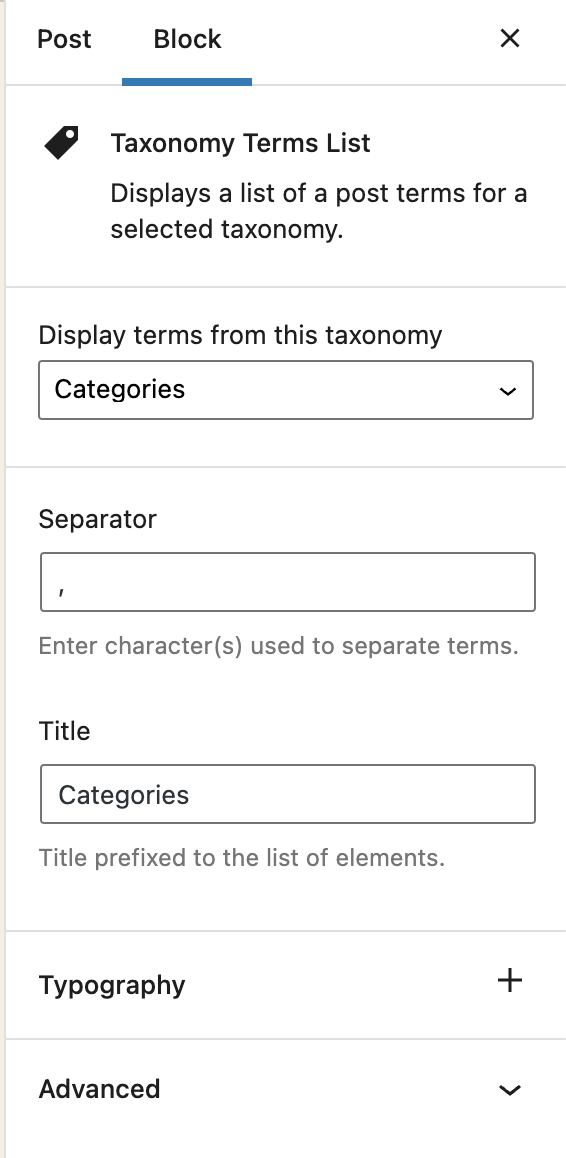
Block options 
Block content
ბლოკები
ეს პლაგინი უზრუნველყოფს 1 ბლოკს.
- Taxonomy Terms List Displays a list of a post terms for a selected taxonomy.
დაყენება
- Visit Plugins > Add New
- Search for ‘Taxonomy Terms List Block’
- Activate Taxonomy Terms List Block from your Plugins page.
- Open your block editor. Now you can add a new Taxonomy Terms List block.
მიმოხილვები

მონაწილეები & დეველოპერები
“Taxonomy Terms List Block” ღია პროგრამული უზრუნველყოფაა. შემდეგმა ადამიანებმა წვილი შეიტანეს მის განვითარებაში.
მონაწილეები
“Taxonomy Terms List Block” ითარგმნა 1 ენაზე. გმადლობთ თარჯიმნებო თქვენი წვლილისათვის.
გადათარგმნეთ Taxonomy Terms List Block თქვენს ენაზე.
დაინტერესებული ხართ დეველოპმენტით?
დაათვალიერეთ კოდი, შეამოწმეთ SVN რეპო, ან გამოიწერეთ შექმნის ჟურნალი : RSS.
ცვლილებები
1.1.2
Fix: The previous version did not properly include the translated strings. Props again to Christoph Herbst.
1.1.1
Fix: Some of the strings were not translatable. Props to Christoph Herbst.
1.1.0
Enhancement: Support custom background and text color.
Enhancement: Support custom spacing (margin/padding)
Some other UX improvements.
1.0.2
Fix: Taxonomy terms previsualization was not working in the block editor.
1.0.1
Allow to select any taxonomy if the current post has no taxonomies linked.
1.0
First release