

აღწერა
bookingtime appointment
Appointments simply managed. Software for all services – connecting you with your customers. Start now!
https://youtu.be/f73oHpU5O74
Features
- Real-time booking
- E-mail / text message* reminders
- Notifications on client activity
- Daily and weekly calendar
- Individual appointments and courses
- Personal microsite
- Easily integrated client booking module
- Complete customer management
- Calendar Sync
- Staff management
- Guest booking / registration
- Availability of Appointments
- Customisable texts
- Log
- Standard access permissions
- Individual access permissions
- Resource optimisation
Use of Third-Party Services
This plugin uses external third-party services to provide certain functionalities. Below is a description of the services used in this plugin, along with links to their terms of service and privacy policies.
Third-Party Services Used
-
BookingTime API
Description: This plugin accesses the BookingTime API to retrieve and manage booking data.
Circumstances of Use: The API is used to synchronize data in real-time and process booking requests.
API URL: https://api.bookingtime.com/app/v3/
Privacy Policy: https://service.bookingtime.com/legal/de/datenschutz/bookingtime_Datenschutzbestimmungen.pdf (If the link is missing, please check the service’s website)
Terms of use: https://service.bookingtime.com/legal/de/agb/bookingtime_AGB.pdf (If the link is missing, please check the service’s website) -
BookingTime OAuth Service
Description: This plugin uses the BookingTime OAuth Service to manage authentication and authorization processes.
Circumstances of Use: The OAuth service is used to securely access the BookingTime API.
OAuth URL: https://auth.bookingtime.com/oauth/token
Privacy Policy: https://service.bookingtime.com/legal/de/datenschutz/bookingtime_Datenschutzbestimmungen.pdf (If the link is missing, please check the service’s website)
Terms of use: https://service.bookingtime.com/legal/de/agb/bookingtime_AGB.pdf (If the link is missing, please check the service’s website)
ეკრანული სურათები


ბლოკები
ეს პლაგინი უზრუნველყოფს 1 ბლოკს.
- Appointment Appointment ganz einfach.
დაყენება
To install appointment, follow these steps:
- Download and unzip the bookingtime appointment plugin
- Upload the entire appointment/ directory to the /wp-content/plugins/ directory
- Activate the appointment plugin through the Plugins menu in WordPress
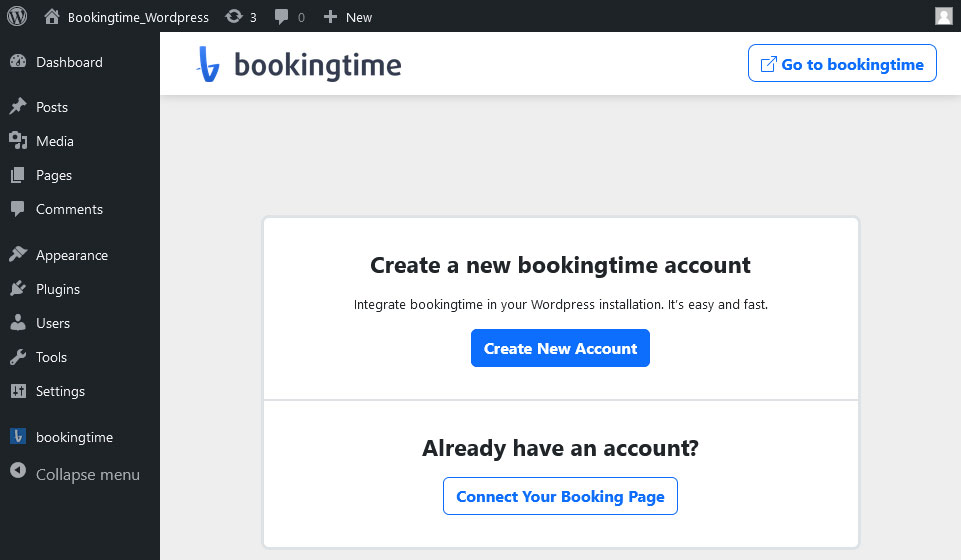
- Register and configure the settings at the appointment menu.
- To insert the appointment form into some content or post use the icon appointment that will appear when editing contents or the shortcode [appointment id=”YOUR_ID”] method.
ხდკ
-
For all questions and answers, you can visit the following URL:
-
https://www.bookingtime.com/faq
მიმოხილვები
There are no reviews for this plugin.
მონაწილეები & დეველოპერები
“bookingtime appointment” ღია პროგრამული უზრუნველყოფაა. შემდეგმა ადამიანებმა წვილი შეიტანეს მის განვითარებაში.
მონაწილეები
გადათარგმნეთ bookingtime appointment თქვენს ენაზე.
დაინტერესებული ხართ დეველოპმენტით?
დაათვალიერეთ კოდი, შეამოწმეთ SVN რეპო, ან გამოიწერეთ შექმნის ჟურნალი : RSS.
ცვლილებები
6.0.10
- Security: admin endpoints now require administrator capabilities.
- Security: XSS hardening – API responses are escaped, script tags removed from the wp_kses allowlist.
- Performance: the bookingtime API is no longer called on every page load.
- Fixed: admin styles, scripts and the menu icon now load regardless of the plugin directory name.
- Security updates of the JavaScript build dependencies.
- Corrected minimum PHP version: 8.1 is required.
- Tested up to WordPress 7.0.
1.0.0
- Initial release.